10
2 INSTALLATION AND SETUP continued
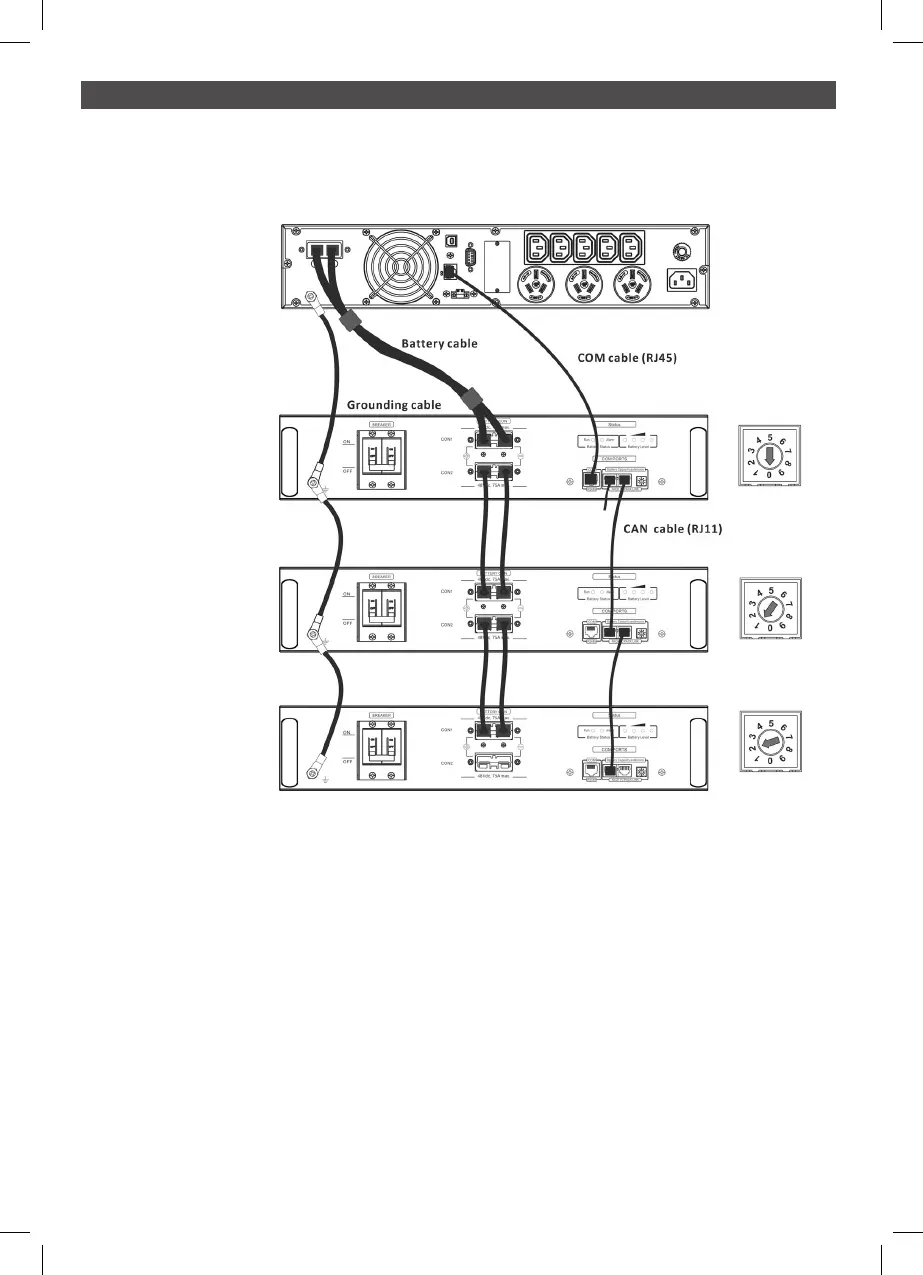
2.6 Battery Capacity Extension
To extend the backup time, connect more external battery modules.
If more than one external battery module is connected to the UPS, the first external battery
module is deemed Master and must be set with ID of “0”
The second and subsequent external battery modules are deemed Slaves and must be set to
unique IDs of 1,2,3,4,5,6,7,8,9
For addition External Battery Modules
Step 0: Connect Earth cables from the UPS to all external battery modules.
Step 1: Set up the ID code for slave external battery modules by rotating the PIN number on the
ID switch. from number 1 to 9. it is a requirement to assign a unique ID to each external
battery module for parallel operation.
Step 2: Use the battery cables supplied to connect the external battery modules.
UPS
#1 EBM
(Master)
#2 EBM
(Slave)
#3 EBM
(Slave)



 To Next Page