7
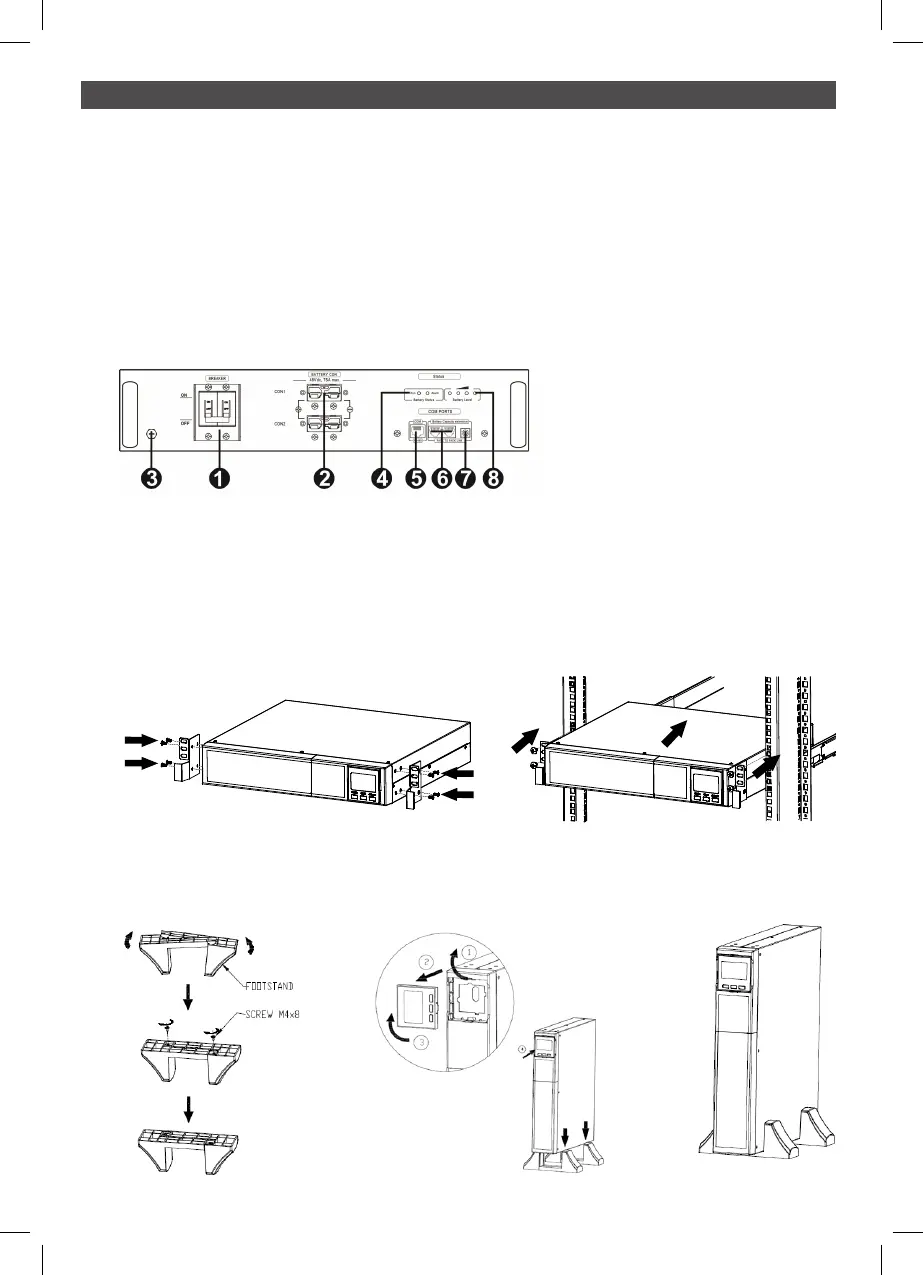
2.3 Rear panel view of battery pack
1 Breaker
2 Battery connectors
3 Grounding screw
4 Battery pack status LED
5 BMS COM port (to UPS) RJ45
6 Extension ports (to next battery pack) RJ11
7 ID switch
8 Battery level LED
2 INSTALLATION AND SETUP continued
PSLCERTBB50
2.4 Install the UPS
This UPS can be installed in either tower or rack orientation. Please choose proper installation
to position this UPS.
Rack-mount Installation
Tower Installation
2
2 3



 To Next Page