6
2 INSTALLATION AND SETUP
2.1 Package Contents
Before installation, please inspect the unit for any damage that may have occurred during transit.
If any damage is found, please notify your dealer. Please keep the packaging in the event the
product needs to be returned to a repair centre for service.
Included in the box:
• UPS unit
• User manual
• Signal cable (RJ11)
• BMS communication cable (RJ45)
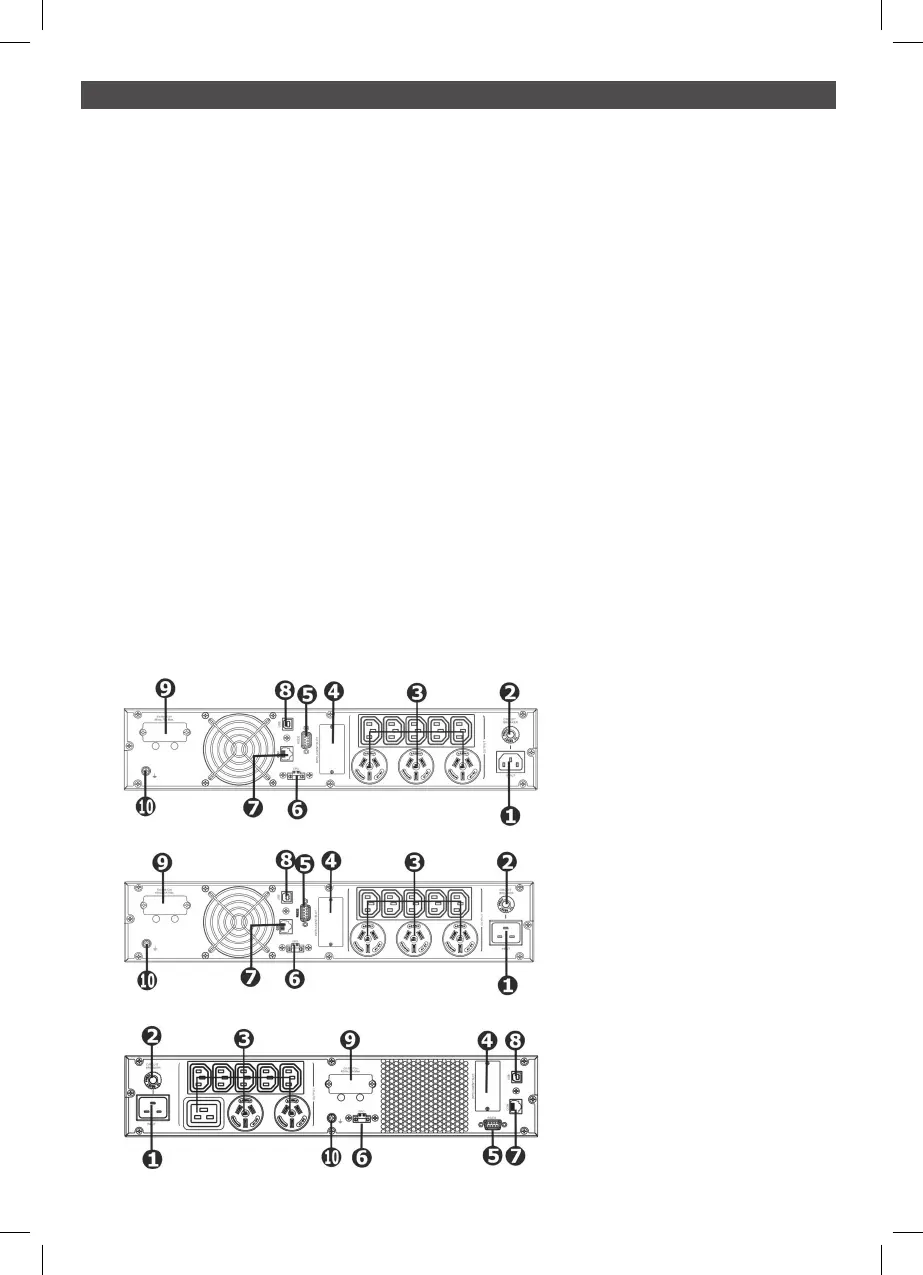
2.2 Rear panel view of UPS
1 AC input
2 Input breaker
3 AC output receptacles
4 Intelligent slot
5 RS-232 port
6 EPO port
7 BMS communication port (RJ45)
8 USB port
9 External battery connector
10 Grounding screw
PSLCERT1000L
PSLCERT2000L
PSLCERT3000L



 To Next Page