8
2 INSTALLATION AND SETUP continued
2.5 Connecting to Battery Pack
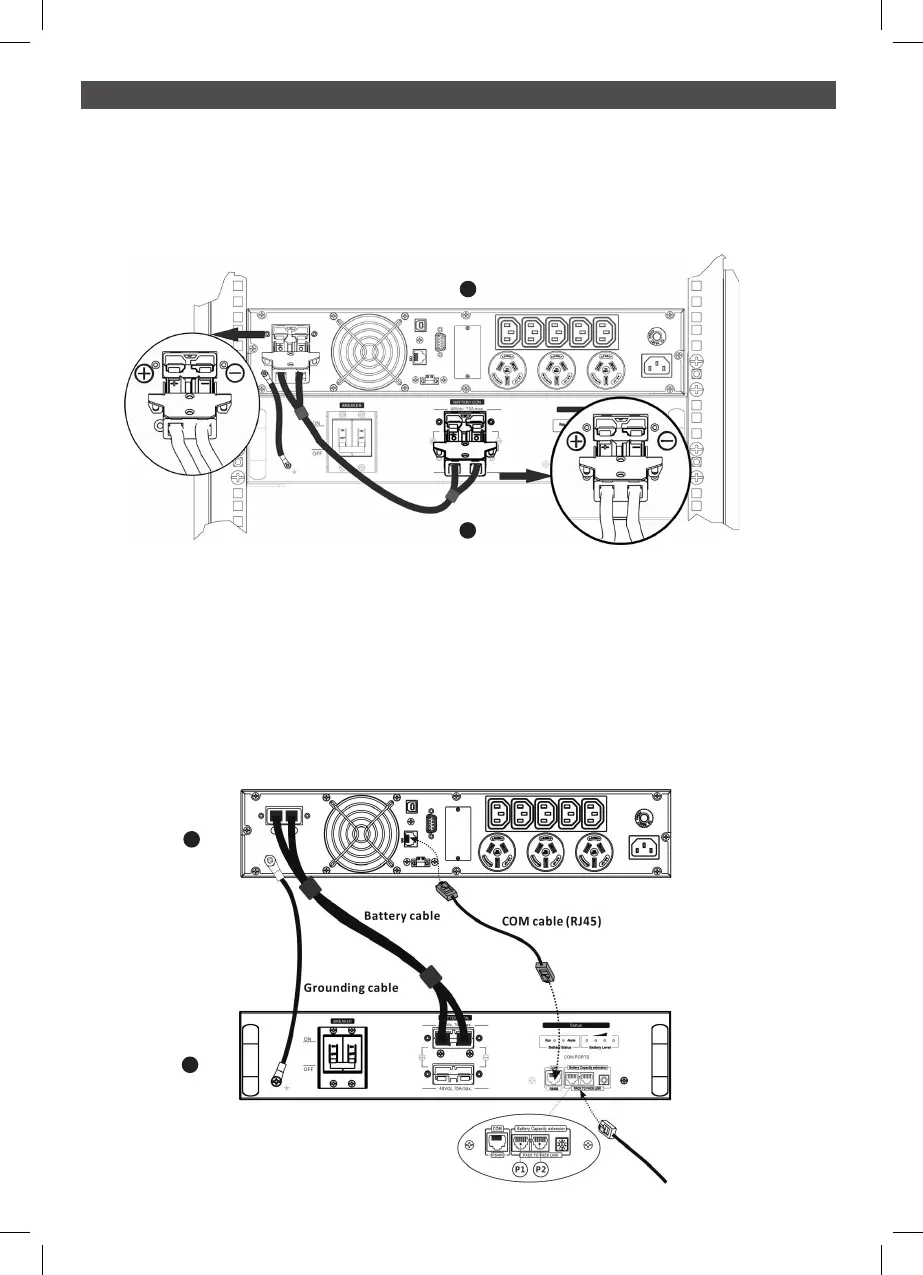
Step 0: Connect all Earth cables
Step 1: Connect A UPS to B external battery module (PSLCERTBB50 with a battery cable.
NOTE: Be sure grounding is connected firmly.
A
B
Step 2: Insert the communication cable (RJ45 cable supplied in the UPS package) into the BMS
communication port on the external battery module and into the BMS communication port
of the UPS.
Set the ID switch position at “0”.
NOTE: For a single external battery module there is a spare signal cable required.
If the UPS is only connected to one battery pack, it's not necessary to insert the signal
cable into extension port (RJ11).
A
B



 To Next Page