www.powershield.com.au 11
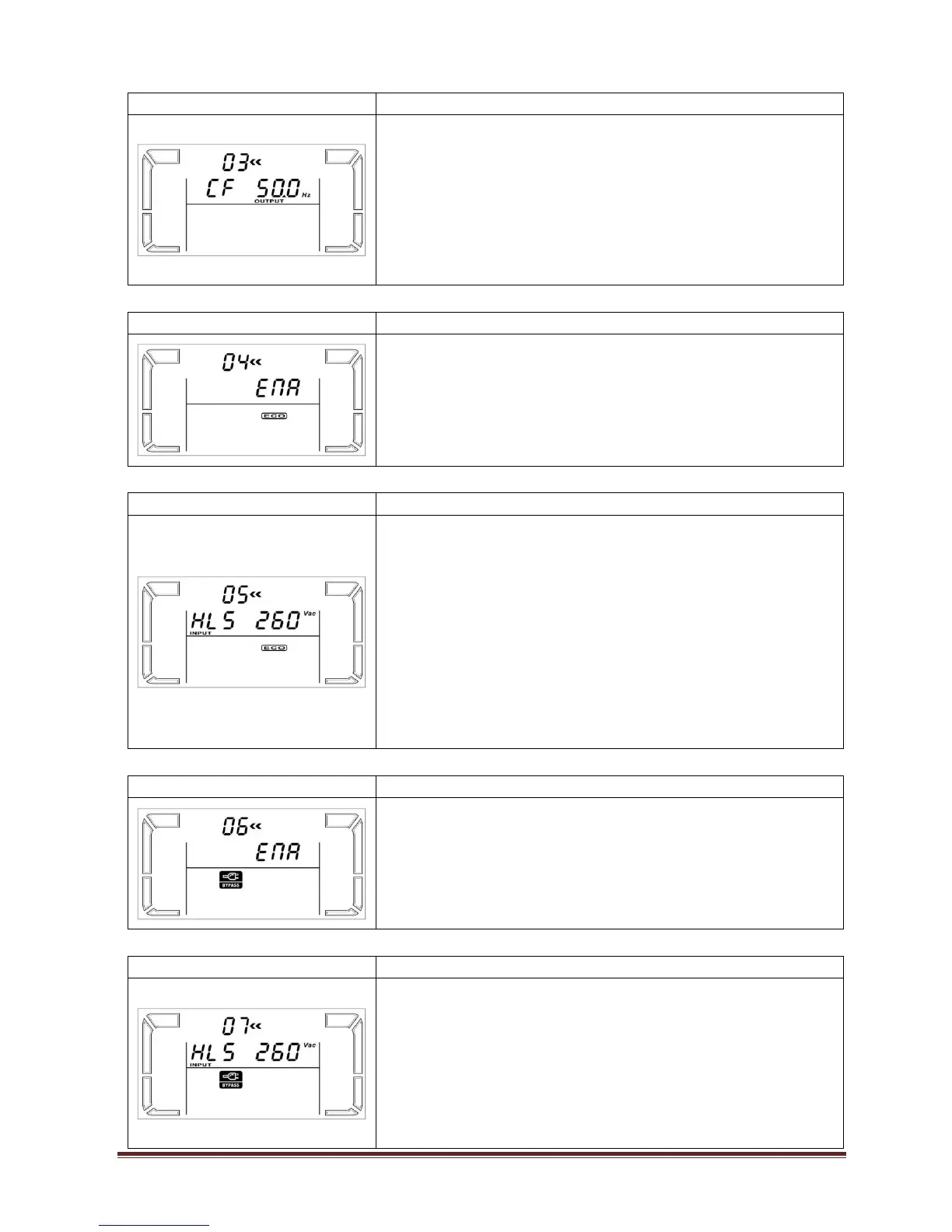
03: Output frequency setting
Parameter 2 & 3: Output frequency setting.
You may set the initial frequency on battery mode:
BAT 50: presents output frequency is 50Hz
BAT 60: presents output frequency is 60Hz
If converter mode is enabled, you may choose the
following output frequency:
CF 50: presents output frequency is 50Hz
CF 60: presents output frequency is 60Hz
Parameter 3: Enable or disable ECO function. You may
choose the following two options:
ENA: ECO mode enable
DIS: ECO mode disable (Default)
05: ECO voltage range setting
Parameter 2 & 3: Set the acceptable high voltage point
and low voltage point for ECO mode by pressing Down
key or Up key.
HLS: High loss voltage in ECO mode in parameter 2.
For 200/208/220/230/240 VAC models, the setting range
in parameter 3 is from +7V to +24V of the nominal
voltage. (Default: +12V)
LLS: Low loss voltage in ECO mode in parameter 2.
For 200/208/220/230/240 VAC models, the setting range
in parameter 3 is from -7V to -24V of the nominal
voltage. (Default: -12V)
06: Bypass enable/disable when UPS is off
Parameter 3: Enable or disable Bypass function. You
may choose the following two options:
ENA: Bypass enable
DIS: Bypass disable (Default)
07: Bypass voltage range setting
Parameter 2 & 3: Set the acceptable high voltage point
and acceptable low voltage point for Bypass mode by
pressing the Down key or Up key.
HLS: Bypass high voltage point
230-264: setting the high voltage point in parameter 3
from 230Vac to 264Vac. (Default: 264Vac)
LLS: Bypass low voltage point
170-220: setting the low voltage point in parameter 3



 To Next Page