3.10.3 Requirement for the parallel system
A group of paralleled modules behave as one large UPS system but with the advantage of
presenting higher reliability. In order to assure that all modules are equally utilized and comply
with relevant wiring rules, please follow the requirements below:
1) All UPS modules must be of the same rating and be connected to the same bypass
source.
2) The outputs of all the UPS modules must be connected to a common output bus.
3) The length and specification of power cables including the bypass input cables and the UPS
output cables should be the same. This facilitates load sharing when operating in bypass
mode.
3.11 Computer access
◆One end of a USB cable connect to the computer, the other end connect to the USB port on
the UPS.
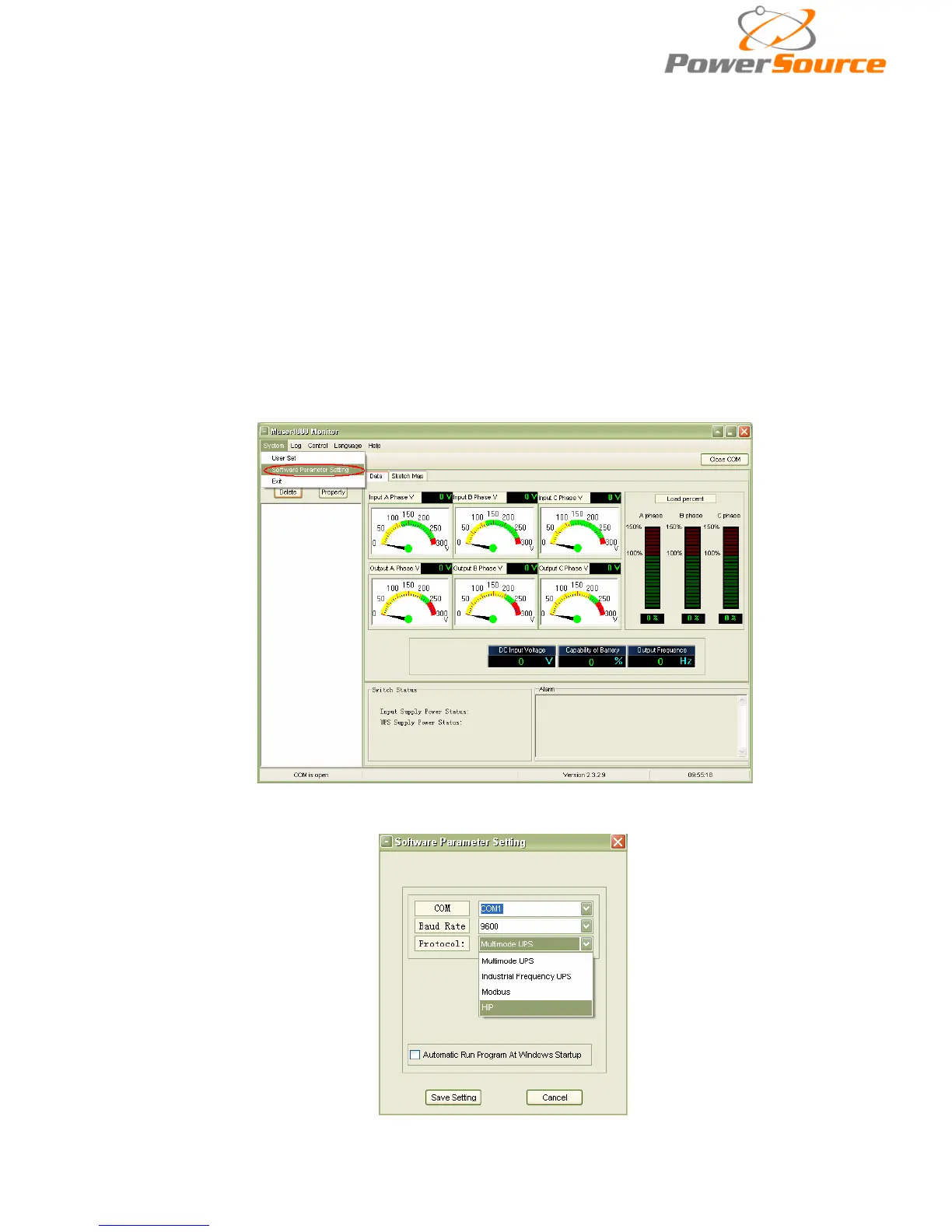
◆Open the software Muser4000, click “system” button.
◆A window of “Software Parameter Setting” comes out as below, COM choose according to the
UPS , baud rate choose 9600, protocol choose “HIP”, then save this setting.


 To Next Page