EasyManua.ls Logo

PowerSource YDC3300 - Parallel redundancy quantity setting; Display Messages;Troubleshooting

PowerSource YDC3300
41 pages
Print Icon
To Next Page IconTo Next Page
To Previous Page IconTo Previous Page
Loading...
29
4.4.11 Parallel redundancy quantity setting
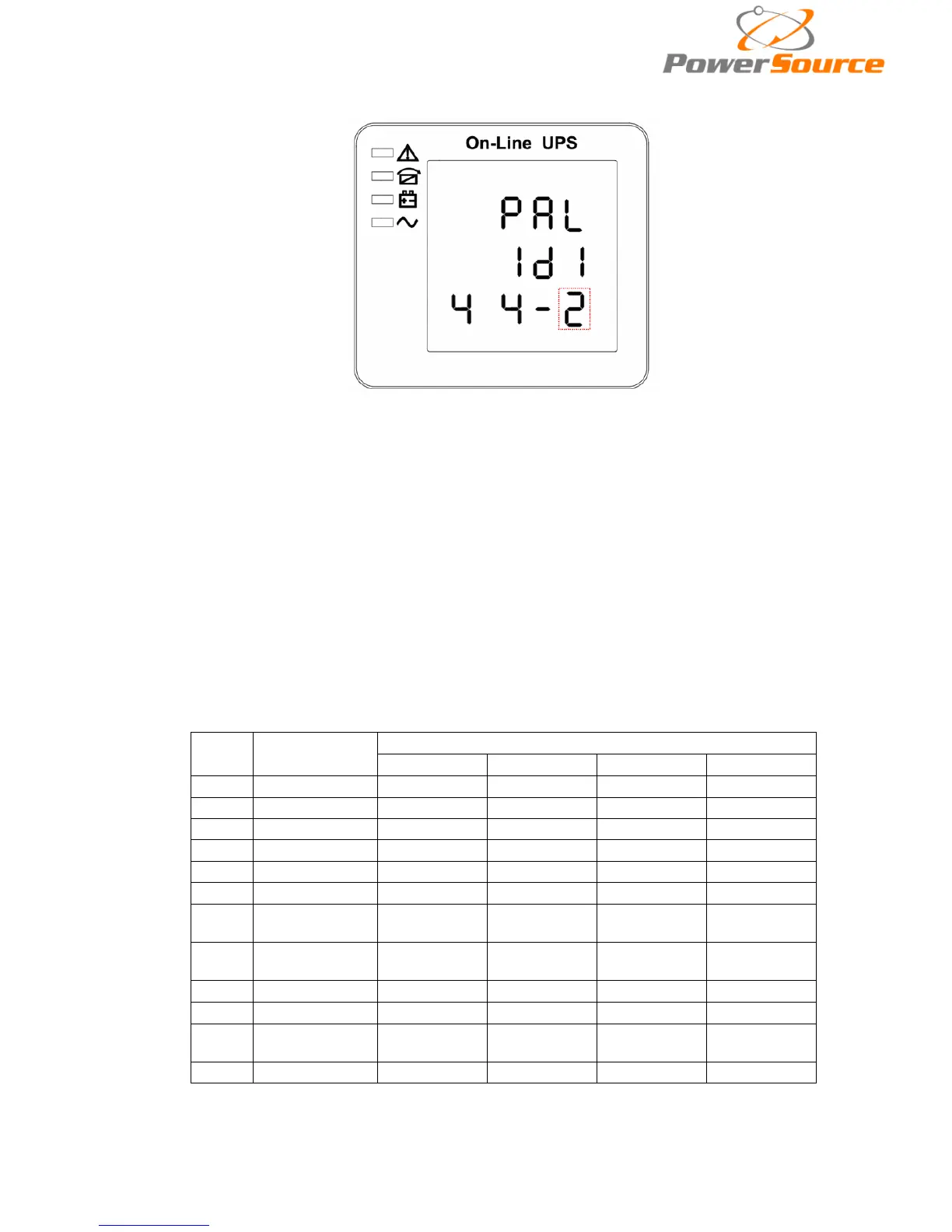
Parallel redundancy quantity setting (Note: Inside the broken-line is the flashing pa
rt.)
When under the parallel quantity setting press On▼, it goes to the parallel redundancy quantity
setting. The parallel redundancy quantity flashes as in above picture. use button Enter
to set the
parallel redundancy quantity. The parallel redundancy quantity range is 0~3. press to go to
parallel quantity setting, or ▼ to exit the mode setting. Then UPS LCD panel setting is accomplished.
4.5 Display Messages/Troubleshooting
This section lists the event and alarm messages that the UPS might display. The messages are
listed in alphabetical order. This section is listed with each alarm message to help you troubleshoot
problems .
Display messages
Operational Status and Mode(s)
Code
(ST)
Information
stand for

LED
Fault
Bypass
Battery
Inverter
1
Initialized
EXTINGUISH
EXTINGUISH
EXTINGUISH
EXTINGUISH
2
Standby Mode
EXTINGUISH
EXTINGUISH
X
EXTINGUISH
3
No Output
EXTINGUISH
EXTINGUISH
X
EXTINGUISH
4
Bypass Mode
EXTINGUISH
LIGHT
X
EXTINGUISH
5
Utility Mode
EXTINGUISH
EXTINGUISH
X
LIGHT
6
Battery Mode
EXTINGUISH
EXTINGUISH
LIGHT
EXTINGUISH
7
Battery
Self-diagnostics
EXTINGUISH
EXTINGUISH
LIGHT
EXTINGUISH
8
Inverter is
starting up
EXTINGUISH
X
X
EXTINGUISH
9
ECO Mode
EXTINGUISH
X
X
X
10
EPO Mode
LIGHT
EXTINGUISH
X
EXTINGUISH
11
Maintenance
Bypass Mode
EXTINGUISH
EXTINGUISH
EXTINGUISH
EXTINGUISH
12
Fault Mode
LIGHT
X
X
X
CAUTION"X" means it is determined by other conditions