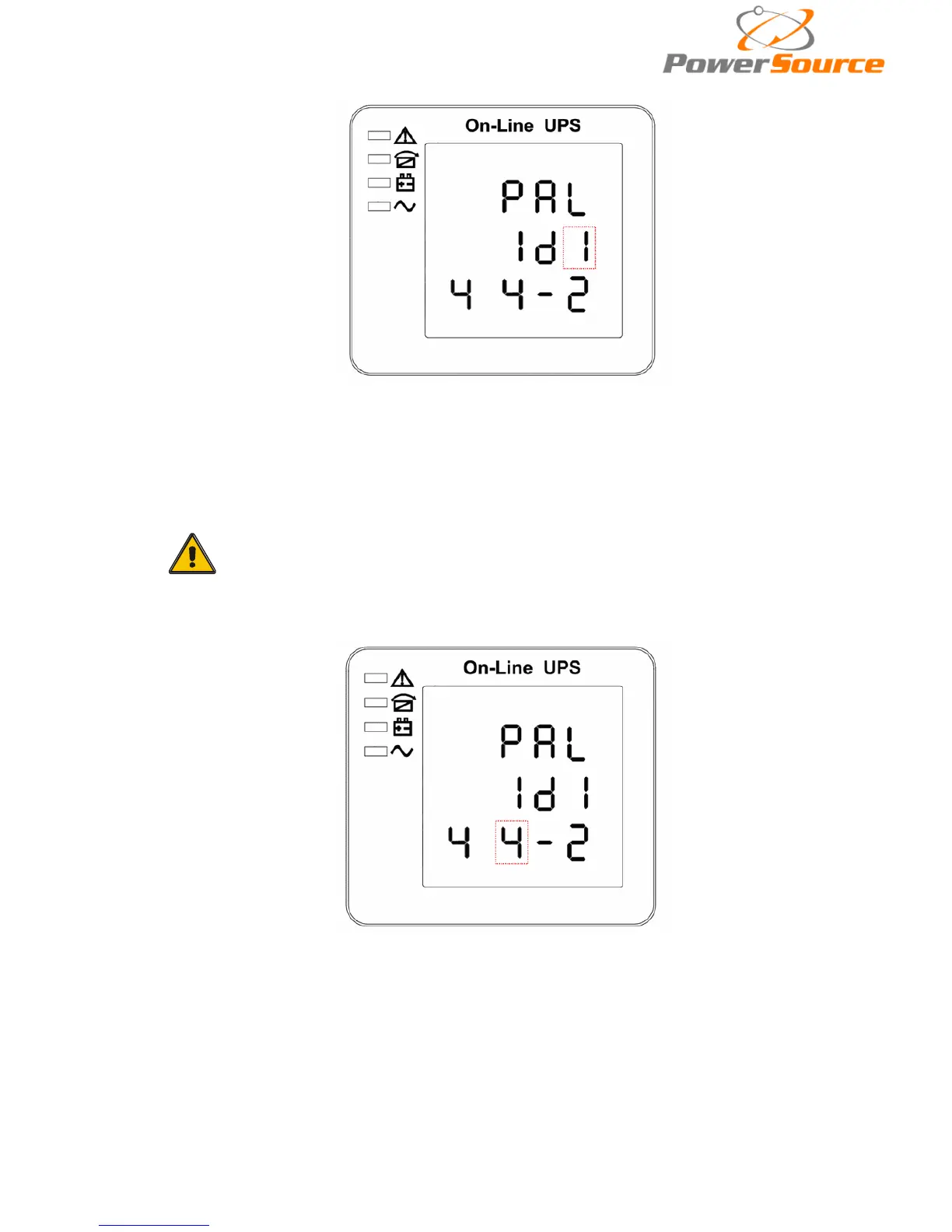
4.4.9 Parallel ID setting
Parallel ID setting (Note: Inside the broken-line is the flashing pa
rt.)
When under the bypass voltage lower limit setting press On▼ or when under parallel quantity
setting press Off▲, it goes to the parallel ID setting. The parallel ID flashes as in above picture. ①
use button Enter
to set the different parallel ID. The parallel ID range is 1~4. ②press▲ or ▼ to exit
the parallel ID setting (save the parallel ID setting) and goes to bypass lower limit setting or parallel
quantity setting.
CAUTION!
Parallel cable cannot be connected when setting the parallel parameters.
4.4.10 Parallel quantity setting
Parallel quantity setting (Note: Inside the broken-line is the flashing pa
rt.)
When under the parallel ID setting press On▼ or when under parallel redundancy quantity
setting press Off▲, it goes to the parallel quantity setting. The parallel quantity flashes as in above
picture. ①use button Enter
to set the parallel quantity. The parallel quantity range is 2~4. ②
press▲ or ▼ to exit the parallel quantity setting (save the parallel quantity setting) and goes to
parallel ID setting or parallel redundancy quantity setting.


 To Next Page