4.4 Parameters
setting
The setting fuction is controled by 3 buttons (Enter
,Off
▲, On ▼): Enter
---goes into the
setting page and value adjustment; Off ▲ & On ▼---for choosing different pages.
After the UPS turn ON, press buttons
& ▲ for 2seconds and then goes into the setting
interface page.
Note: Figure at left corner is the page number of the setting pages.
4.4.1 Mode setting
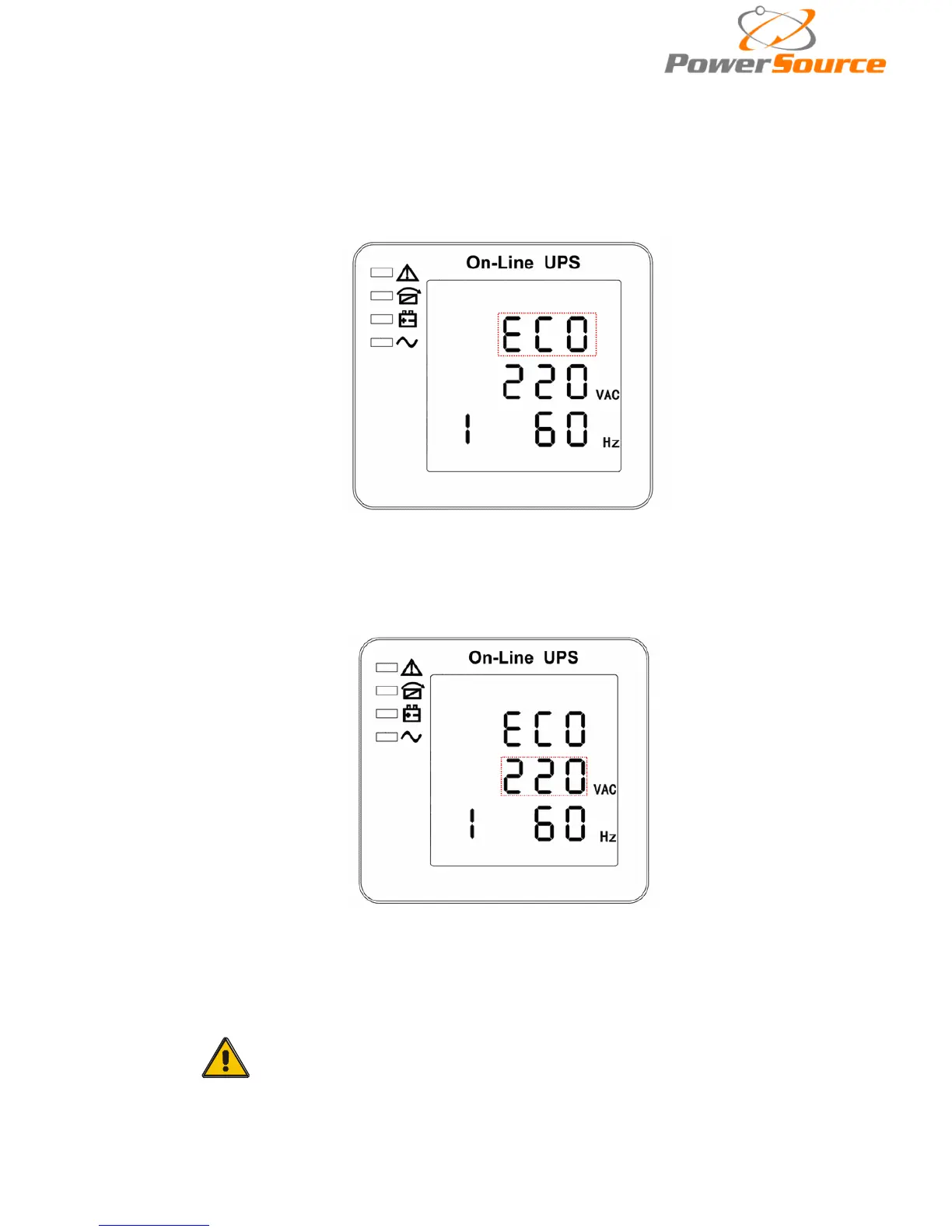
Mode setting (Note: Inside the broken-line is the flashing part.)
After entering the setting menu, it’s mode setting defaulted, and the mode setting line flashing
as in above picture. ①use button Enter
to choose different mode. There are 3 different modes for
setting: ECO, PAL, NOR. ②press▲ or ▼ to exit the mode setting (save the mode setting), and goes
to output voltage setting or parallel redundancy quantity setting.
4.4.2 Output voltage setting
Output voltage setting (Note: Inside the broken-line is the flashing pa
rt.)
When under the mode setting press On▼ or when under frequency setting press Off▲, it
goes to the output voltage setting. The output voltage line flashes as in above picture. ①use button
Enter
to choose the different output voltage. There are 3 different voltages---220, 230, 240. ②
press▲ or ▼ to exit the output voltage setting (save the output voltage setting) and goes to mode
setting or frequency setting.
CAUTION!
When powered by inverter, it is necessary to turn off the inverter
before setting voltage and frequency level.


 To Next Page