4.2 Turn on/off UPS
4.2.1 Restart procedure
CAUTION!
Make sure grounding is prorerly done!
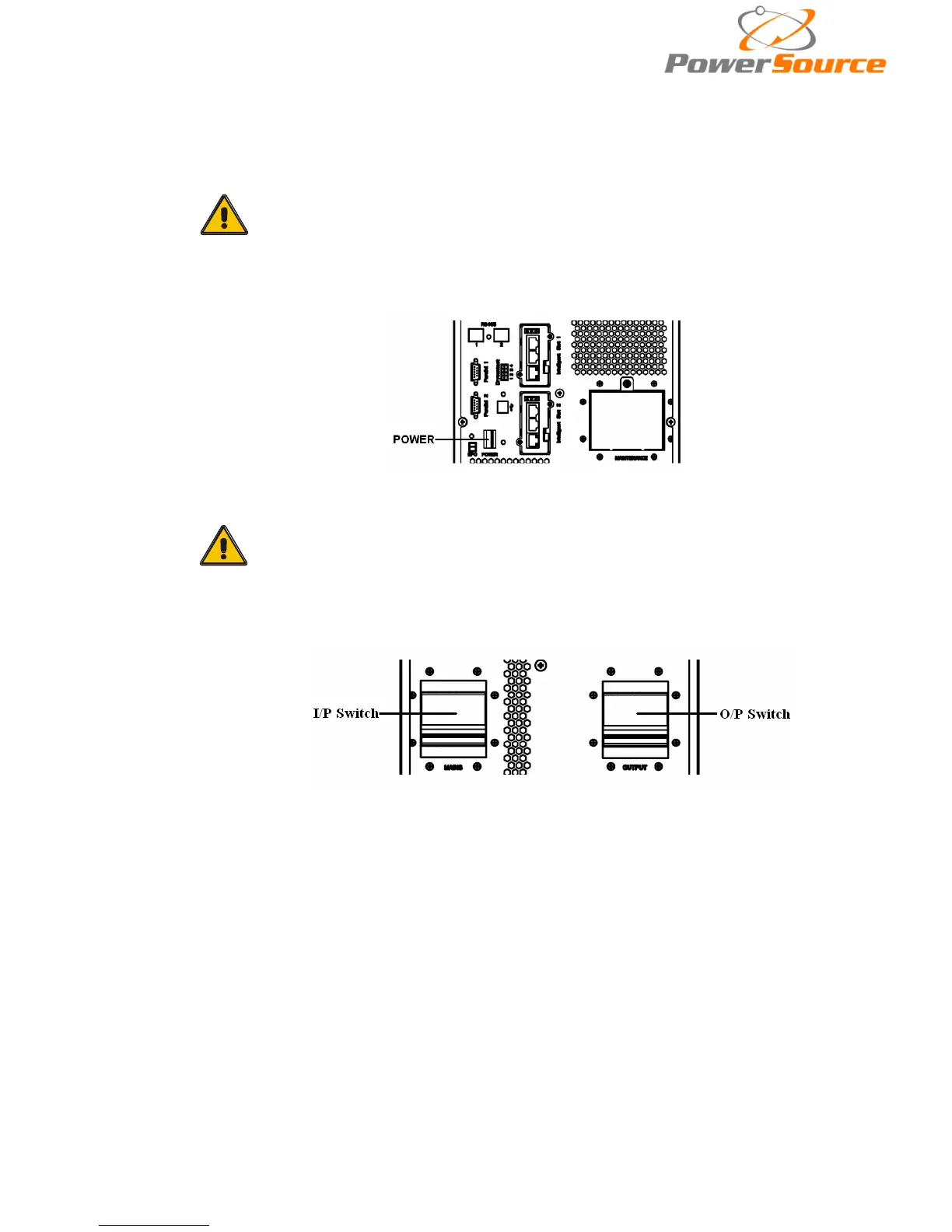
◆ Set the Battery Breaker to the “ON” position according to the user’s manual.
◆Shut OFF the power breaker.
CAUTION!
Check to see if the load is safely connected with the output of the
UPS. If the load is not ready to receive power from the UPS, make
sure that it is safely isolated from the UPS output terminals
◆ Switch ON UPS input switch
If the Rectifier input is within voltage range, the rectifier will start up in 30 seconds then
the inverter will start up after then.
◆ Switch ON UPS output switch
If the recetifier fails at startup, the bypass LED will light up. When the inverter starts up,
the UPS will transfer from bypass mode to inverter mode, then the bypass LED
extinguishes and the inverter LED lights up.
No matter whether the UPS can work normally or not, all the status will be shown on the
LCD display.


 To Next Page