6
Keyboard & Function Keys
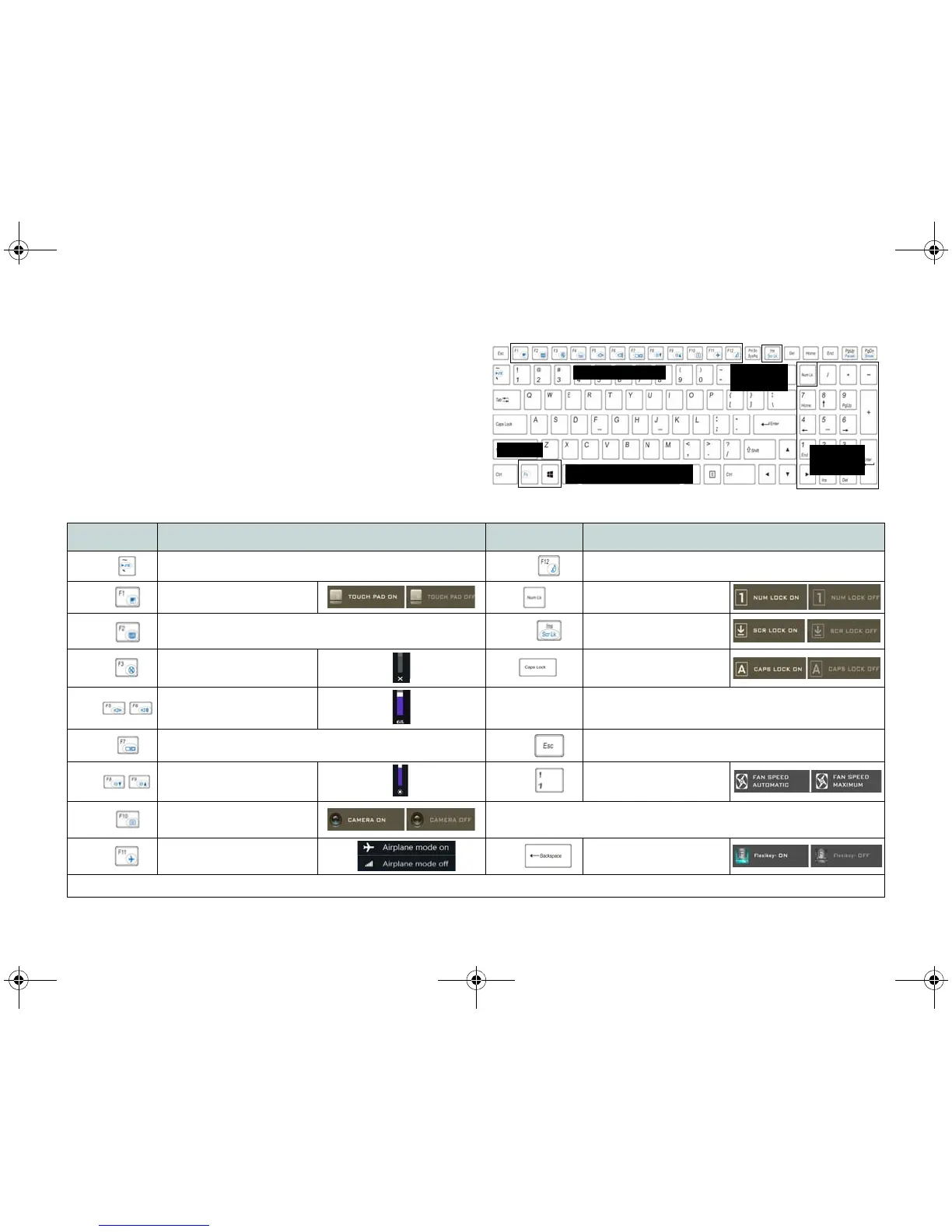
The keyboard includes a numeric keypad for easy numeric
data input. Pressing NumLk turns on/off the numeric key-
pad. It also features function keys to allow you to change
operational features instantly. The function keys (F1 - F12
etc.) will act as hot keys when pressed while the Fn key is
held down. In addition to the basic function key combina-
tions, some visual indicators are available when the Con-
trol Center driver is installed.
Keys Function/Visual Indicators Keys Function/Visual Indicators
Fn +
Play/Pause (in Audio/Video Programs)
Fn +
Sleep Toggle
Fn +
Touchpad Toggle Number Lock Toggle
Fn +
Turn LCD Backlight Off
(Press a key to or use Touchpad to turn on)
Fn +
Scroll Lock Toggle
Fn +
Mute Toggle
Caps Lock Toggle
Fn +
Volume Decrease/Increase
Fn + Power But-
ton
Powered USB Port Power Toggle (see page 9)
Fn +
Change Display Configuration (see page 21)
Fn +
Control Center Toggle (see page 11)
Fn +
Brightness Decrease/
Increase
Fn +
Fan Automatic Control/
Full Power
Fn +
PC Camera Power
Toggle
*Note: It is recommended that you use Maximum fan speed when
playing games.
Fn +
Airplane Mode Toggle
Fn +
Disable/Enable
Flexikey® (see page 15)
Table 2 - Function Keys & Visual Indicators



 To Next Page