Page 19
3.4 Battery Type
Operating Steps:
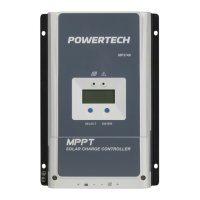
Under Battery Voltage interface, press and hold ENTER button until you see
Battery type setting. After choosing the battery type using SELECT button, wait
for 5 seconds or press ENTER button again to lock in the modification.
Battery Type:
① Sealed Lead Acid (Default) ②Gel ③Flooded Lead Acid
④ User(Apply to “MT50” and “PC software “Solar Station Monitor”)
Battery Voltage Parameters (parameters is in 12V system at 25°C,
please use double value in 24V.)
Under Volt. Warning Volt.
Low Volt. Disconnect Volt.
Discharging Limit Voltage


 To Next Page