PQR
Series Model D52
Page 25
www.Powertronics.com
V2.1
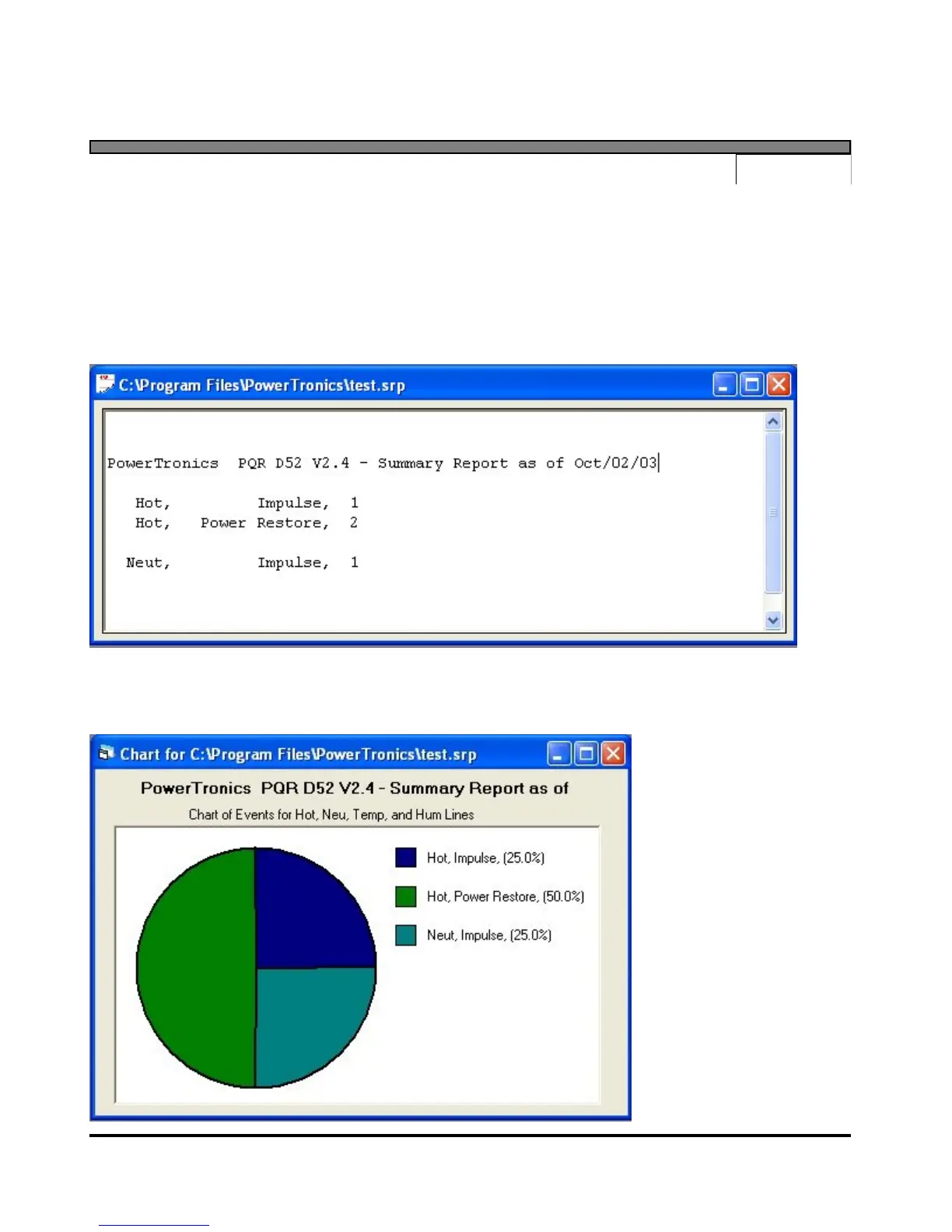
Summary Report
Selecting the "Summary Report" menu item will download a listing of counts of all the disturbances
detected since the unit was put on-line and the RAM was cleared. Before starting the transmission,
the user will be asked to specify the name and location of a file to write the data to. After the
transfer is complete, the program will automatically open a data window containing the downloaded
data. Each event is described by the phase, event type, magnitude, and quantity of that disturbance.
Selecting the Chart options from this report allows you to generate a pie chart showing the
distribution of the detected events.


 To Next Page