EasyManua.ls Logo

Powervar E240-22-A - User Manual

Default Icon
57 pages
Print Icon
To Next Page IconTo Next Page
Loading...
A01-00027 Rev. A
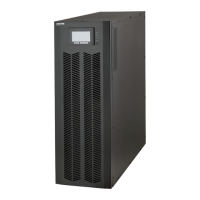
POWERVAR Sinergy III Rackmount / Tower User Instruction Manual
IMPORTANT SAFETY INSTRUCTIONS
SAVE THESE INSTRUCTIONS.
This manual contains important instructions for models :
· ACDEF6000-22 · E240-22-A
6KVA UPS BATTERY CABINET
Follow these instructions during the unpacking, installation, and maintenance of the UPS. If
you have a problem with the UPS, please refer to this manual before calling technical services.
POWERVAR
1450 South Lakeside Drive
Waukegan, IL 60085-8301
T (847) 596-7000
(800) 369-7179
F (847) 596-7100

Table of Contents

Questions and Answers

  • C
    Cindy ReedSep 12, 2025
    What does Fault 04 Bus Unbalance mean on Powervar E240-22-A?
    • G
      Gabriela RobertsonSep 12, 2025
      If your Powervar UPS shows 'Fault 04 Bus Unbalance', it indicates that the load is abnormal, causing unbalanced internal positive and negative DC bus voltages, or that the internal converter has failed. Contact the dealer.
  • K
    Kari OrtizSep 10, 2025
    What to do if Powervar E240-22-A shows Fault 01 Bus Start Fail?
    • B
      bmitchellSep 10, 2025
      If your Powervar UPS displays 'Fault 01 Bus Start Fail', it indicates that the internal converter has failed, preventing the DC bus voltage from reaching the correct level. Contact the dealer to repair.
  • D
    Danny FisherSep 9, 2025
    What does Powervar E240-22-A UPS Warning 3F Para Protect mean?
    • K
      Kevin HernandezSep 9, 2025
      Warning 3F 'Para Protect' on your Powervar UPS indicates that the parallel cable is not well connected when restarting after the parallel system faulted due to a parallel communication failure. Confirm that the parallel cable is securely connected and choose 'Para Unlock' from the control menu to remove the warning, then the UPS will start up. If the UPSs in the system are separated to a single UPS, disconnect the output to other UPSs and choose 'Para Unlock' in the control menu to remove the warning, then the UPS can start up.
  • J
    Jason LiuSep 8, 2025
    What to do if Powervar UPS reports Charger Fail?
    • J
      James MathisSep 8, 2025
      If your Powervar UPS is showing a 'Charger Fail' warning, it means the charger has failed. Contact the dealer to repair.
  • I
    ijacksonAug 23, 2025
    What to do if Powervar E240-22-A shows overload?
    • P
      Patrick WhiteAug 23, 2025
      If your Powervar UPS indicates an overload, it means the connected equipment is drawing more power than the UPS can supply. The solution is to remove some of the connected devices to reduce the load on the UPS.
  • D
    Daniel LewisSep 6, 2025
    What does Para Comm Fail mean on Powervar E240-22-A UPS?
    • E
      Erica StanleySep 6, 2025
      If your Powervar UPS displays 'Para Comm Fail', it means the parallel cable for communication is not securely connected in the parallel system. Securely connect the parallel cable.
  • C
    conniehamptonSep 5, 2025
    What does Fault 02 Bus Over mean on Powervar E240-22-A?
    • S
      Scott EdwardsSep 5, 2025
      Fault 02 on your Powervar UPS, 'Bus Over', indicates that the DC bus voltage is too high, possibly due to mains input or load transient current, or the internal converter has failed. Shut down and restart the system to see if the fault reoccurs. Contact the dealer for repair.
  • C
    Cory ConnerSep 3, 2025
    What to do if Powervar UPS shows IP Fuse Open?
    • S
      Steve KellySep 4, 2025
      If your Powervar UPS displays 'IP Fuse Open', it means the input fuse on the power stage board is open. Check the input fuse and replace it if necessary.
  • D
    Daniel OsborneSep 2, 2025
    What does EPO Enable mean on Powervar E240-22-A?
    • A
      Adam WalkerSep 2, 2025
      The 'EPO Enable' warning on your Powervar UPS means the EPO plug (jumper) is removed or the external EPO switch is off. Connect the EPO plug (jumper) or switch on the external EPO switch.
  • S
    scott41Sep 1, 2025
    How to resolve Powervar E240-22-A 'Batt Open' warning?
    • J
      John LarsonSep 1, 2025
      The 'Batt Open' warning on your Powervar UPS indicates that the battery is either not connected or the battery protection device is open. Connect the battery. Replace or restore the protection device.

Summary

Introduction to POWERVAR Sinergy III UPS

Technical Support Contact Information

Contact information for technical assistance and service.

FCC Compliance Statement

Regulatory compliance statement for radio frequency emissions.

General Safety Precautions

General safety information and precautions for using the UPS.

Device Overview and Models

Description of the UPS models and their configurations.

Preparation and Handling Guidelines

Steps for unpacking, inspecting, and handling the UPS.

Environmental Conditions for Operation

Recommended environmental parameters for UPS operation.

Rack Loading Considerations

Considerations for safely mounting the UPS in a rack.

Rack and Tower Installation Guide

Tower Installation Procedure

Instructions for installing the UPS in a tower configuration.

Rack Installation Procedure

Procedures for mounting the UPS in a 19-inch rack.

Electrical Preparations for Installation

Steps to prepare electrical systems for UPS installation.

Connecting Power and Load Cables

Guide to connecting input power and output load cables.

UPS Operations and Controls

Operating Modes and Status Indicators

Explanation of various UPS operating modes and status indicators.

Front Panel Controls and Indicators

Description of buttons, LEDs, and audible alarms on the front panel.

Single UPS Operation Guide

Step-by-step guide for operating a single UPS unit.

LCD Interface Navigation

How to navigate and use the UPS's LCD menu system.

UPS Interfaces and Connectivity

Serial Interface COM 3 Details

Details on the RS-232 serial communication port.

Interface Slot for Optional Cards

Information on using the interface slot for optional cards.

Maintenance Procedures

Maintenance Safety Warnings

Crucial safety warnings before performing maintenance.

Battery Management Guidance

Guidance on battery testing, replacement, and disposal.

Storage and Cleaning Instructions

Procedures for storing and cleaning the UPS unit.

Trouble Shooting UPS Issues

Warning and Fault Status Interpretation

How to interpret warning and fault indicators.

Troubleshooting Problem Resolution Table

A guide to diagnose and resolve common UPS issues.

UPS Installation for Parallel System

Paralleling UPS Devices Requirements

Requirements for connecting multiple UPS units in parallel.

Output Voltage Calibration for Parallel Systems

How to calibrate output voltage for parallel systems.

Parallel System Power-Up Procedure

Procedure for turning on a parallel UPS system.

Parallel System Management

Steps for adding or removing units from a parallel system.

Product Warranty Information

Basic Warranty Terms

Overview of the standard warranty terms.

Warranty Limitations and Exclusions

Details on what the warranty does and does not cover.

Battery Life Disclaimer

Information regarding battery lifespan and warranty conditions.

Optional Isolated Relay Contacts Card

Card Description and Installation

Overview and installation steps for the relay contact card.

Card Operation and Diagrams

Functionality and interface connection diagrams for the card.

Specifications and PBX Instructions

Electrical specs and specific instructions for PBX systems.

Powervar E240-22-A Specifications

General IconGeneral
VA Rating2400 VA
Frequency50/60 Hz
WaveformSine wave
PhaseSingle Phase
Battery TypeSealed Lead Acid
Battery RuntimeVaries by load
Communication InterfaceRS-232, USB
Operating Temperature0°C to 40°C
Operating Humidity0 to 95% non-condensing

Related product manuals