Configuration
14
Powerware
®
5105 User’s Guide S 05146193 A Uncontrolled Copy
CAUTION
DO NOT press the Off button while the UPS is in Configuration mode; pressing the
Off
button removes all power to your equipment.
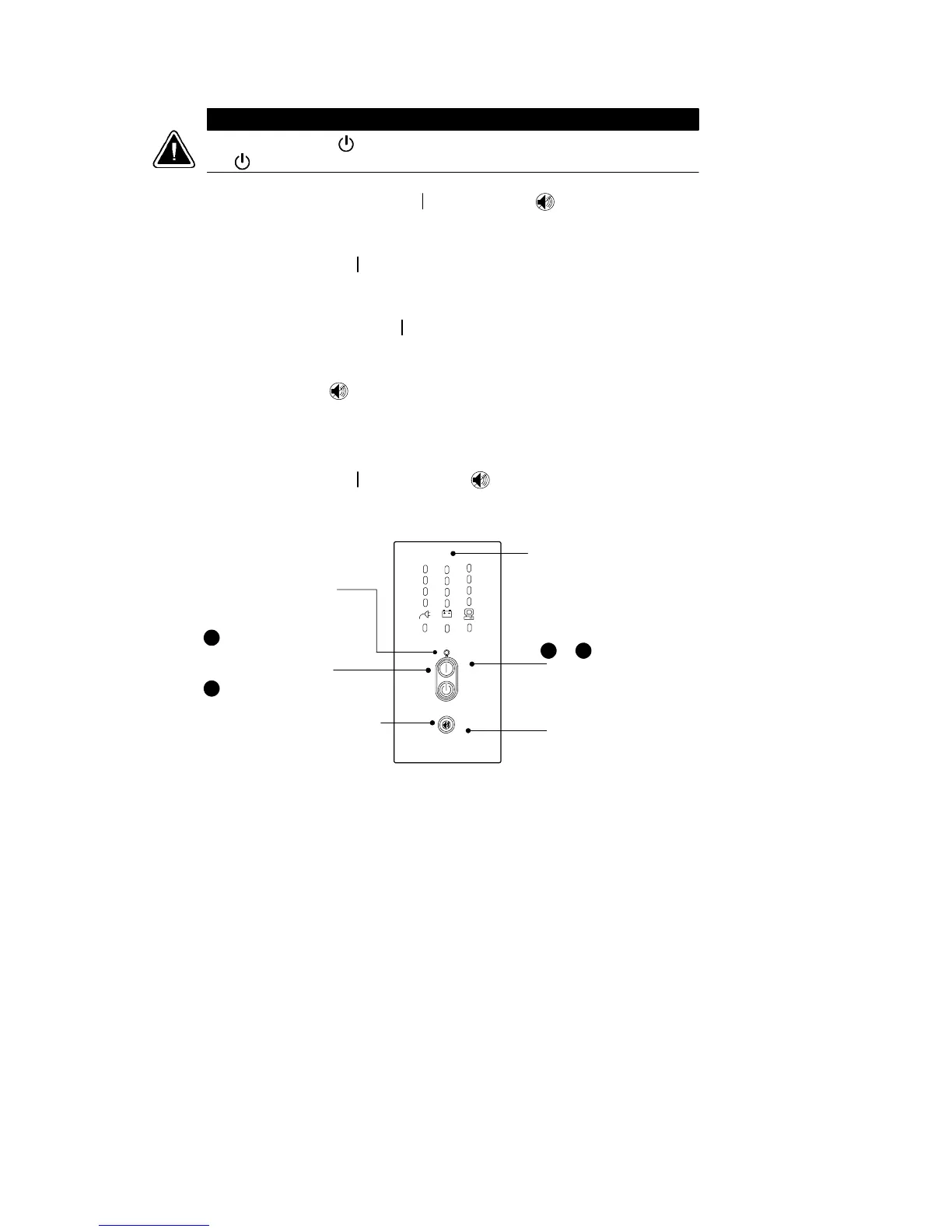
1. Press and hold the On button and the button
simultaneously for one beep. The UPS switches to
Configuration mode.
2. Press the On
button to scroll through the options. Each time
you press the button, the UPS beeps. The LED for the selected
optionblinks(seeFigure12andTable1).
If you press the On
button and nothing happens, the UPS is
still in Operation mode. Repeat Step 1 for one beep ONLY to
enter Configuration mode, and then perform Step 2.
3. Press the button ONCE to toggle the selected option on or
off. The Power On indicator corresponds with the cur rent
setting.
Repeat Steps 2 and 3 for each option.
4. Press the On
button and the button simultaneously to
return to Operation mode at any time. Scrolling past the last
LED also returns the UPS to Operation m ode.
1
Press the On button
to scroll to the next option.
Press the On and Test/Alarm Reset
buttons simultaneously to toggle
between Configuration and
Operation mode.
Press the Test/Alarm Reset
button to toggle an option on or off.
& 4
2
3
Power On Indicator
LEDs
Figure 12. Using the Configuration Mode



 To Next Page