UPS Maintenance
79
Powerware
®
9155 UPS (8–15 kVA) User’s Guide S 164201553 Rev D www.powerware.com
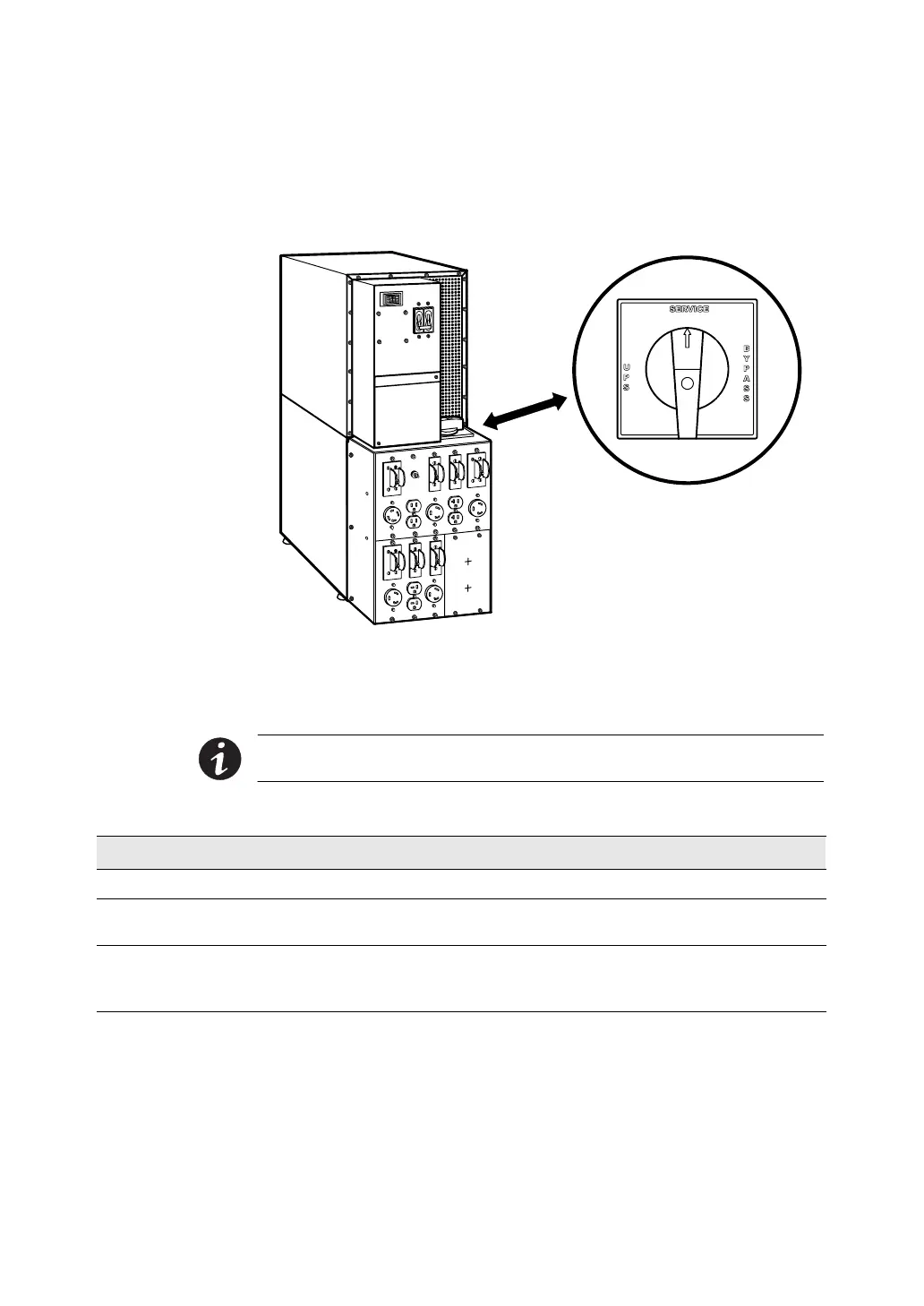
Using the UPS-Mounted Maintenance Bypass Switch
The UPS -mounted Maintenance Bypass switch is part of the optional
Maintenance B ypass Module or Power Distribution Module and is located
on the back of the UPS (see Figure 41).
Figure 41. Maintenance Bypass Switch (PDM Shown)
The UPS -mounted bypass switch has three positions as described in
Table 14.
NOTE In the UPS or SERVICE position, AC input power is still
connected to the input terminals inside the UPS.
Table 14. UPS -Mounted Bypass Switch Positions
Switch Position Description
UPS Connects the UPS output to the load.
SERVICE Connects the load directly to AC input power and disconnects UPS output. AC input
power is still connected to the UPS input.
BYPASS Like the SERVICE position, BYPASS connects the load directly to AC input power and
disconnects UPS output.
However, because BYPASS also disconnects AC input
from the UPS, this is the appropriate position for UPS maintenance or repair.












 To Next Page