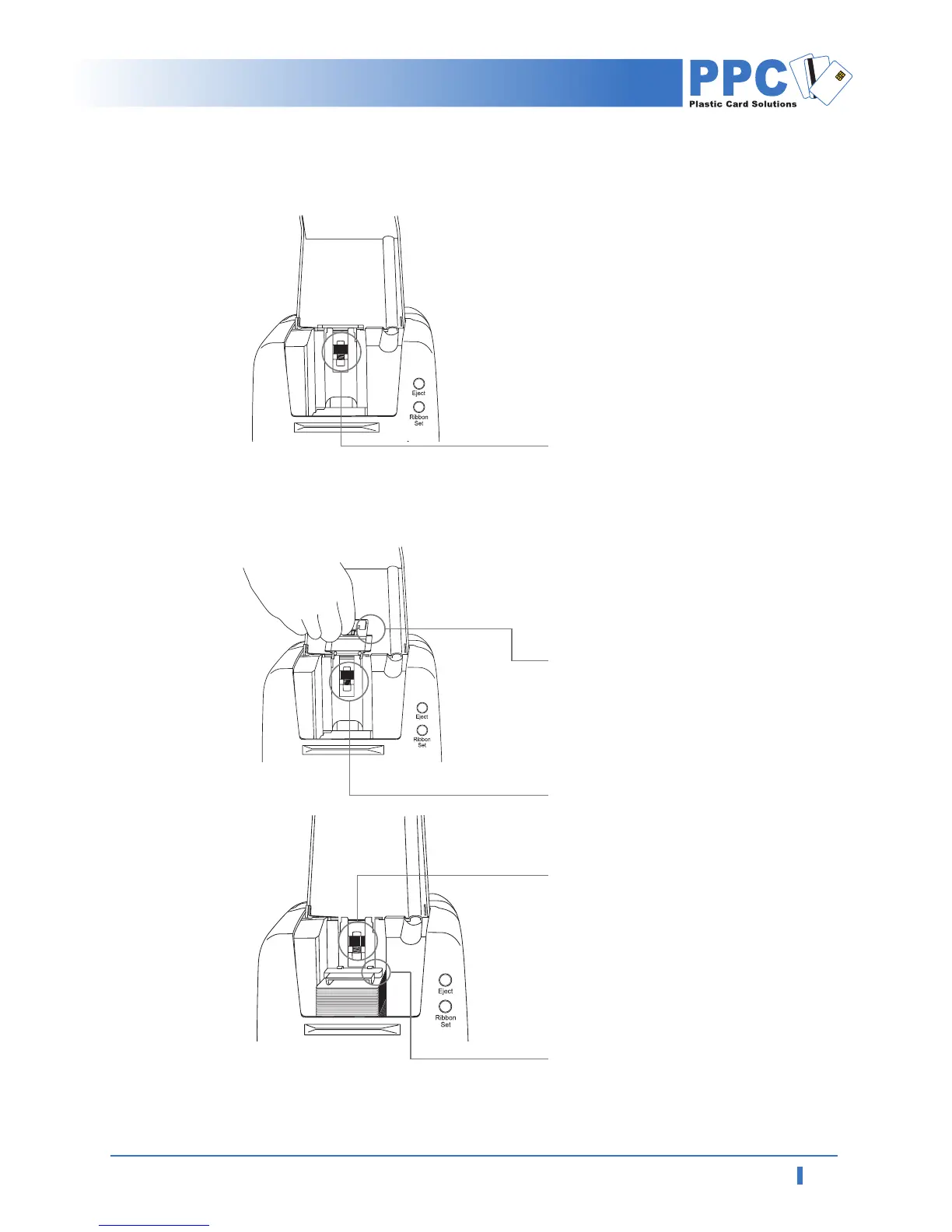
1.6 Card Feeding Hopper
1
Open the card feeding lid.
2
Rotate card thickness adjustment
controller in the card feeder to
synchronize it with the cards you
wish to print.
3
Lift the card feeding weight.
4
After stacking card into the card
feeding hopper, put the weight on
the stack of the cards.
Card thickness
adjustment controller
Card feeding weight
Card thickness
adjustment controller
Card feeding weight
Card thickness
adjustment controller



 To Next Page