2.1 Installing FTD2xx Direct USB Driver
Close all windows in operation. (Recommended)
(Explanation below is based on windows XP. Picture and sequence can differ in
Windows 2000.)
Installing
1
Attach USB cable to computer and place the printer's power switch in the ON position.
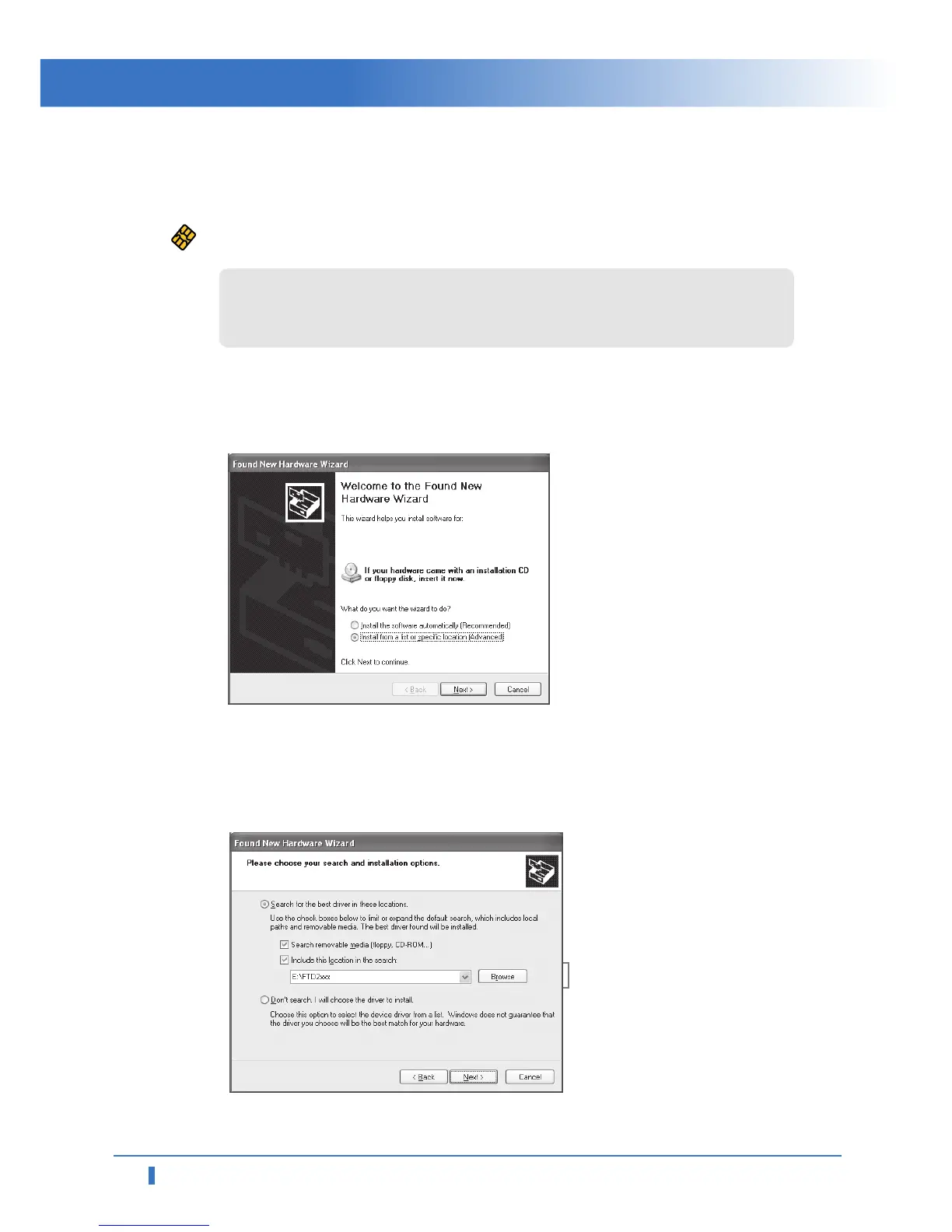
The [Found New Hardware] window will open. Select "Install from a list or specific
location", then click "<Next>"
2
Select "Search for the best driver in these locations" and "Include this location in the
search". Click "Browse" to search the CD location as follows.
<New Hardware installation>
<Driver location and file searching>
PPC ID-2000



 To Next Page