EasyManua.ls Logo

PR electronics 4510 - User Manual

Default Icon
21 pages
Print Icon
To Next Page IconTo Next Page
Loading...
PERFO RMANCE
MADE
SMARTER
PENDING
PENDING
Product manual
4510
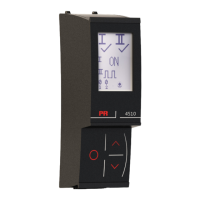
Display / programming front
TEMPERATURE | I.S. INTERFACES | COMMUNICATION INTERFACES | MULTIFUNCTIONAL | ISOLATION | DISPLAY
No. 4510V100-UK
From serial no.: 221207001
Question and Answer IconNeed help?

Do you have a question about the PR electronics 4510 and is the answer not in the manual?

PR electronics 4510 Specifications

General IconGeneral
BrandPR electronics
Model4510
CategoryMeasuring Instruments
LanguageEnglish

Summary

Product Pillars Overview

Temperature

Details on temperature transmitters and sensors for signal integrity.

I.S. Interface

Information on intrinsically safe isolation barriers with SIL 2 Full Assessment.

Communication

Overview of communication interfaces for product access and diagnostics.

Multifunction

Single devices for multiple applications to simplify installation and spares.

Isolation

Compact, high-quality isolators based on microprocessor technology.

Display

Devices offering flexibility and stability for process signal readout.

General Warning

Symbol Identification

Safety Instructions

Receipt and Unpacking

Procedure for unpacking and verifying the device upon receipt.

Environment

Guidelines for device operation regarding temperature, humidity, and altitude.

Mounting

Requirements for qualified technicians and device handling during installation.

Cleaning

Instructions for cleaning the device with a moist cloth.

Warranty and Liability

Details on the 5-year product warranty and liability terms.

Mounting and Demounting PR 4500 Interface

Display;Programming Front 4510 Overview

Applications of 4510

How the 4510 serves as a communication interface for programming and monitoring.

Technical Characteristics

Key features including display, memory, and password protection.

Mounting, Installation, and Programming

Zone 2 mounting, data transfer, and display rotation capabilities.

Product Order Information

Electrical Specifications

Display Layout

Operating Function Keys and Display

4510 Display Icons Explained

Explanation of icons for relay status, trend, communication, and input status.

4510 Functions and Settings

Display Orientation

Procedure to rotate the display for upside-down mounting.

4510 Settings Routing Diagram

ATEX;UKEX Installation Drawing

ATEX;UKEX Installation Instructions

General Installation Instructions

Specific Conditions of Use

IECEx Installation Drawing

IECEx Installation Instructions

General Installation Instructions (Class 1)

Specific Conditions of Use (Class 1)

FM Installation Drawing

AEx;Ex ec Installation Instructions

Document History

Related product manuals