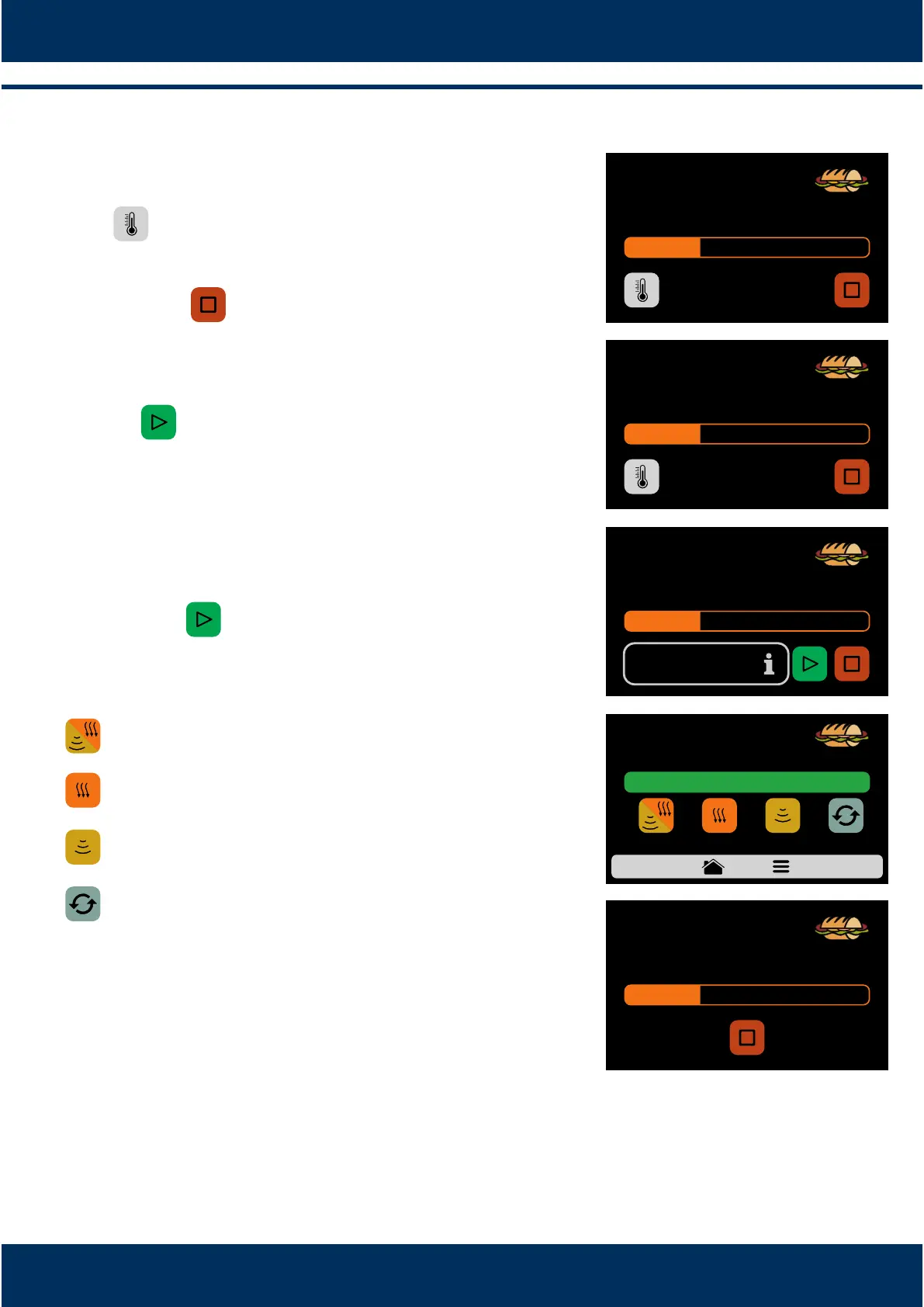
It is possible to verify the temperature of the TOP
HEATER and of the BOTTOM HEATER pressing the
SPACEbuon.
In case you wish to cancel the execuon of a recipe,
push the buon.
If the equipment door is opened, the operaon will
be paused, once the door is closed again just push
the to resume the operaon.
If the programmer of the recipes adds informaon in
one of the steps, for example: 'ADD THE TOMATOES',
the recipe will be paused and the descripon of the
informaon will be presented beside the PLAY
buon, as in the opposite image:
Push the buon to resume the execuon.
Aer the compleon of a recipe, the following
opons will be released:
Cook/Brown More: Acvates the microwave and hot
air during a predetermined me.
Brown More: Acvates only the hot air during a
predetermined me.
Cook More: Acvates only the microwave during a
predetermined me.
Repeat Recipe: Repeats the same recipe chosen by
the user.
In 'Cook/Brown More', 'Brown More' and 'Cook
More', the me will be defined at the moment of
creang the recipe.
The four opons menoned above may be disabled
so that they do not appear in any recipe. Learn more
in the User's Sengs block: Edit Accesses (see page
34).
e)
f)
g)
h)
i)
j)
k)
INSTALLATION AND OPERATION MANUAL
22
IN PROGRESS 1 min 33s
SUBS
1 SUB 15cm
TOP HEATER: 250 °C
BOTTOM HEATER: 250 °C
IN PROGRESS 1 min 33s
SUBS
1 SUB 15cm
ADD TOMATOES
PAUSED OPERATION 1 min 33s
SUBS
1 SUB 15cm
SUBS
1 SUB 15cm
REPEAT
RECIPE
COOK/
BROWN MORE
BROWN
MORE
COOK
MORE
IN PROGRESS 10s
SUBS
1 SUB 15cm
HEAT MORE
Example of Heat More in execuon:
READY!



 To Next Page