.2 User's Sengs: EDIT RECIPES.
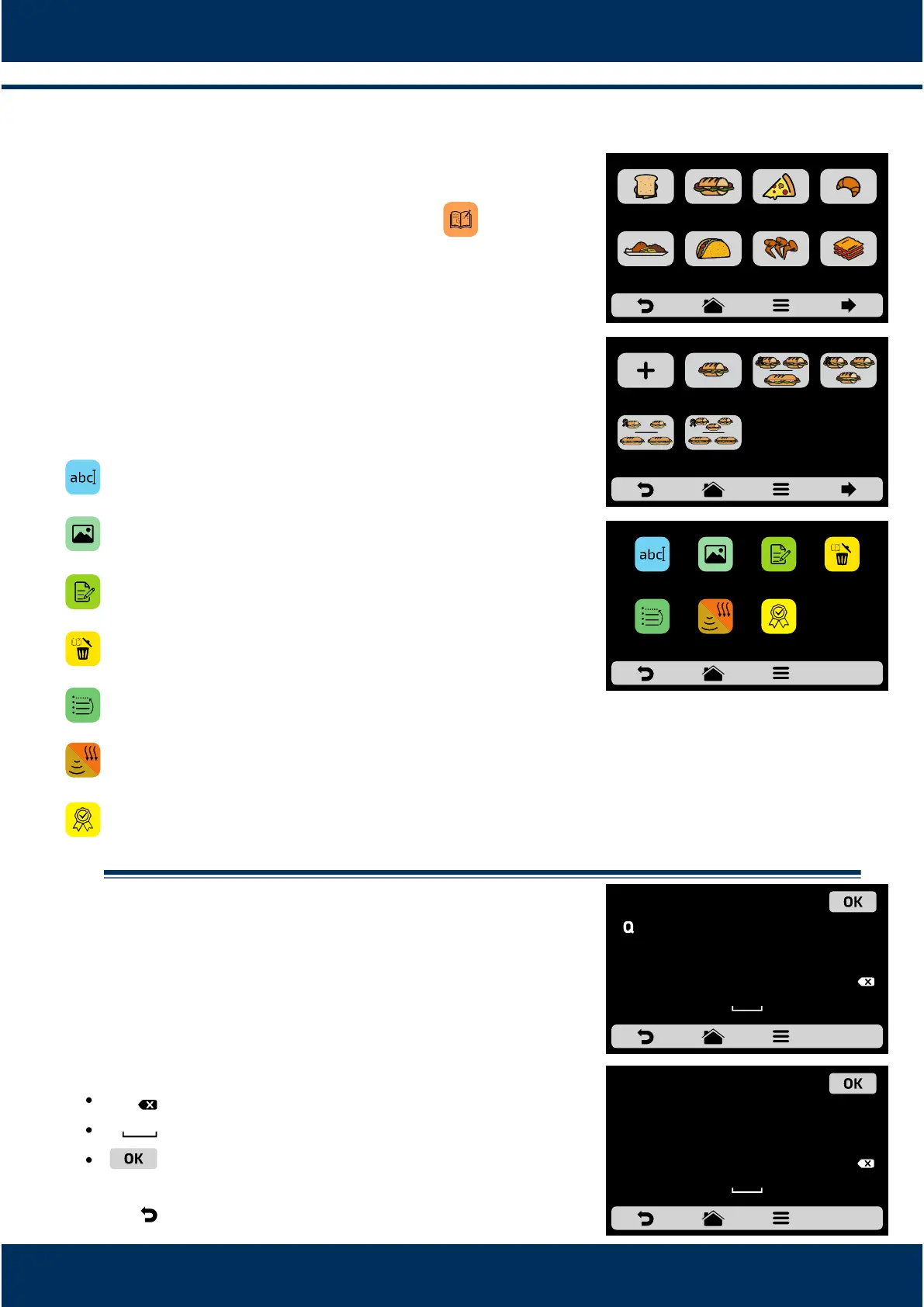
To edit the recipes, touch on the icon . The groups
screen will be displayed. Choose in which group you
wish to change the recipes.
When accessing the recipes, it will be possible to edit
an already existent one or create a new recipe.
The available opons aer choosing between eding
or creang a recipe will be:
Edit Name: changes the name of the recipe, you may
use leers, numbers or special characters.
Edit Image: changes the image the recipe icon
takes.
Edit Steps: accesses the opons for edion of the
steps of the selected recipe.
Delete Recipe: deletes all the informaon of the
selected recipe, including the steps.
Order: orders the locaon in which the recipe
appears among the other recipes of the group.
Edit Cook/Brown More: Changes the me of Cook /
Brown More funcon.
Add/Remove from Favorites: Adds or removes the
recipe in the Favorites list.
.2.1. Edit Name.
When selecng the Edit Name opon, the following
screen will be presented:
Clicking on and the screen will toggle
between leers and numbers/special characters.
Deletes a character;
Space bar;
Saves the name and returns to the opons.
Use to return to the step eding opons.
8.4
a)
b)
c)
8.4
a)
b)
c)
123/-*
ABCDE
27
A S D
F
G H
J
K
L
C
Z X C V B N M
123/-*
E
R
T
U
I O
P
YW
RECIPE’S NAME
!
%
&
( )
-
. :
< >
/
ABCDE
°
3 4
5
7
8
9 06
2
1
,
@
+
#
*
RECIPE’S NAME
TEX-MEX CHICKEN
WINGS
SUBS PIZZA
SELECT GROUP - pag. 1
MEAL FINISHING GRATIN
BREAKFAST
SANDWICH
BAKERY
2 SUB 15cm
or 2 SUB 30cm
3 SUB 15cm
2 SUB 30cm
1 SUB 15cm 2 SUB 15cm
1 SUB 30cm
3 SUB 15cmCREATE NEW
RECIPE
SELECT RECIPE - pag. 1
DELETE
RECIPE
EDIT
STEPS
ADD TO
FAVORITES
SNACKS: 1 SUB 15cm
EDIT
IMAGE
EDIT
NAME
ORDER EDIT
COOK/BROWN
MORE



 To Next Page