8.6
a)
b)
c)
d)
e)
f)
g)
h)
i)
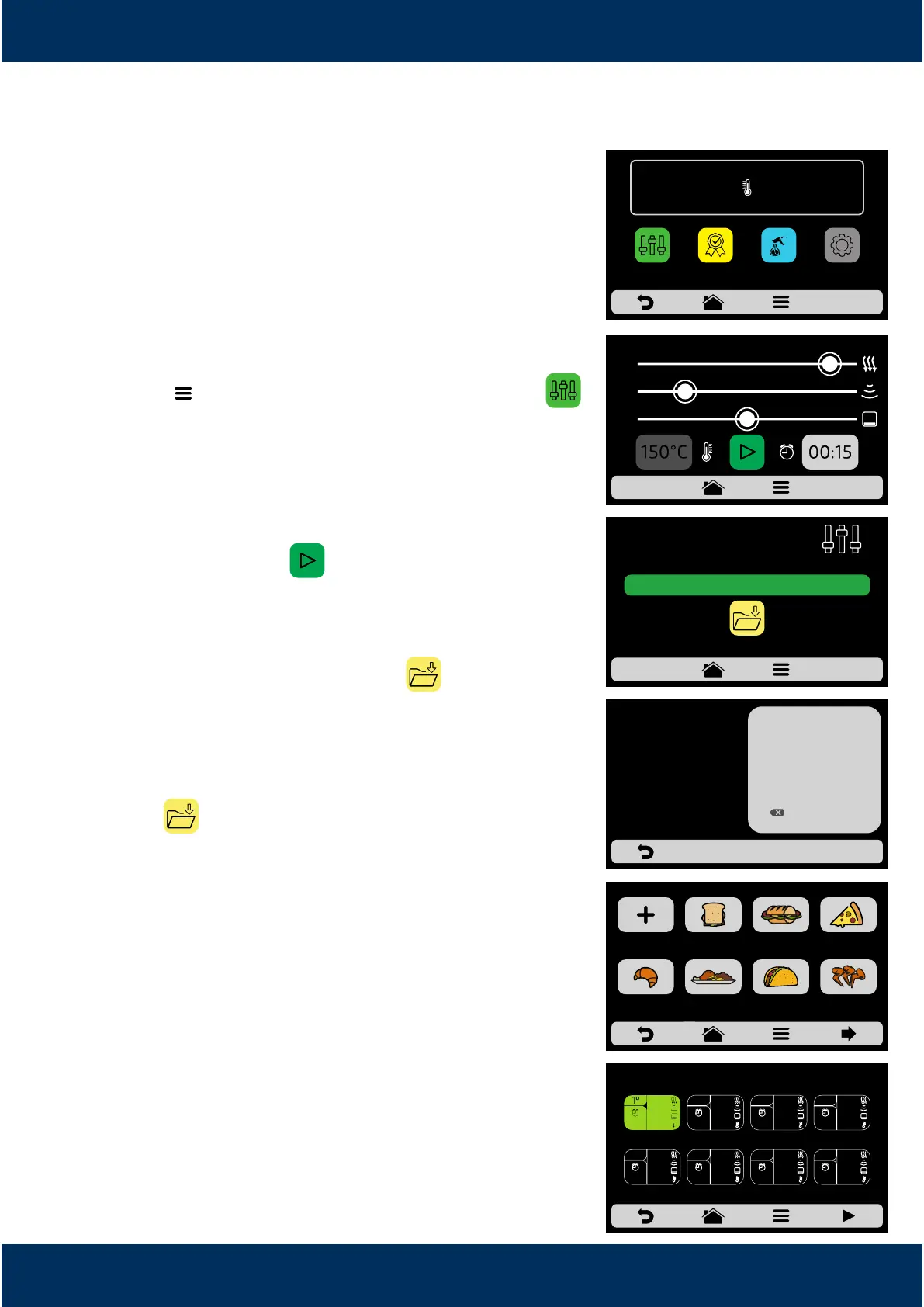
Manual Mode
In Manual Mode, it is possible to define the
parameters of the step, execute it, and if the result of
your test is approved, at the end of the operaon,
transform it in Recipe.
To access the Manual Mode, click on the Opons
buon . In the Opons screen, touch the icon .
Define the parameters of Time, Temperature, Speed
of Hot Air, Microwaves and of the Boom Heater
(Infra-red).
Press the buon to start the operaon of
Manual Mode.
Aer the conclusion of the operaon, the Copy
Parameters icon will be enabled: .
Copy Parameters enables the user to transport the
parameters defined in Manual Mode for the Edion
of Groups and Recipes, that is, when click on the
icon ,it will be necessary to inform the user's
access password to the sengs.
Aer informing the user's password, choose
between creang a new group or allocang the
transported parameters in a new recipe in an already
existent group.
Define the name of the New Recipe, the Image and
choose in which posion (step) you wish to allocate
the transported informaon.
To finalize, if you wish, define the other steps of the
recipe.
37
OPERATING IN MANUAL
MODE
COPY
PARAMETERS
ENTER PASSWORD
TO ACCESS
SETTINGS
******
1
4
7
2
5
8
0
3
6
9
OK
EDIT GROUP - page 1
CREATE NEW
GROUP
BREAKFAST
SANDWICH
SUBS PIZZA
BAKERY MEAL FINISHING TEX-MEX CHICKEN
WINGS
EDIT STEPS
50%
90%
20%
00:15
150°C
0 10 20 30 40 50 60 70 80 90 100
20
50
90
READY!
IR
250°C
TEMPERATURE
250°C
CHAMBER
MANUAL
MODE
SETTINGSFAVORITES
DAILY CLEANING
GUIDE



 To Next Page