OPERATION
Preheang.
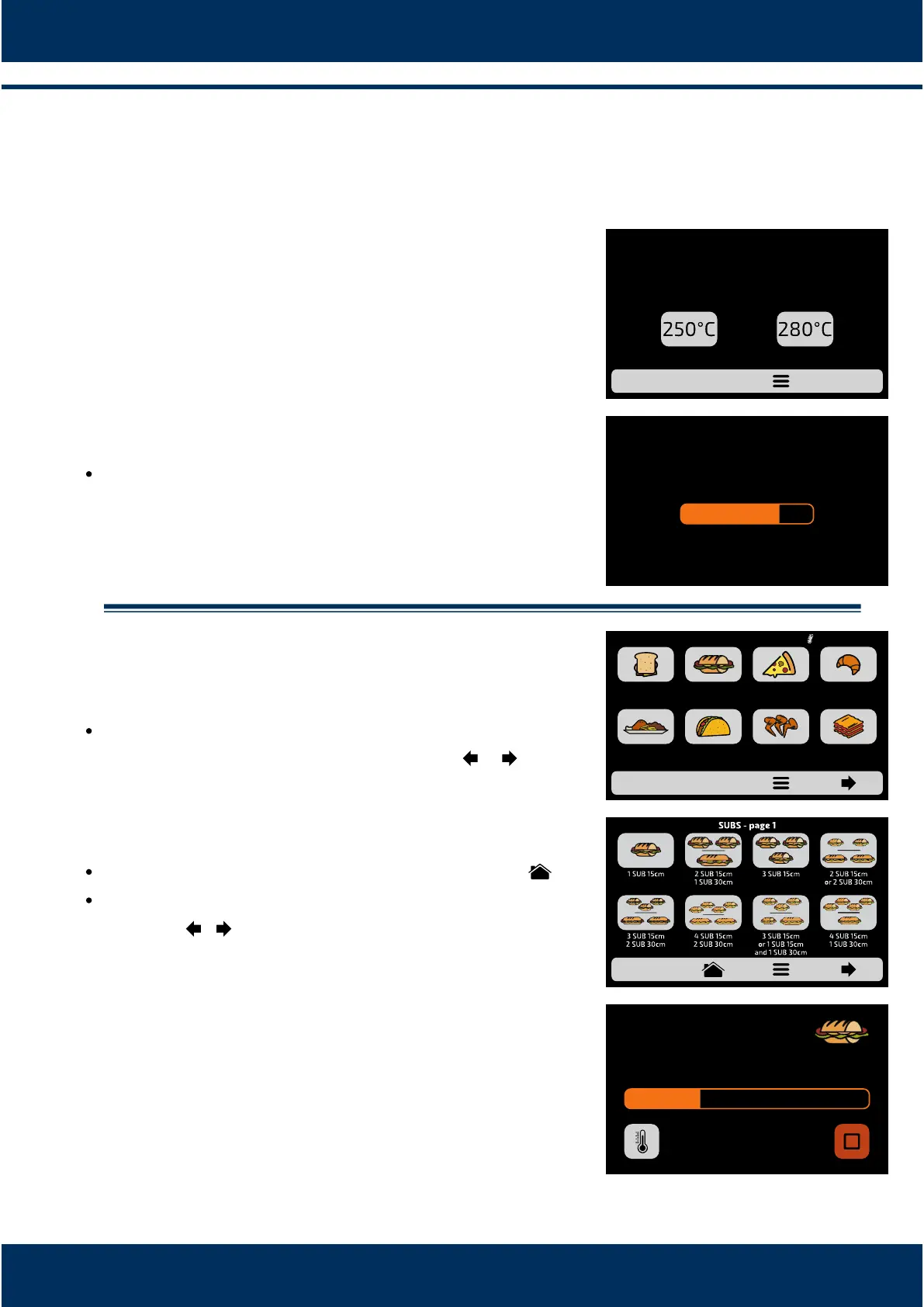
To start the oven preheang process, aer turning on
the equipment, choose between Temperature 1 and
Preheang Temperature 2.
The following screen will present the CURRENT,
PROGRAMMED temperature and the bar indicang
the remaining me to ulize the equipment.
Note: The mer is only iniated when the
CURRENTtemperature is next to the PROGRAMMED;
that occurs so that the oven temperature enters in
uniformity throughout the chamber.
Execung a recipe.
Aer the preheang.
Acvate the desired GROUP. To access the next
groups page, ulize the paging arrows: / .
The RECIPES of the selected group will be displayed,
press on the recipe you wish.
To return to the GROUPS screen, push the buon: .
To access the next recipes page, ulize the paging
arrows: / .
Make sure there is food inside the oven, otherwise
it will cause damages to the equipment.
The recipe will enter in execuon immediately.
The screen will present the group name, recipe
name, situaon of the operaon (In progress or
paused), and the remaining me for conclusion of
the recipe.
8
8.1
a)
b)
8.2
a)
b)
c)
d)
21
WEDNESDAY
10/06/2017 - 14H49
PREHEATING:
GROUP 1 GROUP 2
1min 30s
PLEASE WAIT,
PREHEATING OVEN
274°C
CURRENT
280°C
PROGRAMMED
MEAL
FINISHING
TEX-MEX CHICKEN
WINGS
GRATIN
BREAKFAST
SANDWICH
PIZZASUBS BAKERY
GROUPS CURRENT 210°C
IN PROGRESS 1 min 33s
SUBS
1 SUB 15cm



 To Next Page