8.4
a)
b)
8.4
a)
b)
c)
8.4
a)
b)
c)
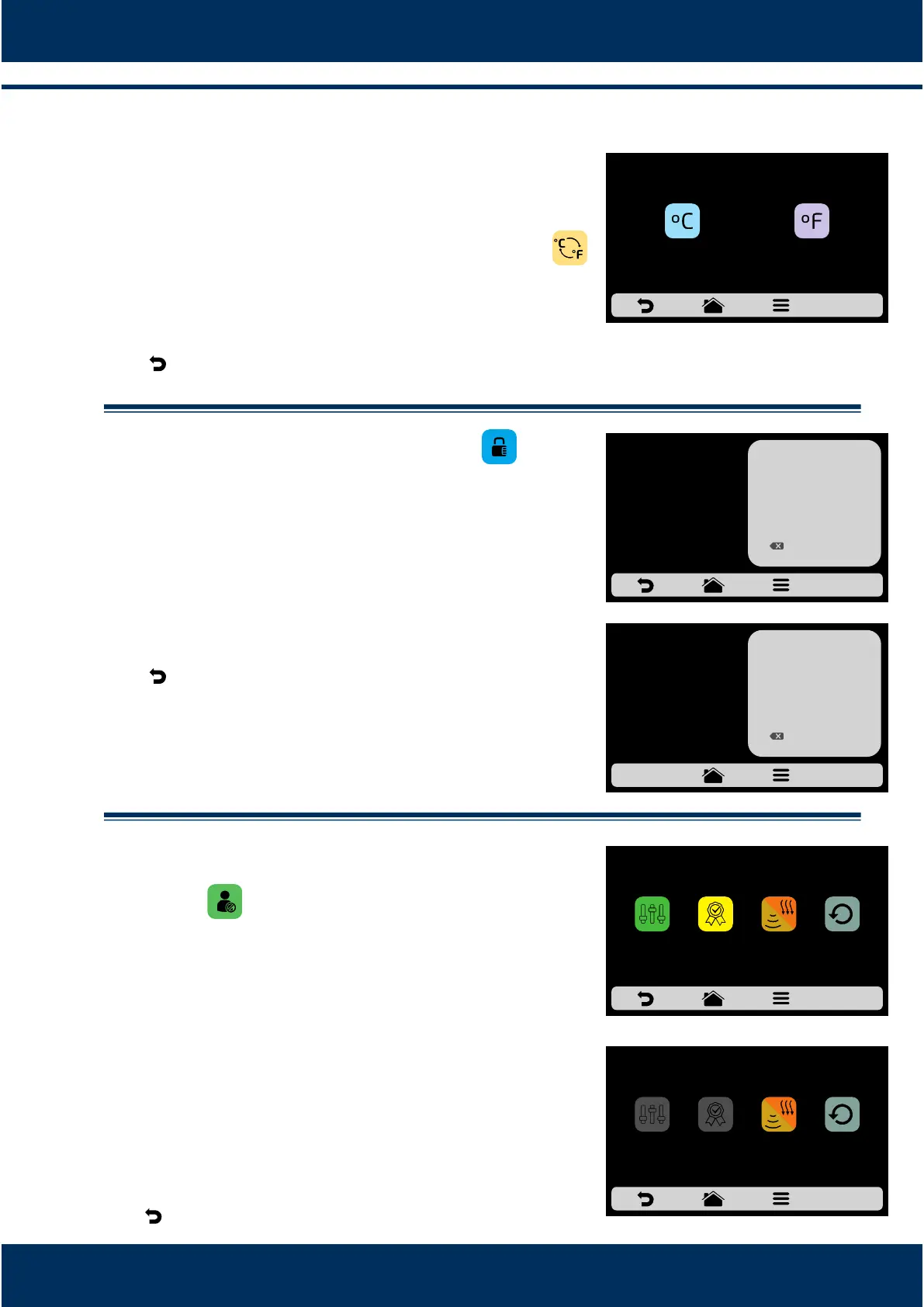
.8 User's Sengs: CELSIUS/FAHRENHEIT.
Change the temperature format displayed in the oven
between Celsius and Fahrenheit, Click on the icon
among the User's Sengs, and define the
temperature format you wish.
Use to return to the user eding opons.
.9 User's Sengs: CHANGE PASSWORD.
To change the user's password, just type the new
password and then confirm it.
In case you forget the password, contact Technical
Support.
Use to return to the user eding opons.
.10 User's Sengs: EDIT ACCESS.
Edit Access corresponds to the funcon in which you
may block funcons to which the operators have access.
For example: If you wish that the Favorites and
Manual Cook funcons are never accessed by the
operators, just click on both of them, which will turn
dark gray, indicang that they are locked unl the
moment you wish to unlock them.
To unlock, just click on the desired funcons once
more.
Use to return to the user eding opons.
INSTALLATION AND OPERATION MANUAL
34
CELSIUS/FAHRENHEIT ADJUSTMENT
CELSIUS
FAHRENHEIT
ENTER THE NEW
PASSWORD
******
1
4
7
2
5
8
0
3
6
9
OK
CONFIRM THE
NEW PASSWORD
******
1
4
7
2
5
8
0
3
6
9
OK
EDIT ACCESSES
FAVORITES
MANUAL
MODE
COOK/BROWN
MORE
REPEAT
RECIPE
EDIT ACCESSES
FAVORITES
MANUAL
MODE
REPEAT
RECIPE
COOK/BROWN
MORE



 To Next Page