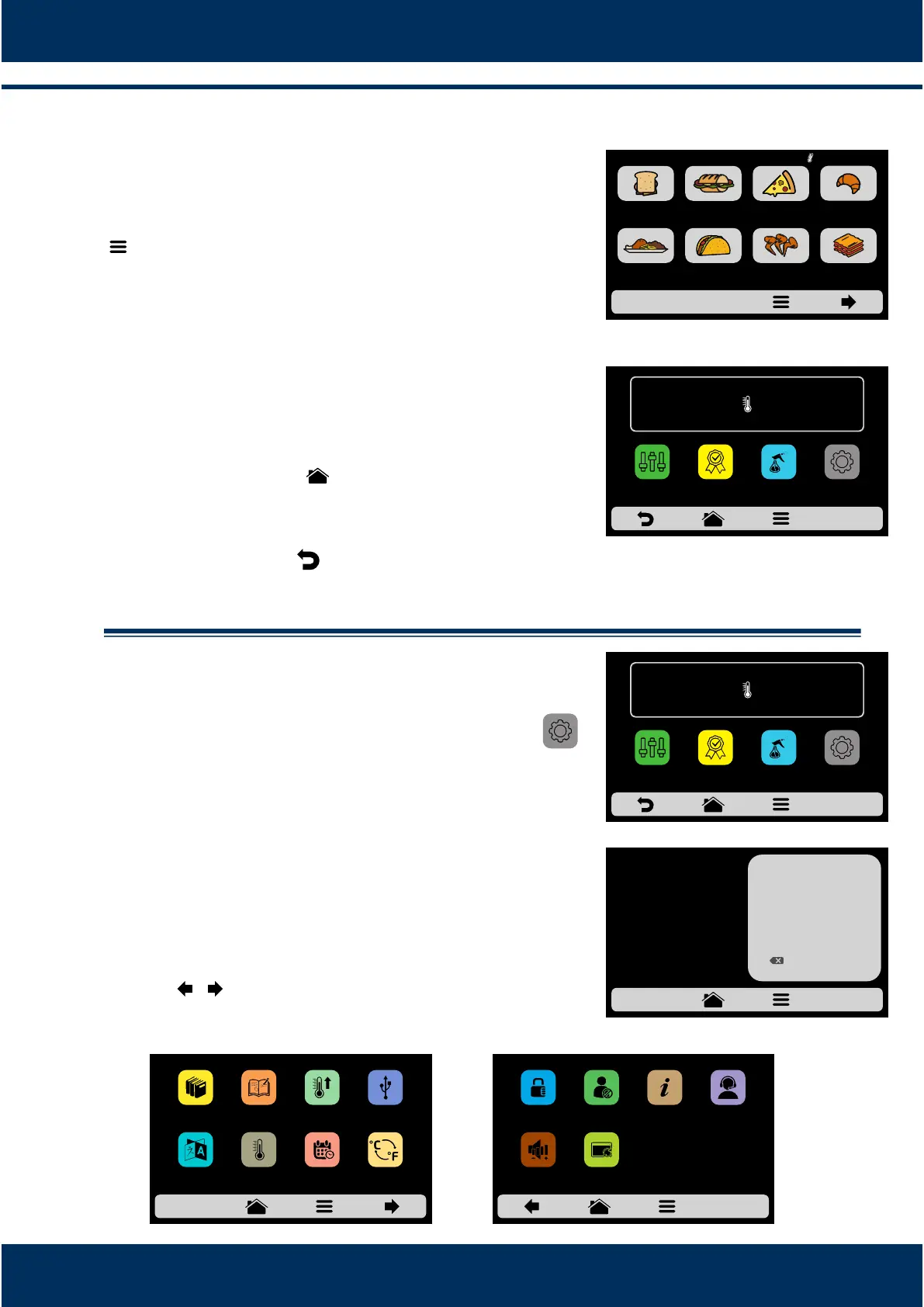
Accessing the Opons.
To access the sengs, at any me, touch on the icon
found in the fixed menu bar.
In the Opons Screen, there will be informaon such
as: Current temperature in the Chamber, Current
temperature of Boom Heater (IR), Favorites (see
page 36), Manual Mode (see page 37), Daily Cleaning
Guide (see page 38) and Sengs (below).
Touching on the icon once more will return to
Recipes Groups.
Touching on the icon will return to the Preheang
Temperature selecon screen.
User's Sengs.
Inside the Opons Screen, click on the icon
on the screen to inform the User's Password that
will be presented.
The standard password for the sengs is 456789.
The password may be changed (see page 35).
The User's Sengs screen is composed by fourteen
items. Use the arrows to access the next opons
screen: / . Understand each item in detail in the
following pages.
8.3
a)
b)
c)
d)
8.4
23
IR
250°C
TEMPERATURE
250°C
CHAMBER
MANUAL
MODE
SETTINGSFAVORITES
DAILY CLEANING
GUIDE
ENTER PASSWORD
TO ACCESS
SETTINGS
******
1
4
7
2
5
8
0
3
6
9
OK
IR
250°C
TEMPERATURE
250°C
CHAMBER
MANUAL
MODE
SETTINGSFAVORITES
DAILY CLEANING
GUIDE
MEAL
FINISHING
TEX-MEX CHICKEN
WINGS
GRATIN
BREAKFAST
SANDWICH
PIZZASUBS BAKERY
GROUPS CURRENT 210°C
USBEDIT
RECIPES
EDIT
GROUPS
PREHEAT
LANGUAGE DATE/TIME
CELSIUS /
FAHRENHEIT
CURRENT
TEMPERATURE
SETTINGS - page 1
TECH SUPPORT
SETTINGS - page 2
CHANGE
PASSWORD
EDIT
ACESS
MANUFACTURER
INFORMATION
VOLUME RESTORE
FACTORY
SETTINGS



 To Next Page