9
a)
b)
9.1
a)
b)
c)
d)
9.2
a)
b)
ALERTS AND ERRORS: POSSIBLE SOLUTIONS
The Rocket Express was programmed to signal any
possible error and alerts that may occur during the
operaon.
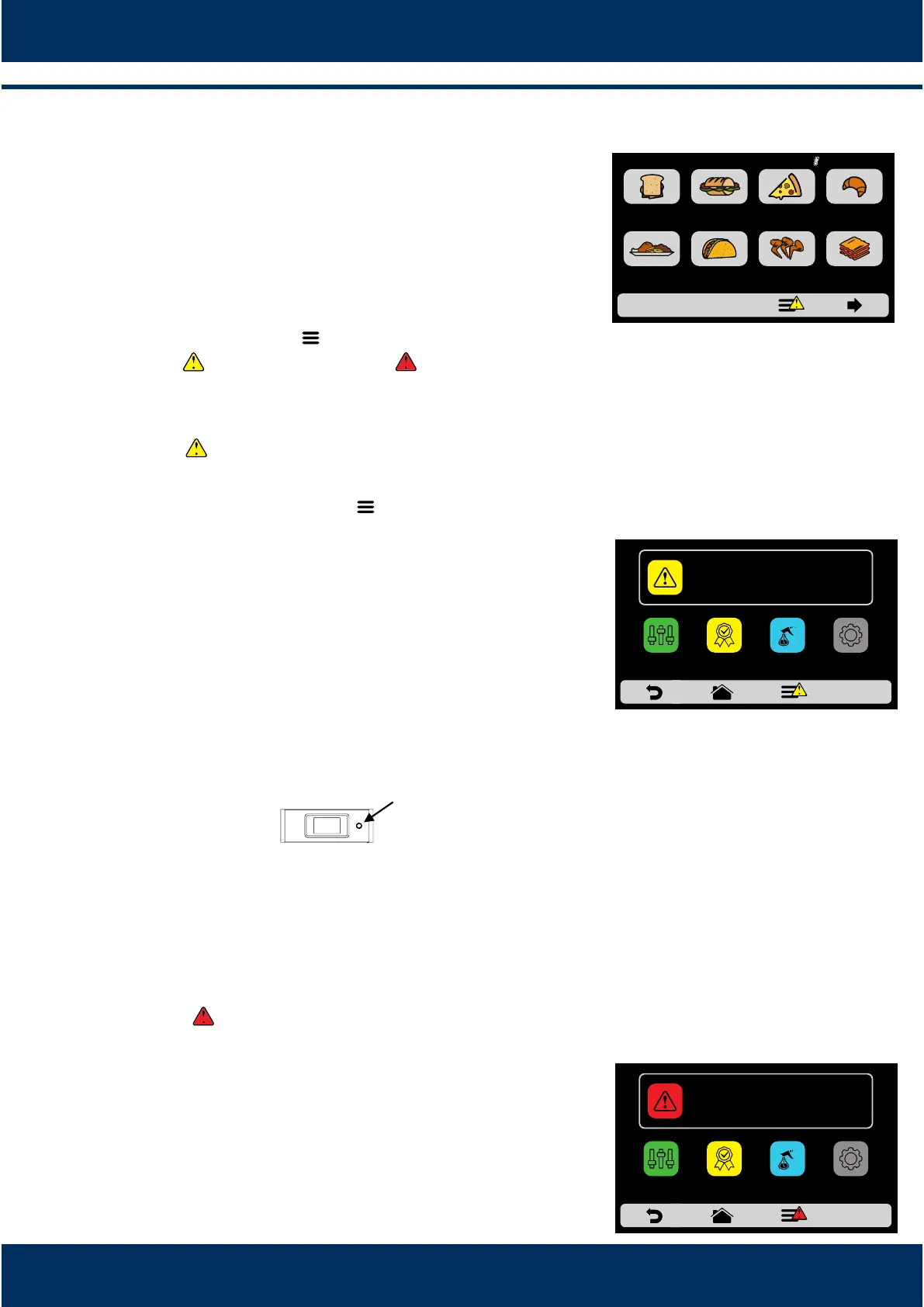
On the Opons icon , a yellow signal will appear for
alerts ( ) and red for errors ( ).
See how to proceed in each case below.
ALERTS
Click on the Opons icon .
The Opons screen will bring, instead of the top and
boom heaters temperatures, a descripon of the
alert. In the adjacent example:
ALERT - CHAMBER SENSOR FAILURE
Follow the orientaon as described on the screen. In
this case, turn off and turn on the oven again using
the panel buon:
Aer turn on the equipment, if the fault persists, call
the Technical Support.
ERRORS
In case of several unsuccessful reset aempts, the
alert will become an error, and it will be necessary to
contact Technical Assistance.
Refer to the table on the next screen to verify the
possible errors and alerts.
42
MEAL
FINISHING
TEX-MEX CHICKEN
WINGS
GRATIN
BREAKFAST
SANDWICH
PIZZASUBS BAKERY
GROUPS CURRENT 210°C
SETTINGSFAVORITES
MANUAL
MODE
ALERT - CHAMBER SENSOR FAILURE
DAILY
CLEANING GUIDE
SETTINGSFAVORITES
MANUAL
MODE
ERRO- CAN NETWORK COMMUNICATION FAILURE TURN
THE EQUIPMENT OFF AND ON
DAILY
CLEANING GUIDE



 To Next Page