INSTALLATION AND OPERATION MANUAL
38
APPLY OVEN CLEANER
TO CAVITY WALLS AND
DOOR, LET STAND FOR
5 MINUTES
APPLY OVEN CLEANER
TO THE COOKING RACK
AND JET PLATE,
ALLOW TO STAND
REMOVE THE COOK
RACK AND BOTTOM
JET PLATE AND PLACE
IN THE SINK
8.7Daily Cleaning Guide
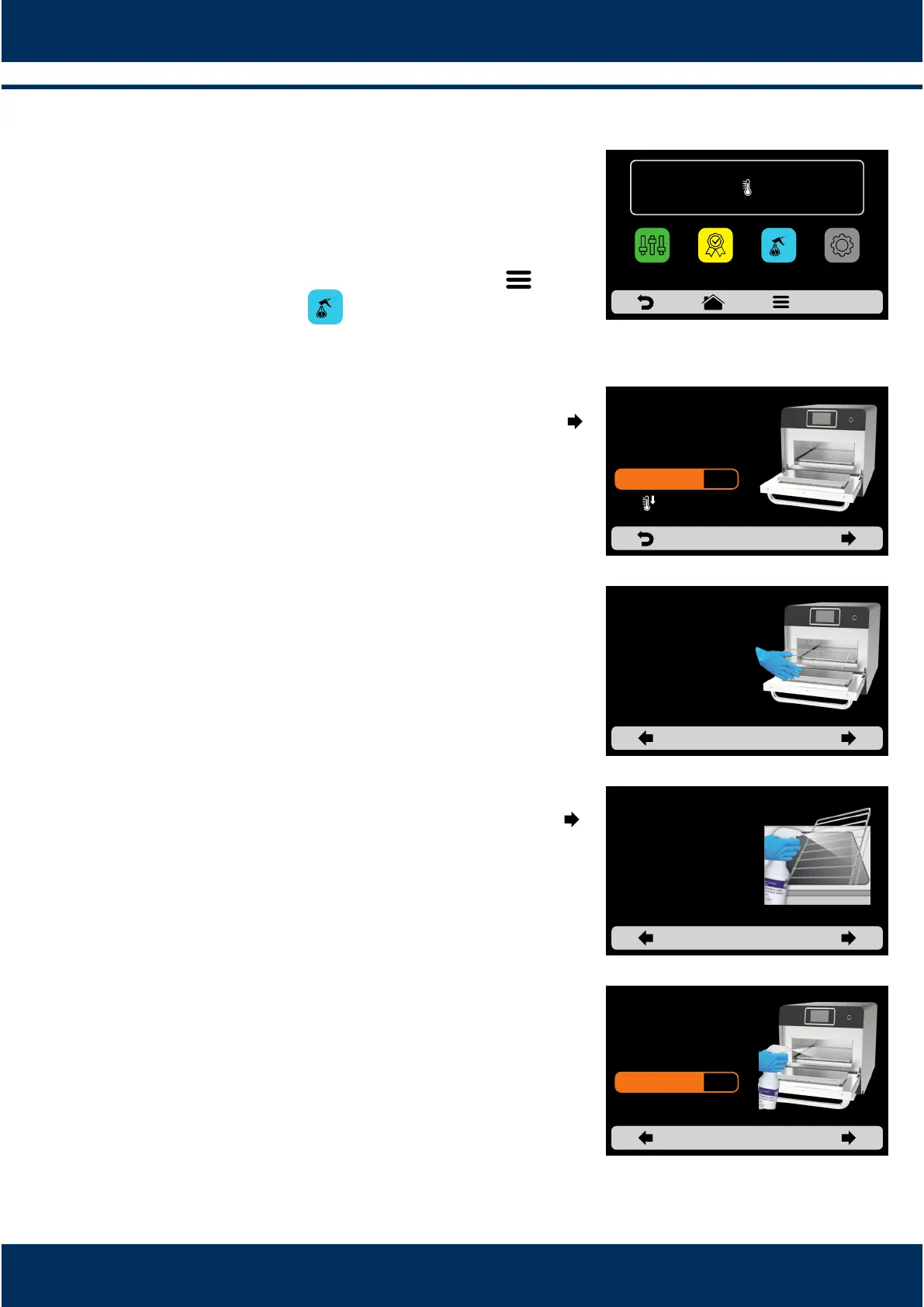
To help in the sanitaon of the Rocket Express, use
the Daily Cleaning Guide, access it through the
Opons screen, click on the Opons icon , and
then press the buon , follow the steps informed
on the screen carefully.
1: Open the oven door and wait for the temperature
to drop unl 150°F. Proceed clicking on the arrow:
2ⁿ: Remove the cook rack and boom jet plat and place
in the sink. Proceed clicking on the arrow:
3: Apply the Oven Cleaner to the cooking rack and jet
plate, allow to stand. Proceed clicking on the arrow:
4: Apply the Oven Cleaner to cavity walls and door,
let stand for 5 minutes. Proceed clicking on the
arrow:
OPEN THE OVEN
DOOR AND ALLOW
THE OVEN CAVITY TO
COOL TO 150°F
202°F
IR
250°C
TEMPERATURE
250°C
CHAMBER
MANUAL
MODE
SETTINGSFAVORITES
DAILY CLEANING
GUIDE
4min 3s



 To Next Page