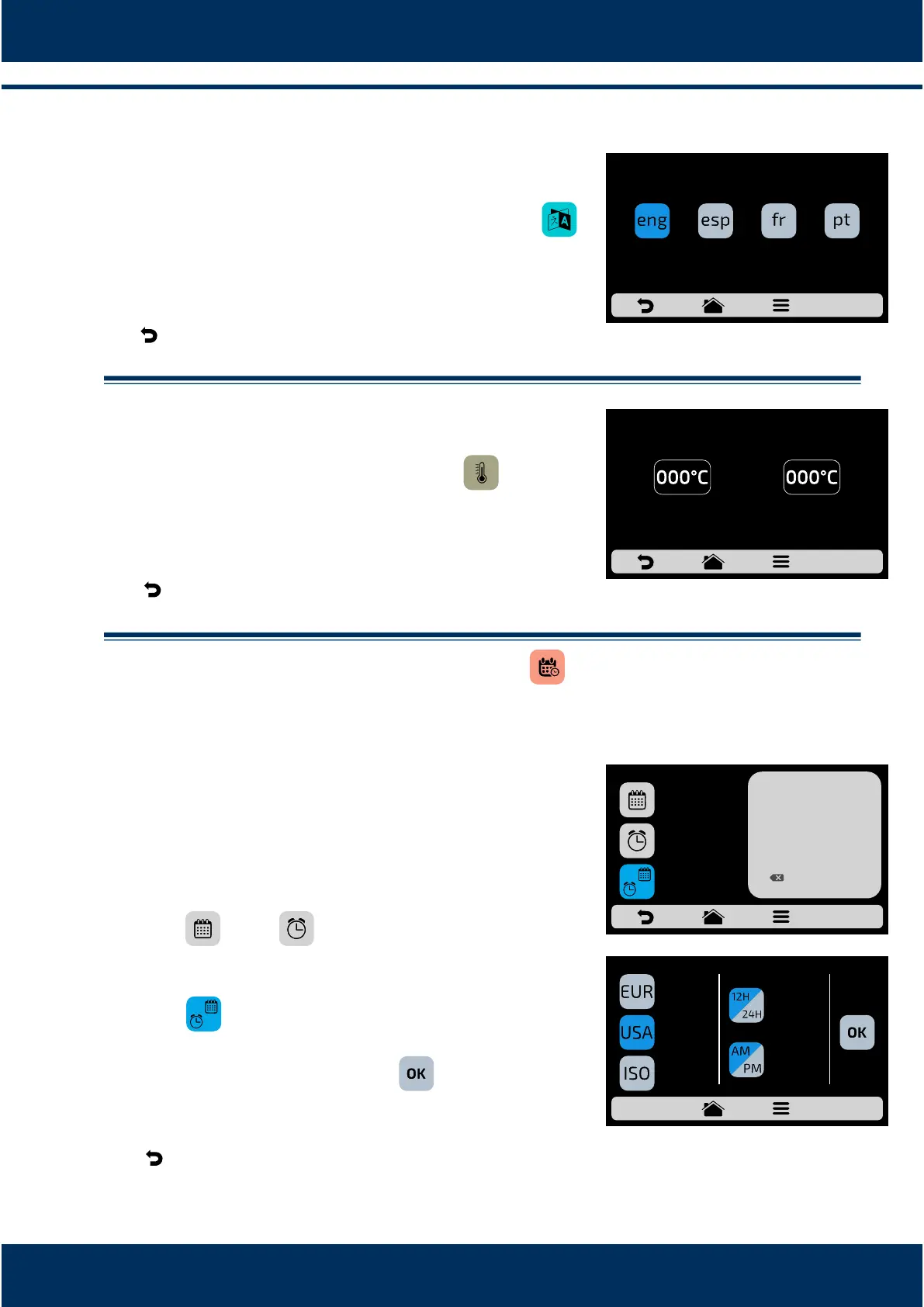
.5 User's Sengs: LANGUAGE.
To change the language, just click on the icon
and choose the desired language.
English, Spanish, French or Portuguese.
Use to return to the user eding opons.
.6 User's Sengs: CURRENT TEMPERATURE.
The Current Temperature screen : is only
informave. In it, it is possible to verify the temperature
of both resistances: the chamber and lower resistance.
Use to return to the user eding opons.
.7 User's Sengs: DATE/TIME ADJUSTMENT.
It is possible to adjust the Date, Time and format it
must be presented to the user, respecng the
following standards:
European: Time:
American:
ISO:
Click on and to edit, respecvely, the date
and me.
P r e s s to change the date/me format. The
opposite screen will be displayed. Choose the date
and me format and click on to confirm and
return to the opons.
Use to return to the user eding opons.
24h Format
12h Format
8.4
a)
b)
8.4
a)
c)
8.4
a)
b)
c)
d)
dd/mm/yyyy
mm/dd/yyyy
yyyy/mm/dd
33
PORTUGUESESPANISHENGLISH
CHANGE LANGUAGE
FRENCH
TOP HEATER
CURRENT TEMPERATURE
BOTTOM HEATER
DATE/TIME SETTINGS
CHANGE FORMAT
__/__/__
DD/MM/YYYY
24H FORMAT
__:__
1
4
7
2
5
8
0
3
6
9
OK
MM/DD/YYYY
DD/MM/YYYY
YYYY/MM/DD
CHANGE DATE/TIME FORMAT
AM
12H FORMAT



 To Next Page