8.4
a)
b)
8.4
a)
b)
8.4
a)
.1.4. Delete Group
ATTENTION: When choosing the opon of deleng
the group, all the informaon referring to the group
will be lost: recipes, steps and other informaon. And
in case the user does not perform a Backup (see page
32, USB Opons), it will not be possible to recover
this informaon.
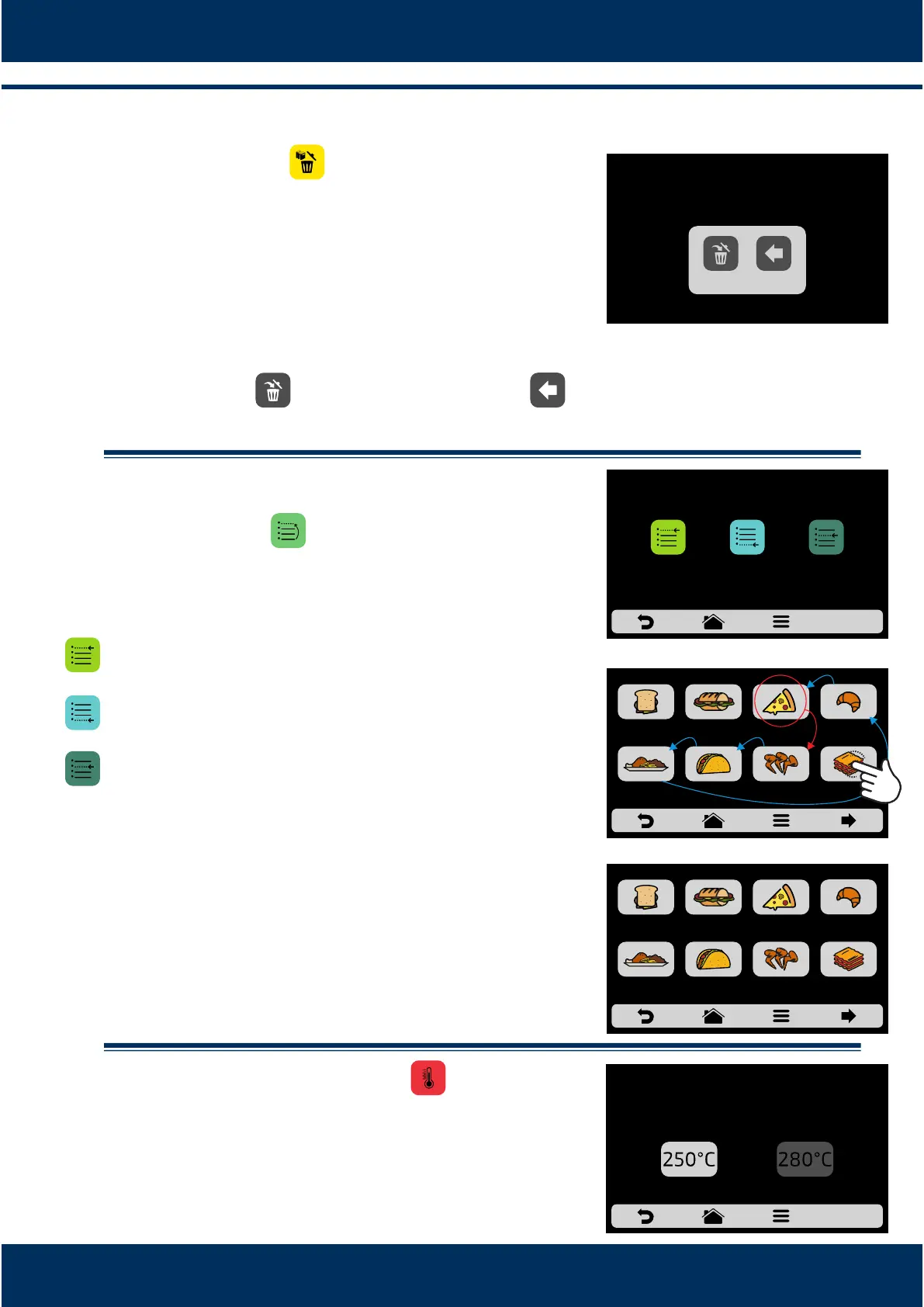
Press the buon to confirm your choice, or to
return to the opons screen.
.1.5 Order
The Order funcon , enables to change the sequence
in which the groups will appear on the groups screen.
This screen is composed by three buons:
Place at the list start: The group is moved to the
beginning of the groups list.
Place at the list end: The group is moved to the end of
the groups list.
Choose place in the list: The operator will be directed
to the groups screen to choose the locaon he/she
wants.
According to adjacent screen, if the chosen group at
the beginning of the eding process is PIZZA, and the
user wishes to place it before LASAGNA, just click on
the LASAGNA icon. Observe by the example that the
origin and desnaon locaon are not replaced, the
soware just reorders the groups.
.1.6 Change Group Temperature
Choose the desired preheang temperature to the
selected group.
INSTALLATION AND OPERATION MANUAL
26
THE GROUP
WILL BE ERASED
BACKDELETE
CHANGE ORDER
PLACE AT THE
LIST START
PLACE AT THE
LIST END
CHOOSE PLACE
IN THE LIST
POSITION AFTER:
MEAL
FINISHING
TEX-MEX CHICKEN
WINGS
BREAKFAST
SANDWICH
SUBS BAKERY
GRATIN
PIZZA
CHOOSE LOCATION IN THE LIST: AFTER
POSITION BEFORE:
MEAL
FINISHING
TEX-MEX CHICKEN
WINGS
LASAGNA
BREAKFAST
SANDWICH
PIZZASUBS BAKERY
CHOOSE LOCATION IN THE LIST: BEFORE
CHANGE GROUP TEMPERATURE
CURRENT GROUP TEMPERATURE:
250 ° C
PREHEATING 1 PREHEATING 2



 To Next Page