8.4
a)
b)
8.4
a)
b)
c)
.1.2. Edit image.
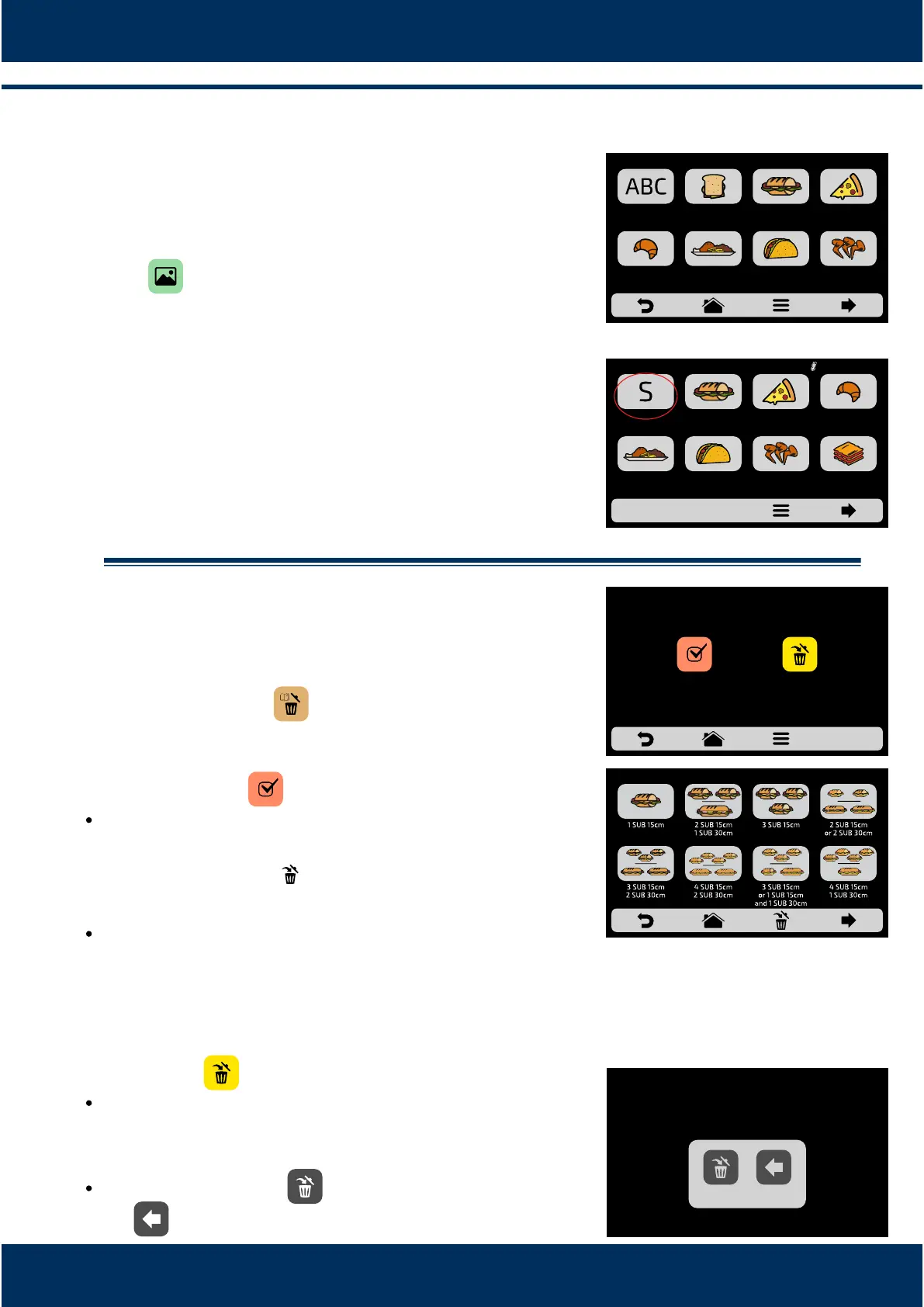
Rocket Express has an image gallery that enables the
user to change the images of the groups. Press the
icon .
A screen with an image library will be presented,
browse through the groups and select the desired
image. It is also possible, instead of adding an image,
to maintain the first leer of the group name as the
group icon, just click on the ABC icon.
For example: if your group is called SNACKS, on the
group screen, Snacks will have leer 'S' as its icon.
.1.3. Deleting Recipes.
The delete recipes opon will enable you to delete
only the recipes of the previously selected group.
Press the buon. On the next screen, it will be
possible to delete a selecon of recipes, or all the
recipes:
Select recipes:
Select the recipes you wish to delete, the will
indicate the selected ones, and then click on the trash
can of the fixed bar .
The opposite message will appear - To confirm the
exclusion of the recipes, click on the icon 'DELETE
SELECTION'; to connue selecng, click on
‘CONTINUE SELECTION’.
Delete All:
When clicking on the Delete All icon, the following
message will be presented:
To confirm, click on or, to cancel, and return click
on .
x
25
BREAKFAST
SANDWICH
SUBS PIZZA
BAKERY MEAL FINISHING TEX-MEX CHICKEN
WINGS
CHOOSE AN IMAGE FOR THE RECIPE
FIRST
CHARACTER OF
RECIPE NAME
DELETING RECIPES
SELECT
RECIPES
DELETE
ALL
SELECT RECIPES FOR DELETION
x
x
x
MEAL
FINISHING
TEX-MEX CHICKEN
WINGS
GRATIN
SNACKS PIZZASUBS BAKERY
GROUPS CURRENT 210°C
ALL THE GROUP’S RECIPES
WILL BE ERASED
BACKDELETE



 To Next Page