50
Display Messages and
Problem-Solving Guide
When any of the following messages appears,
there is a problem with your PRECICHEK Blood
Glucose Meter or perform wrong steps during a
test. These messages will help you to identify cer-
tain problems. If error messages appear that are
not listed on the following pages, contact with
your local distributor for help.
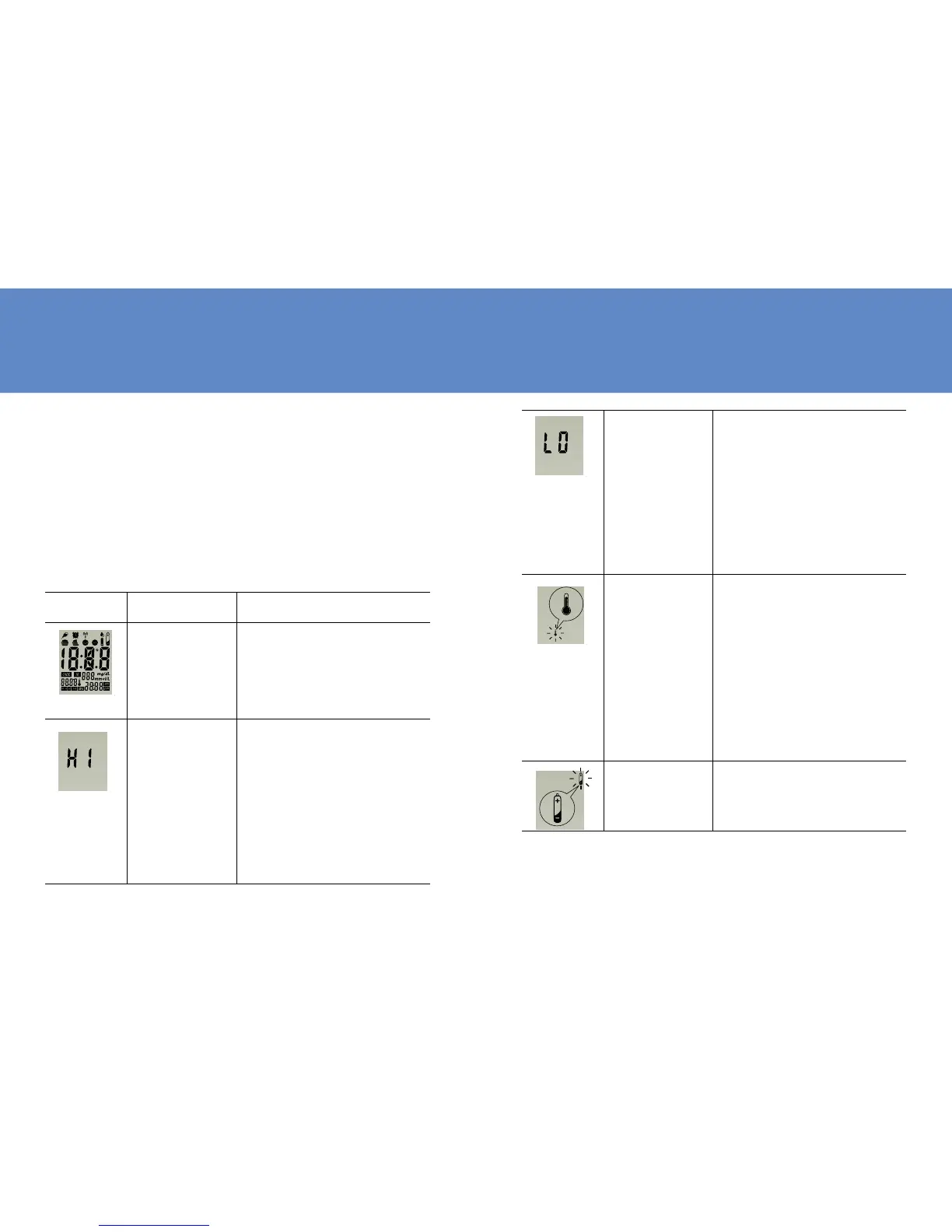
Display Description Action to Take
Display
check
If some parts of the
display are not work-
ing. Contact your local
distributor for help.
Blood glu-
cose result
may be
higher than
600 mg/
dL or 33.3
mmol/L.
Review proper testing
procedure and perform
a quality check with
control solution. Re-
peat blood test, if “HI”
still appears, call your
doctor immediately.
51
Blood glu-
cose result
may be
lower than
20 mg/dL or
1.1 mmol/L.
Review proper testing
procedure and perform
a quality check with
control solution. Re-
peat test, if “LO” still
appears, call your doc-
tor immediately.
Tempera-
ture is
above or
below the
operating
range of
test strips.
The result you have
obtained may not be
accurate. Move to an
area with temperature
between 10ºC to 40ºC
(50ºF - 104ºF). Do not
articially heat or cool
the meter.
Battery is
low.
Change battery imme-
diately.



 To Next Page