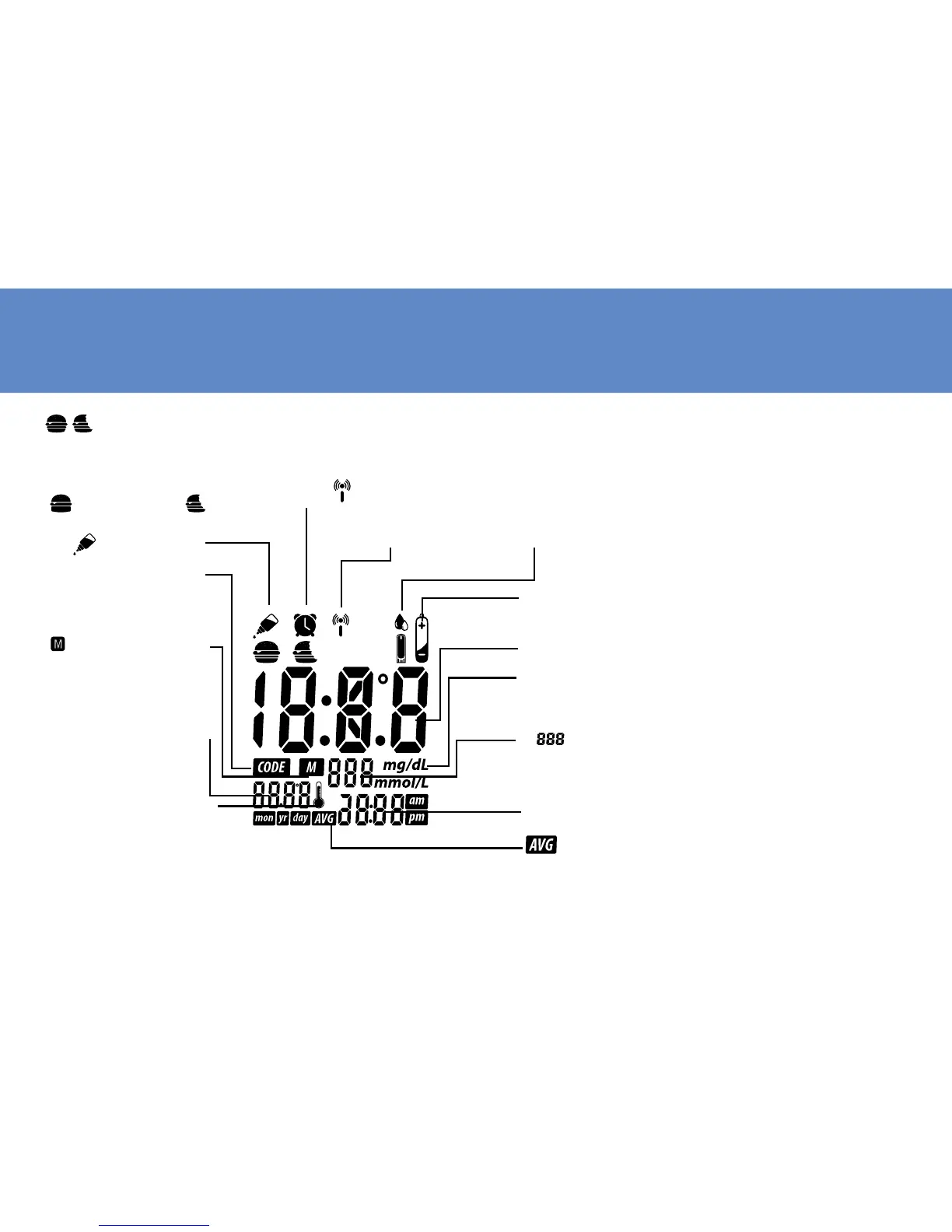
Meter LCD Window
12
DATE: Month/Year/Day
and the temperature at
the moment of the test.
THERMOMETER SYMBOL:
Appears when ambient
temperature is above or be-
low the acceptable range
needed for testing.
CODE: Code appears to
indicate code NO. when
ready to test.
:
appears to indicate
memory mode when
reading previous results.
Symbol:The test
can be adjusted and
stored into 3 types of test
modes - Before Meal Test
(
), After Meal Test(
) and Control Solution
Test(
).
Symbol: Ap-
pears when data
transmission.
Alarm Symbol:
Appears when
alarm is set.
13
Test Result
Time: 12 and 24 hour period format.
mg/dL,mmol/L: The units of measurement (mg/dL or mmol/L),
mg/dL will be default unit.
:
Memory capacity is 999 entries. The display shows to
ensure that all digits are working properly.
Strip Symbol: Appears when the strip is inserted and meter is
ready for blood testing. Replace vial cap after removing test strips.
Battery Symbol: Appears when battery is low.
:
Appears when the meter is in the memory mode while
recalling 7/14/21/28 day test averages
.



 To Next Page