MAX-PRO Operator Manual
Original Printed in English
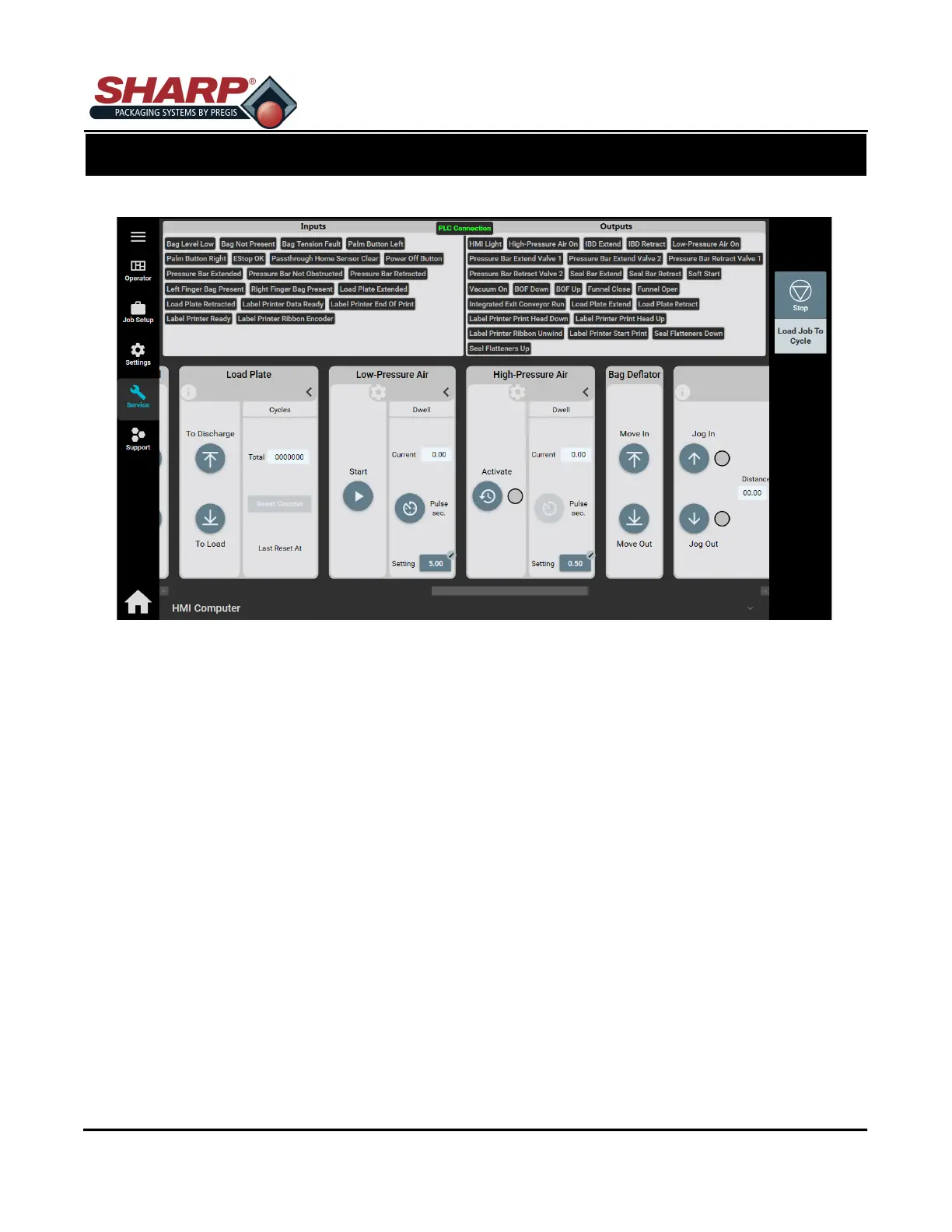
SERVICE SCREEN - LOAD PLATE
LOAD SHELF
To Discharge: Moves the Load Shelf to the ‘Discharge’ position.
To Load: Moves the Load Shelf to the ‘Load’ Position.
FRONT PLATE
To Discharge: Moves the Front Plate to the ‘Discharge’ position.
To Load: Moves the Front Plate to the ‘Load’ Position.
REAR PLATE
To Discharge: Moves the Rear Plate to the ‘Discharge’ position.
To Load: Moves the Rear Plate to the ‘Load’ Position.
CYCLES
Total: Displays the total number of complete Load Plate cycles since last reset.
Reset Counter: Reset the Cycle Total Counter.
SCREEN NAVIGATION
SECTION 2 - CONTROLS
2-18



 To Next Page