MAX-PRO Operator Manual
Original Printed in English
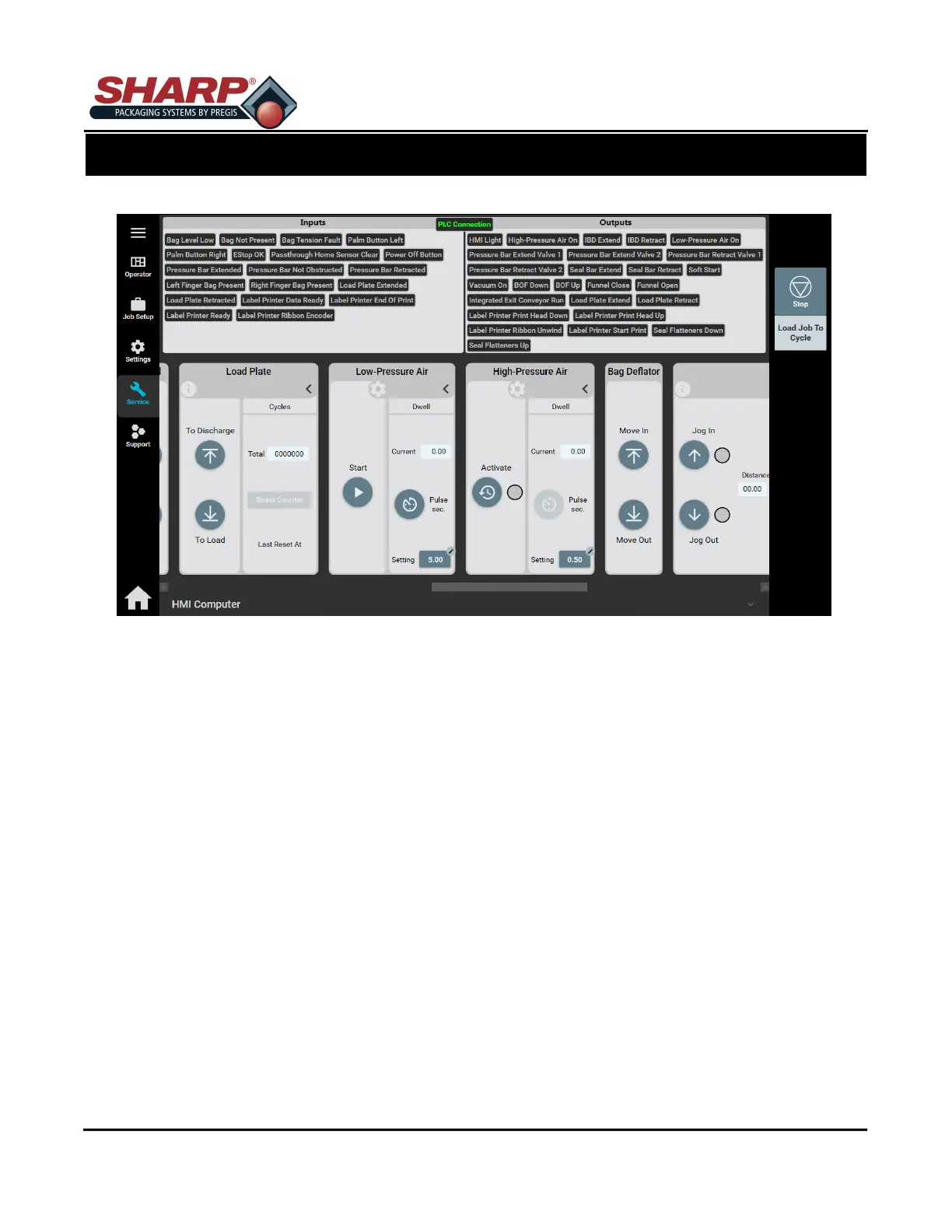
SERVICE SCREEN - LOW/HIGH PRESSURE AIR
LOW PRESSURE AIR
Start: Pressing this button turns Low Pressure Air ON. Press again to turn OFF.
Dwell: The amount of time the Low Pressure Air will be ON according to setting in loaded job.
Current: The actual setting of Low Pressure Air blast.
Pulse Sec.: Runs Low Pressure Air for job setting dwell.
HIGH PRESSURE AIR
Activate: Turn on the High Pressure Air as long as button is pushed.
Current: The amount of time the High Pressure Air will be ON according to setting in loaded job.
Setting: The actual setting of High Pressure Air blast.
Pulse Sec.: Runs High Pressure Air for job setting dwell.
SCREEN NAVIGATION
SECTION 2 - CONTROLS
2-19



 To Next Page