13
5 Using Your Quantum ES
5.1 Volume Control
Quantum ES-Series
Owner’s Manual
5 Using Your Quantum ES
Once you’ve registered your new Quantum ES interface and downloaded all the required software, you are
ready to start using the interface! The sections below detail how to use your Quantum ES.
5.1 Volume Control
5.1.1 Main Output
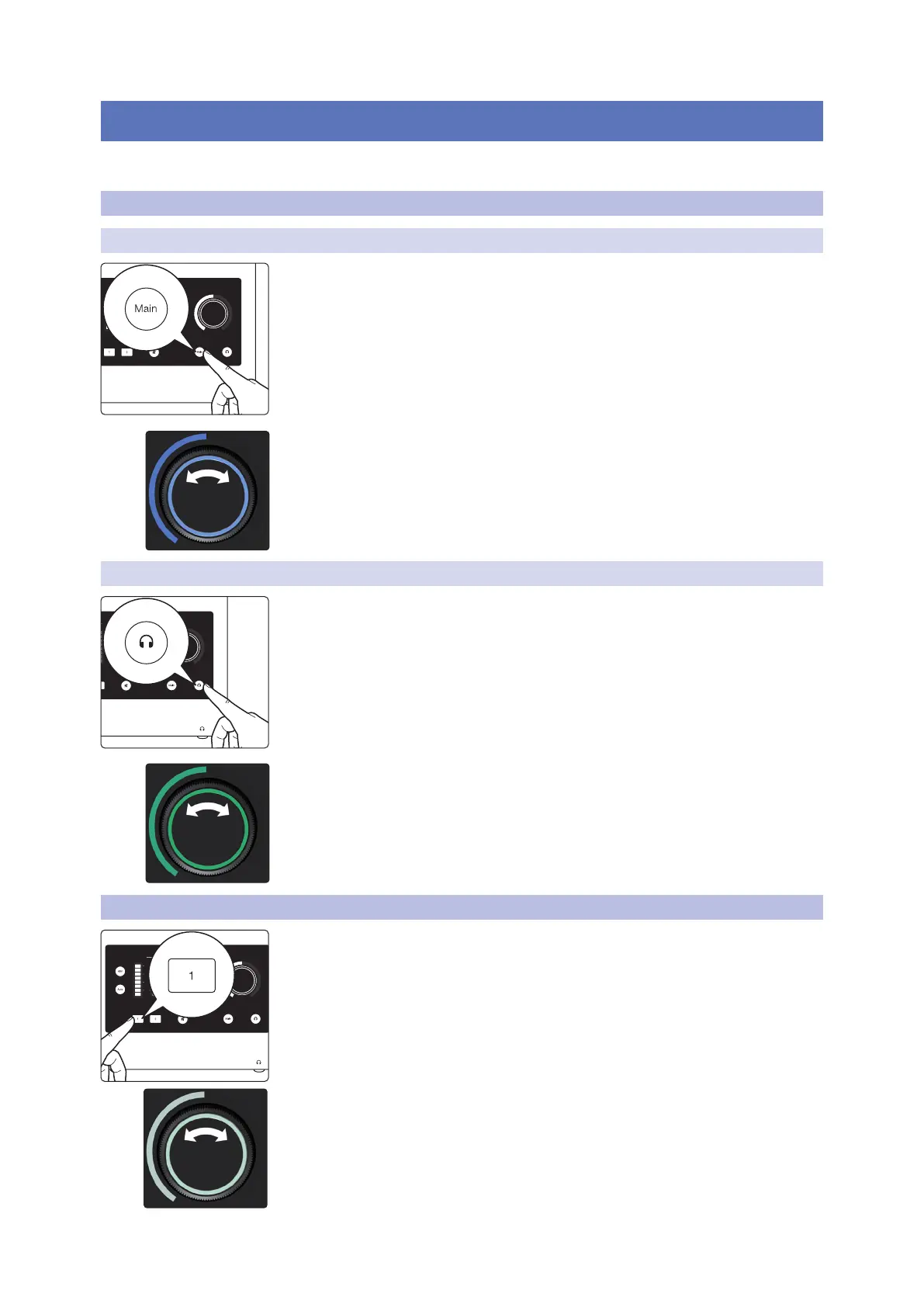
Press the Main button to enter / return to Main Output control mode.
When the knob is blue it controls the main output volume.
• Turning the knob clockwise increases the volume.
• Turning the knob counterclockwise decreases the volume.
5.1.2 Headphone Output
Press the headphone button to enter / return to Headphone Output control mode.
When the illuminated ring around the knob is green, it controls the headphone
volume.
• Turning the knob clockwise increases the volume.
• Turning the knob counterclockwise decreases the volume.
5.2 Setting the Gain (manually)
To set the gain manually, press the number of the channel that you are setting the
gain for. The knob base will switch to showing relative gain level, and the knob will
turn white.
• Turning the knob clockwise will increase the gain level of the selected channel.
• Turning the knob counterclockwise will decrease the gain level of the selected
channel.
• While setting the gain, use the input meter to ensure a strong signal without
clipping.
Input Main
L R1 2
(dBFS)
clip
6
18
30
(dBFS)
clip
6
18
30
Input Main
L R1 2
(dBFS)
clip
6
18
30
(dBFS)
clip
6
18
30















 To Next Page