17
5 Using Your Quantum ES
5.8 Loopback Audio (Desktop Only)
Quantum ES-Series
Owner’s Manual
For ES 4 users, all inputs can be available for assignment in your mobile application as well as each of the
2 output pairs (outputs 1 - 4). Not all applications can make use of all inputs and outputs, even if the class-
compliant driver supports all analog ins and outs.
For example, using a DAW on iOS, you can select an input channel and assign the input to Quantum ES
channel 1. Additionally, you can select an output channel and assign the output to Quantum ES outputs 3 / 4;
after assigning the outputs, audio will pass out of Line Outs 3 / 4 at unity.
WARNING: Output volume level control is only possible via the control knob for the Main
Output 1 / 2. Any audio sent to other outputs will output at unity. Levels must be controlled in your
music software.
5.8 Loopback Audio (Desktop Only)
Quantum ES audio interfaces allow you to take audio from the operating system or software application and
send it to another application for the purpose of recording or live streaming. For example, you can take audio
from your operating system (Windows or macOS) and send it to Studio One to record in real-time.
See the Quantum USB Software Reference Manual for more information on selecting audio input sources
and output destinations in an application as well as tips on using Universal Control’s mixer to balance all of
the audio.
5.9 Recovery Mode
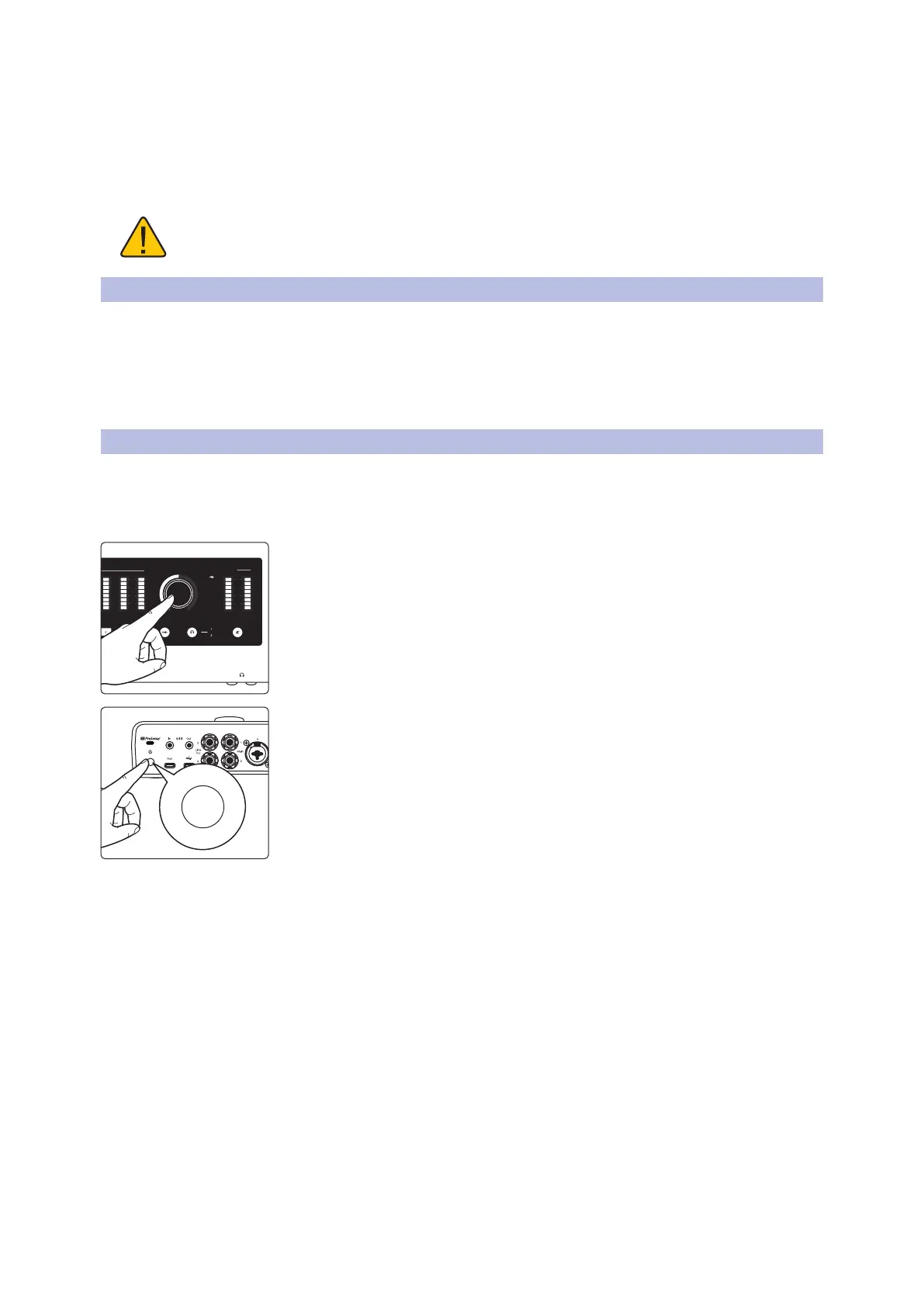
In the rare case that Quantum ES becomes unresponsive, the firmware can be restored by putting Quantum
ES into recovery mode and connecting to Universal Control. To enter recovery mode:
1. Ensure the Quantum ES is powered off.
2. Press and hold the knob.
3. Power on Quantum ES.
• The light ring around the knob will blink blue to show that it is in
recovery mode.
• In Universal Control, Quantum ES should be listed along with “Update
Firmware”.
4. In Universal Control, click on “Update Firmware” to begin recovery.
Note: If the firmware becomes corrupted for any reason, Quantum ES will power
down and the knob will blink red. Follow the process above and use Universal
Control to recover the firmware.
Main
L R2
(dBFS)
clip
6
18
30
(dBFS)
clip
6
18
30
3 4
(dBFS)
clip
6
18
30















 To Next Page