15
5 Using Your Quantum ES
5.4 Stereo Linking
Quantum ES-Series
Owner’s Manual
After 10 seconds, the knob (cap) will blink green 3 times if successful, then the knob and ring will return to
white again, showing the new gain position. If Auto Gain cannot determine the best level, the knob (cap) will
blink red 3 times and the knob will return to the last known gain level position (white).
While Auto Gain is “listening” (single or multi):
• Pressing the Auto Gain button will cancel Auto Gain and return to the last known gain level position for the
selected channel.
• Pressing a different channel select button will also cancel Auto Gain, and select the corresponding
channel.
• Pressing the Main or Headphone buttons will cancel Auto Gain and change the knob to control output
level for the corresponding mode.
• Pressing 48V will have no effect until “listening” is complete.
• Pressing the mute button (or dim depending on how it is setup in Universal Control) will still mute or dim
the main outputs and will not cancel Auto Gain.
5.4 Stereo Linking
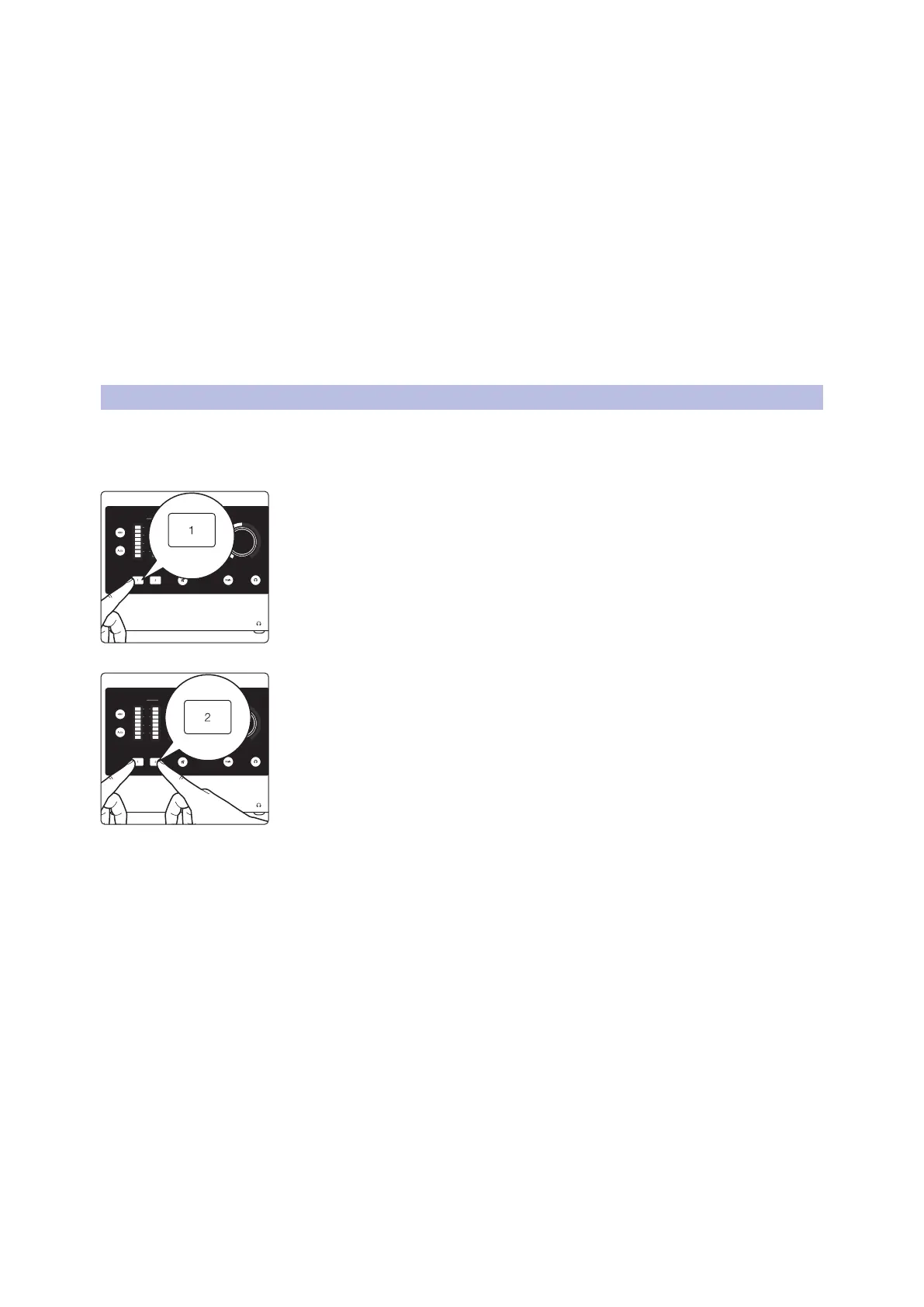
Stereo linking turns adjacent mono channels (1 + 2, 3 + 4) into stereo pairs. When channels are linked as a
stereo pair, any control adjustments will affect both channels of the stereo signal identically.
To link channels, follow the instructions below:
1. Press and hold the channel select button of an odd numbered channel
(like 1 or 3).
2. Then, press the channel select button that is next in the number sequences
(ex., press and hold 1, then press 2).
3. Both channel select buttons will turn white when selected to show that they
are linked.
• All current control settings of the left channel are copied to the right channel
(except pan, as noted below).
• Any changes to gain level or channel settings (like 48V) will now affect both
channels.
• Linked channels will be panned hard left and right respectively.
To unlink channels, repeat step one (press the two buttons simultaneously). Channel panning for each
channel will return to center when unlinked and the gain level will stay where it was set while linked.
Note: Stereo linking can also be done in Universal Control.
Linking Constraints:
• Only odd numbered channels can be made into a stereo pair (ex., 1, 3).
• Only the same types of input jacks can be linked (for example, a mic input cannot be linked with a line or
instrument input).
Input Main
L R1 2
(dBFS)
clip
6
18
30
(dBFS)
clip
6
18
30
Hold
Input Main
L R1 2
(dBFS)
clip
6
18
30
(dBFS)
clip
6
18
30















 To Next Page