7
3 Hardware Features
3.3 Back Panel
Quantum ES-Series
Owner’s Manual
• Pressing the headphone button while headphone 2 is active will switch control
back to headphone 1.
The last selected headphone control (1 or 2) is what will be active when the
headphone button is pressed. For example, let’s say the Main button is pressed
while headphone 2 is active. If the headphone button is pressed again, control will
return to headphone 2 (the last selected control).
Note: When in Headphone Control mode, the knob will NOT time out and return to
Monitor Control.
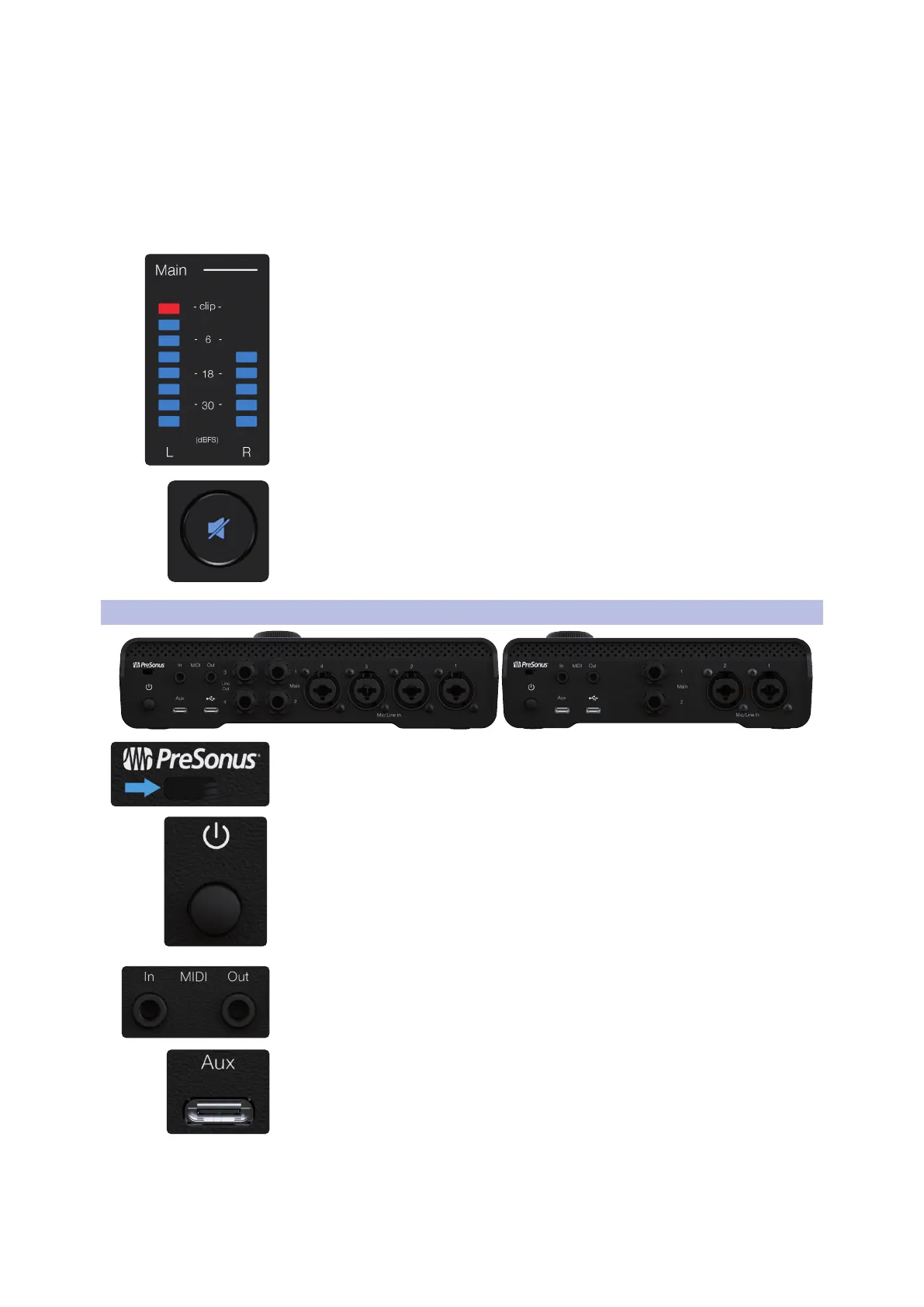
Output Meters - These meters display the signal level before the main output level
control.
Mute / Dim Button - By default, pressing the Mute button will mute the Main
outputs. Optionally, when using Universal Control, the mute button can be
configured in Universal Control to function as a dim button. The amount of dim
applied is -10 dB by default but can also be changed in the Settings Panel of the
Universal Control mixer.
Note: Mute / Dim does not affect headphones.
3.3 Back Panel
Kensington slot – For use with Kensington or Kensington-style locks, the
Kensington slot allows you to lock your interface to a stationary object, such as
your desk.
Power On / Off Switch – The push button switch turns the device on and off.
Note: When the device you are connected to does not provide enough power via
USB-C, auxiliary power is required (see below).
MIDI Input and Output - One 3.5mm MIDI input port and one 3.5mm MIDI output
port receives or sends MIDI data between your computer and external MIDI
devices.
Note: Type-B, MIDI 3.5mm to 5-pin DIN adapters are not included.
Auxiliary Power Connector (USB-C) – When the device you are connected to does
not provide enough power via USB-C, auxiliary power is required using an
additional power cable (not included).
For the ES 4, a USB-C to USB-C cable and corresponding USB-C, 5VDC 2.6A 9W
wall plug / external battery is required for auxiliary power.
For the ES 2, a USB-C to USB-C cable and corresponding USB-C, 5VDC 1.8A 13W
wall plug / external battery is required for auxiliary power.















 To Next Page