14
5 Using Your Quantum ES
5.3 Auto Gain
Quantum ES-Series
Owner’s Manual
5.3 Auto Gain
The Auto Gain button on your Quantum ES interface automatically sets the gain level for the channel(s) you’ll
be using. Please note that Auto Gain is available for microphone and guitar inputs only.
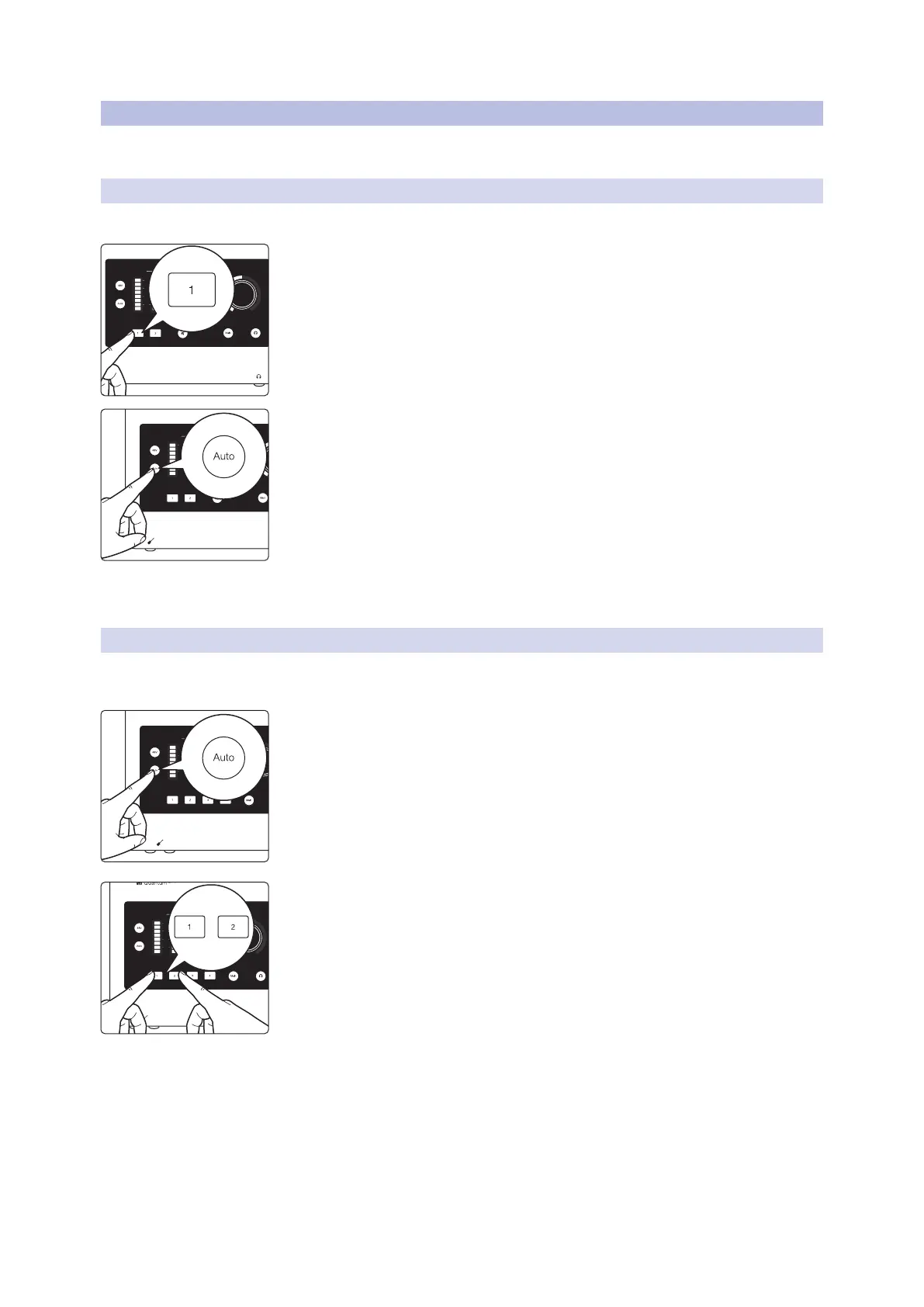
5.3.1 Auto Gain for a Single Channel
In some situations, you may want to set Auto Gain for a single channel. To do so, follow these directions:
1. Press one of the channel select buttons to adjust a channel’s gain level.
2. Press the Auto Gain button.
• Auto Gain will go into “listening” mode for 10 seconds.
• While “listening”, the Auto Gain button and the knob (cap) will turn red. The
ring around the bottom of the knob will also act as a countdown timer.
3. When Auto Gain starts to ”listen”, begin playing or singing the loudest you
think you’ll be while recording.
• After 10 seconds, the knob (cap) will blink green 3 times if successful, then the
knob and ring will return to white again showing the new gain position.
• If Auto Gain cannot determine the best level, the knob (cap) will blink red 3
times and the knob will return to the last known gain level position (white).
5.3.2 Auto Gain for Multiple Channels
In other situations, you may want to set Auto Gain for multiple channels at once. When in Main Output or
Headphone Output modes:
1. Press the Auto Gain button.
• All channel select buttons will be white.
2. Press the channel select buttons that should be set automatically by
Auto Gain.
• When a channel is selected, the button will turn solid red.
• If no channels are selected, and Auto Gain is pressed again then Quantum ES
will return to the last known monitor mode (Main or Headphone)
3. When you’ve finished selecting channels for Auto Gain, press the Auto Gain
button again to go into “listening” mode.
• Auto Gain will go into “listening” mode for 10 seconds.
• While “listening”, the Auto Gain button and the knob (cap) will turn red. The
ring around the bottom of the knob will also act as a countdown timer.
4. When Auto Gain starts to “listen”, begin playing or singing the loudest you
think you’ll be while recording.
Input Main
L R1 2
(dBFS)
clip
6
18
30
(dBFS)
clip
6
18
30
Input Main
L R1 2
(dBFS)
clip
6
18
30
(dBFS)
clip
6
18
30
Input
1 2
(dBFS)
clip
6
18
30
3 4
(dBFS)
clip
6
18
30
Input
1 2
(dBFS)
clip
6
18
30
3 4
(dBFS)
clip
6
18
30
+















 To Next Page