137
13 Resources
13.8 Sidechaining
StudioLive™ Series III
Owner’s Manual
13.8 Sidechaining
Both the Compressor and the Gate on the Input channels can be triggered from
another channel. Sidechaining has many uses. This section will explain how
sidechaining can help to solve many common mixing problems.
13.8.1 Sidechaining the Gate
As previously mentioned, the Gate’s key filter can be sidechained to another channel.
This allows you to select a different channel as the trigger source for your StudioLive
Gate’s Key Filter. Sidechaining has many uses:
Tighten up a Rhythm Section. You can use a sidechained key filter to tighten up
a rhythm section by sidechaining the kick drum channel to the bass channel and
setting the gate to open at the frequency of the kick drum. This, combined with a fast
attack and release, will make your rhythm section more cohesive. Increase the release
time to loosen the feel.
Rhythmic Effect. Another great use for a sidechain is as an effect in EDM production.
Try sidechaining a drum loop to a sustained source, like pads or strings. By doing
this, every time a drum hit triggers the key filter, your sustained source will be heard.
Between hits, this source will be silenced. Playing with the attack and release will
transform this effect from a rhythmic pulse all the way to a chopped-up stutter.
This tutorial will guide you through the first use case. Please note, that while
sidechaining the kick drum to the bass channel can tighten up a good rhythm
section and make them sound even better, it will not correct timing issues and will
actually exaggerate them if your bass player and drummer aren’t in the pocket.
For this purposes of this tutorial, we’ll use the dynamics of the kick drum on Channel
1 to trigger the gate for the bass on Channel 15.
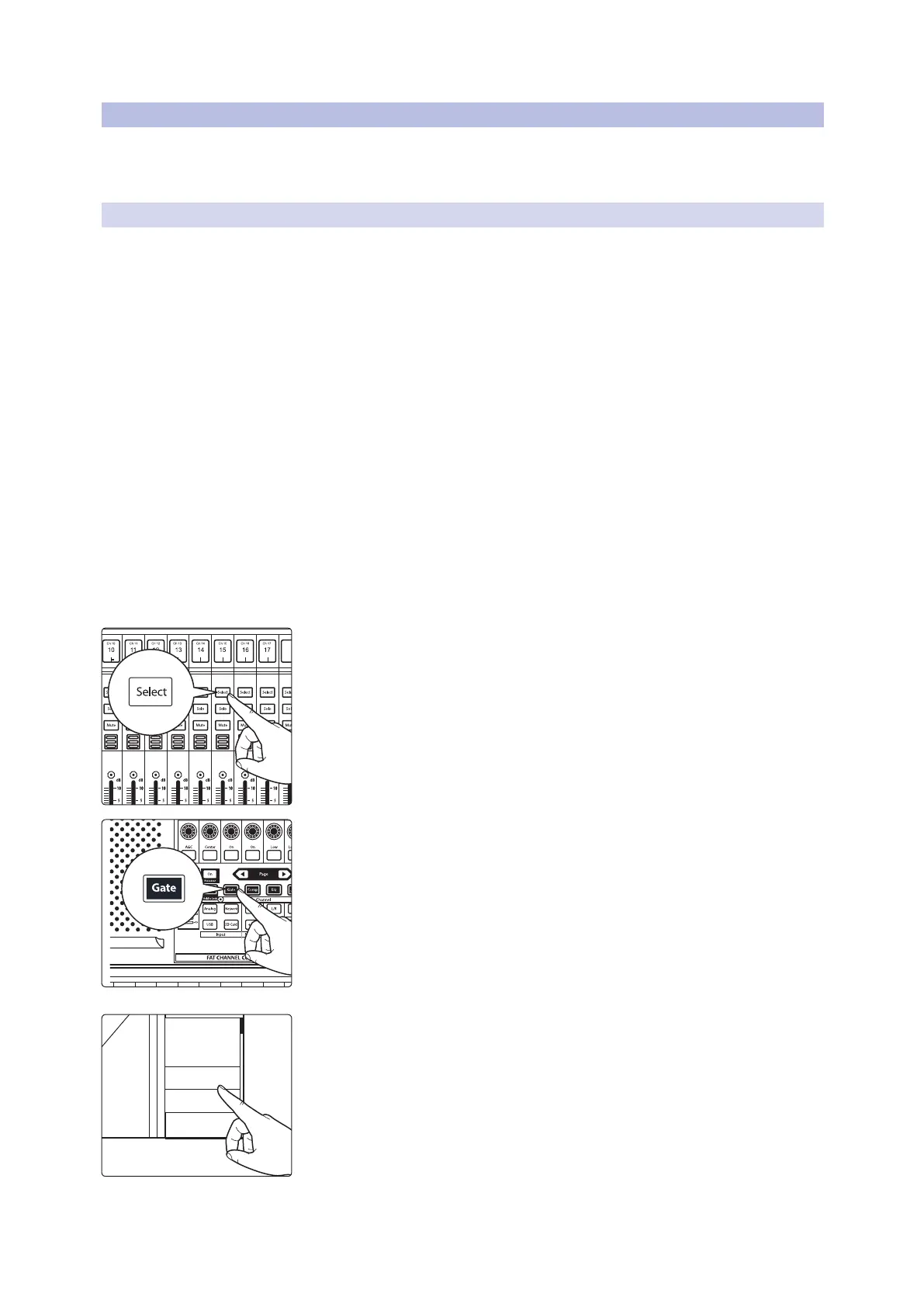
1. Press the Select button on the bass channel, to bring it into focus in the
Fat Channel.
2. Press the Gate button in the Fat Channel, to access gate/expander controls
for the bass channel.
3. Select the kick drum channel as the Key Source or by using the Key Source
selector on the Touch Display.
4. Adjust the Threshold, Attack, and Release controls to create the gating
effect you’re looking for.
If you want to break the sidechain connection, set Key Source for the gate back
to “None.”
Presets
Key Source
Ch. 2
None
Ch. 1
Ch. 2
Ch. 3
Expander
O
GR













 To Next Page