Table of Contents
1 Overview — 1
1.1 Introduction — 1
1.2 About this Manual — 1
1.3 Companion PreSonus Products — 2
1.4 What’s in the Box — 3
1.5 Additional Resources — 4
2 Getting Started — 5
2.1 Level Setting Procedure — 5
2.2 Useful Concepts — 9
2.2.1 Select Buttons and the Fat Channel — 9
2.2.2 Fat Channel Plugins — 10
2.2.3 FlexMixes — 10
2.2.4 Fader Layers — 10
2.2.5 DCA Groups — 11
2.2.6 Recording and Playback — 11
2.2.7 Digital Patching — 11
2.2.8 Projects, Scenes, and Presets — 11
2.2.9 User Profiles — 12
3 Hookup — 13
3.1 Rear Panel Configurations — 13
3.1.1 StudioLive 64S — 13
3.1.2 StudioLive 32S — 13
3.1.3 StudioLive 32SX — 14
3.1.4 StudioLive 32SC — 14
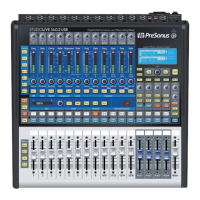
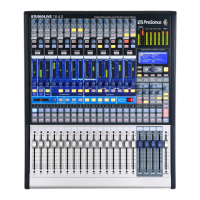
3.1.5 StudioLive 32 (Blue Model) — 15
3.1.6 StudioLive 24 (Blue Model) — 15
3.1.7 StudioLive 16 (Blue Model) — 15
3.2 Rear Panel Connections — 16
3.2.1 Analog Inputs — 16
3.2.2 Analog Outputs — 17
3.2.3 Digital and Networking — 18
3.2.4 Power — 19
3.3 Top Panel Connections — 19
3.4 Typical Band Setup Diagrams — 20
3.5 Typical Church Setup Diagrams — 21
4 Basic Mix Functions Overview — 22
4.1 Channel Strip Basics — 22
4.2 Fader Layers and Banks — 23
4.2.1 User Fader Layer — 24
4.3 Filter DCA Groups — 25
4.3.1 Creating Filter DCAs — 25
4.3.2 Editing or Deleting
a Filter DCA Group — 26
4.3.3 Managing DCA Group Masters — 26
4.3.4 DCA Group Options — 27
4.4 Main Meters — 27
4.5 Talkback System — 27
4.5.1 Talkback Edit Screen — 28
5 Buses and Routing — 29
5.1 FlexMixes — 29
5.2 Aux Mixes — 30
5.2.1 Pre/Post Channel Sends — 31
5.2.2 Creating Aux Mixes — 31
5.2.3 Working with External Effects
Processors — 32
5.3 Subgroups — 33
5.3.1 Creating a Subgroup — 34
5.3.2 Fixed Subgroups
(32-channel models only) — 34
5.3.3 Creating Instrument Subgroups — 35
5.4 Matrix Mixes — 37
5.4.1 Creating a Matrix Mix — 37
5.4.2 Creating a Front Fill Mix — 38
5.5 FX Buses — 38
5.5.1 Creating Internal Bus FX Mixes — 39
5.6 Main Mono/Center Bus
(StudioLive 64S only) — 39
5.6.1 Mono Bus Mode — 40
5.6.2 LCR Mode — 41





 To Next Page