87
9 Master Control
9.4 UCNET
StudioLive™ Series III
Owner’s Manual
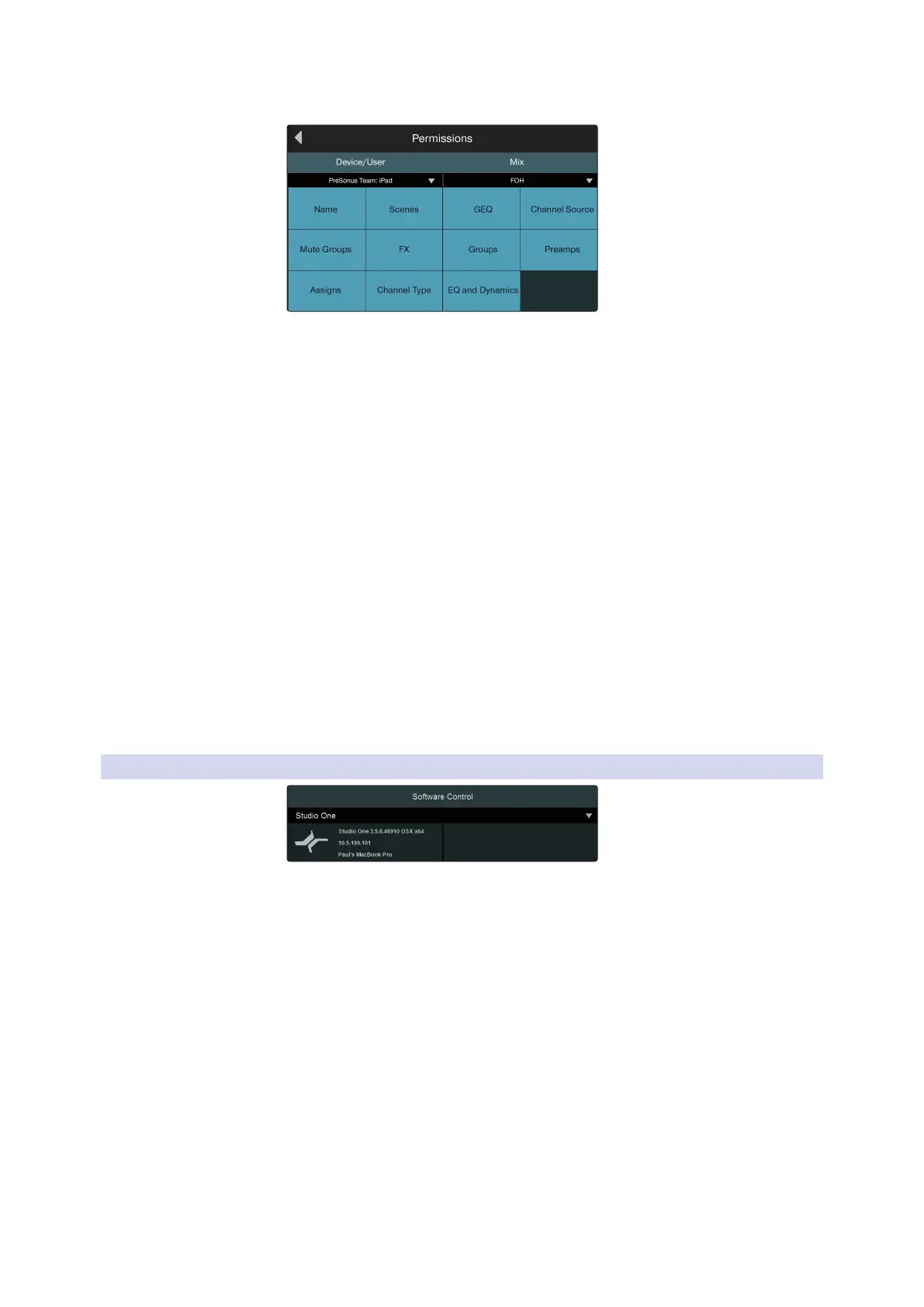
UC Surface Device Permissions
When setting permissions for UC Surface, you can choose to filter out certain
functions. When the button is the off state, the function will not be available for the
selected device.
The following functions can be disabled individually:
• Name. Enables/disables the ability to remotely change channel and bus names.
• Channel Types. Enables/disables the ability to remotely change the channel type.
• Channel Source. Enables/disables the ability to remotely change the channel
source.
• EQ & Dynamics. Enables/disables the ability to remotely change EQ and
Dynamics settings for channels and available buses.
• Preamps. Enables/disables the ability to remotely control the preamp functions.
• GEQ. Enables/disables the ability to adjust the GEQ for the available buses.
• Assigns. Enables/disables the ability to assign and unassign channels to the main
and subgroup buses.
• FX. Enables/disables the ability to edit the effects remotely.
• Scenes. Enables/disables the ability to remotely change scenes.
• Groups. Enables/disables the ability to remotely create Filter DCA groups.
• Mute Groups. Enables/disables the ability to remotely control mute groups.
9.4.3 Software Control
Your StudioLive Series III mixer can control Studio One in addition to function as a
Mackie Control Emulation device for Logic and a HUI emulation device for ProTools.
For more information on using your StudioLive mixer as a controller for your DAW
application please review the following addendums:
• StudioLive Series III Studio One DAW Control Addendum
• StudioLive Series III MCU for Logic DAW Control Addendum
• StudioLive Series III HUI Emulation for ProTools DAW Control Addendum













 To Next Page