128-9351
10 of 16
Page 10
To learn tach:
1. Turn the ignition key to the On position.
2. Press and release the valet/program push button switch 3 times.
3. Immediately turn the ignition key Off.
4. Press and hold the valet/program push button switch, then start the vehicle using
the key.
5. When the unit senses the tach signal, the parking lights will begin to ash.
6. Wait for at least 5 ashes
7. Release the valet/program switch. The parking lights come on for three seconds
to indicate that the learned tachometer signal is stored and the unit is out of the
tachometer learn mode.
NOTE: If the unit fails to learn tach rate due to an improper tachometer connection or
a poor tach source, the parking lights will not ash. To correct this situation,
locate and connect the Green/Orange wire to the proper tach signal, and then
repeat the tach learn routine.
PROGRAMMING BANK 1 (TRANSMITTERS):
1) Turn the ignition key to the on position.
2) Press and release the valet/programming switch 3 times (Siren Chirps Once).
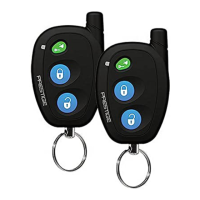
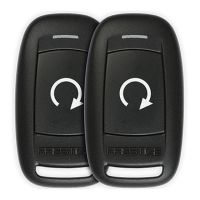
3 Press the Button of each transmitter you want programmed until the parking lights ash.
4) Turn the ignition switch off to exit the programming mode.
PROGRAMMING BANK 2 (ALARM FEATURES):
You can enter bank 2 from bank 1 by turning the ignition key off then on from step 4 of
Bank 1, the lights will ash twice, or You can also go right to bank 2 by:
1) Turn the ignition key to the On position.
2) Press and release the valet/programming switch 3 times (Lights Flash Once).
3) Turn the ignition key off then on.
4) Press the pushbutton switch once to advance to feature 1, twice to advance to feature
2, etc, then use the button of the transmitter to select the feature setting.
Example to set passive arming:
1) Turn the ignition key to the on position.
2) Press and release the valet/programming switch 3 times
3) Turn the ignition key off, then on.
4) Press the pushbutton switch once to advance to features 1, door unlock output timing
then use the button of the transmitter to select your desired setting.
5) To exit the programming mode, turn the ignition key off. The parking lights ash
upon exit







 To Next Page