24
English
Installation
NOTE : Refer to the SP5000 Series Hardware Manual or the SP5000 Series (Display
Module) Installation Guide on how to mount the Display Module to the panel. Refer to the
DC Power Supply Adapter for Box Module Installation Guide on how to mount the DC
Power Supply Adapter for Box Module to the panel.
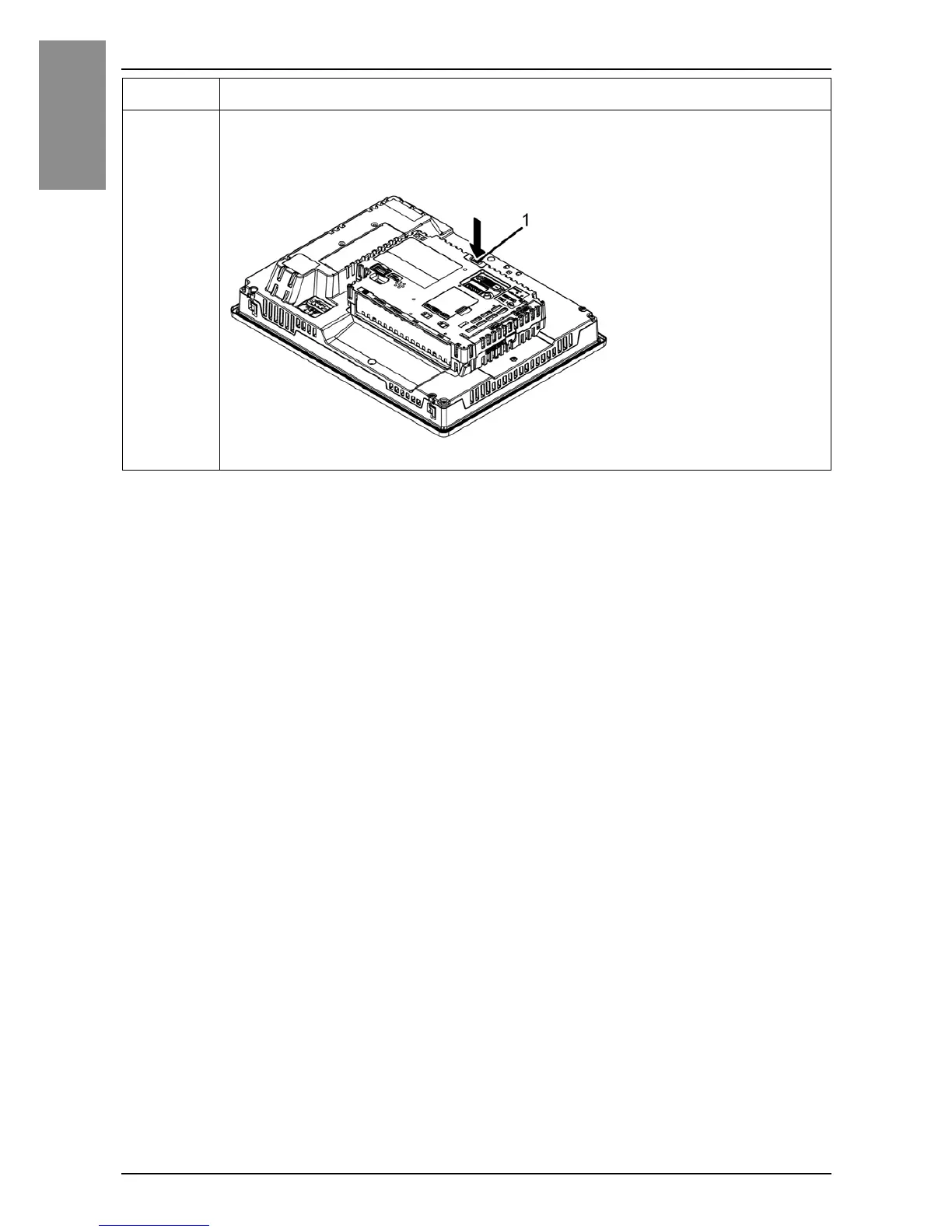
3 Fully push on the LOCK on the top of the Box Module to mount the
Box Module on the Display Module or on the DC Power Supply
Adapter for Box Module.
1 LOCK
Step Action


 To Next Page