26
English
Installation
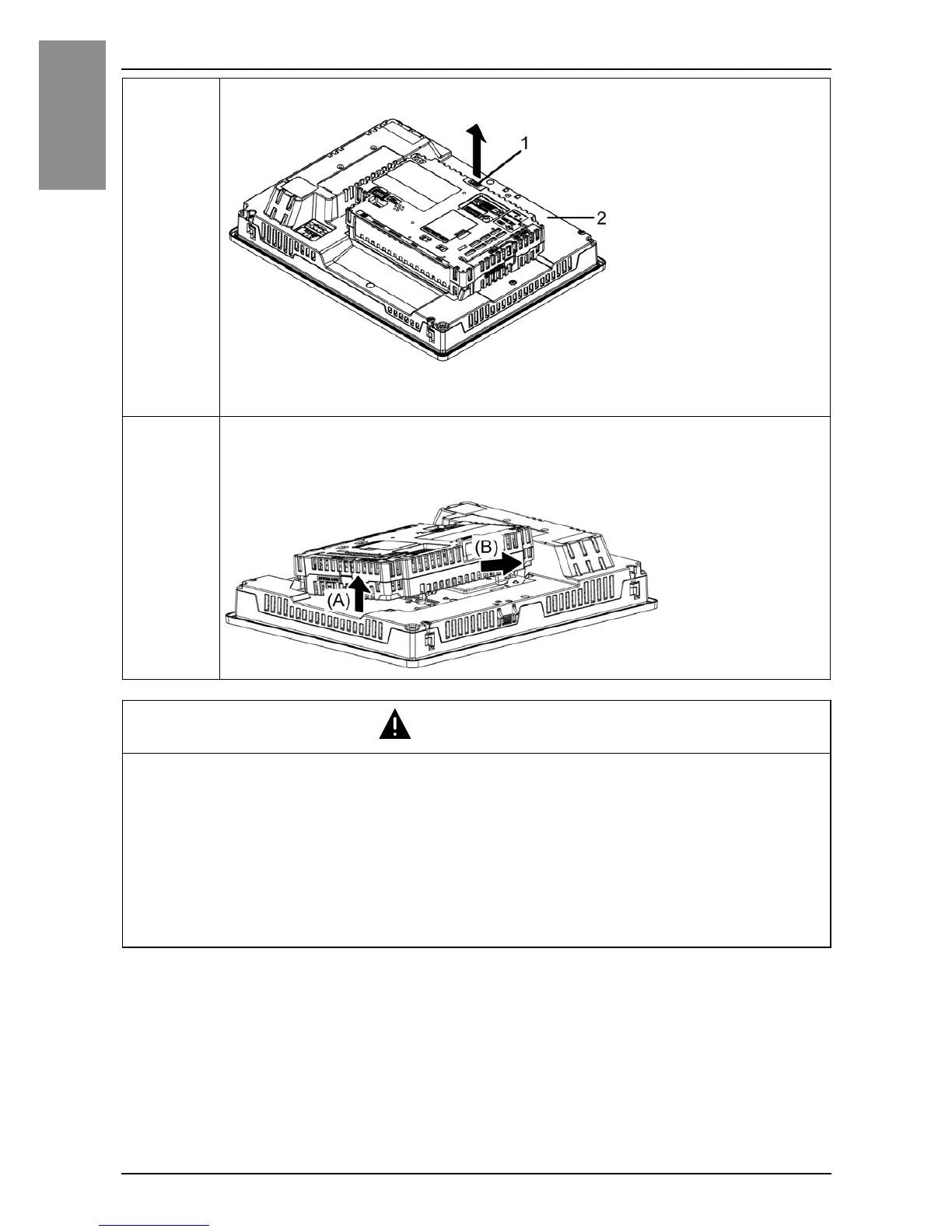
2 Release the LOCK on the top of the Box Module as illustrated.
1 LOCK
2 Display Module or DC Power Supply Adapter for Box Module
3 Lift the Box Module in the direction indicated by arrow (A) in the
diagram and remove it by sliding in the direction indicated by arrow
(B).
CAUTION
RISK OF INJURY
Do not drop the Box Module when you remove it from the Display Module or
DC Power Supply Adapter for Box Module.
• Hold the unit in place after removing the fasteners.
• Use both hands.
Failure to follow these instructions can result in injury or equipment damage.


 To Next Page