29
Connecting to the USB Interface
English
Removing USB Clamp Type A (1 port)
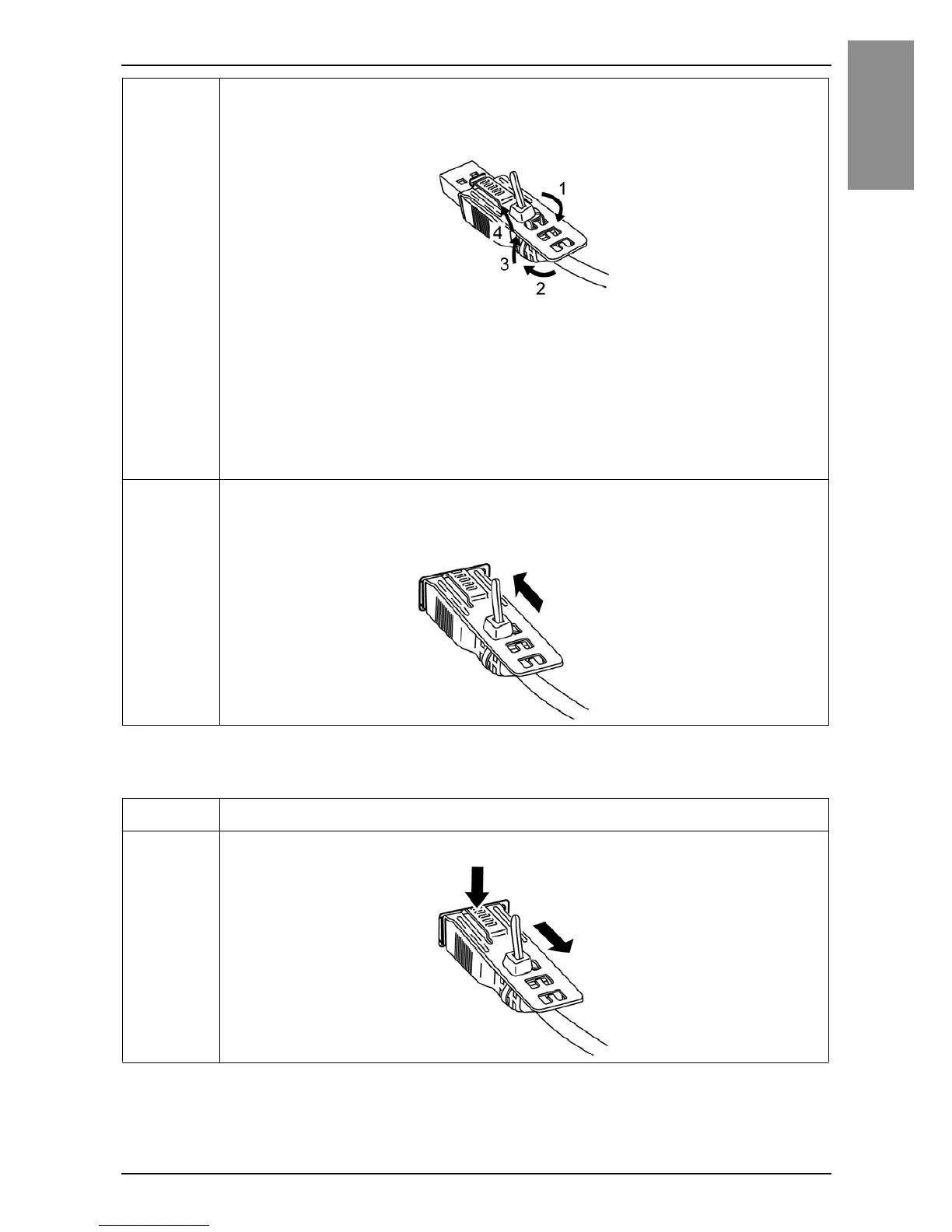
3 As shown, pass the tie through the clip hole. Next, turn the tie and
pass it through the head so that the USB cable can pass through
the center of the tie loop.
NOTE :
• Check the direction of the head beforehand. Make sure the USB cable is
through the center of the tie loop and that the tie can pass through the
head.
• You can substitute the tie provided with PFXZCBCLUSA1 (by Pro-face)
or other commercially available ties with a width of 4.8 mm (0.19 in) and
thickness of 1.3 mm (0.05 in).
4 While pressing the grip on the clip, insert the cable from step 3 all
the way into the USB host interface. Make sure that the clip tab is
secured to the USB cable attached to this product.
Step Action
1 Remove the USB cable while pushing the grip section of the clip.


 To Next Page