
 Need help?
Do you have a question about the Pro-Form 10.0 Ze Elliptical and is the answer not in the manual?
Provides essential contact information, including a toll-free number and website for customer inquiries and assistance.
Advises users to read all precautions and instructions before using the equipment for safe operation.
Illustrates the location of warning decals and guides users on how to obtain replacements if they are missing or illegible.
Lists 15 crucial safety instructions for operating the elliptical, covering user health, environment, and proper usage.
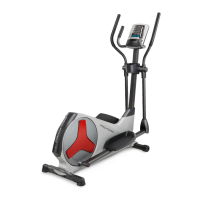
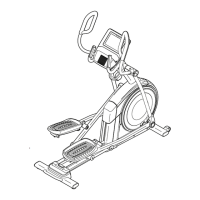
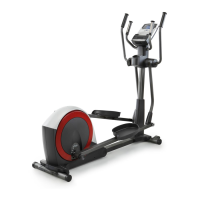
Introduces the elliptical and provides a labeled diagram to help users identify its various components.
Details the necessary hardware, including screws and washers, with their respective key numbers and quantities for assembly.
Guides the user through the installation of the front and rear stabilizers using specific screws and washers.
Details the process of attaching the upright and top cover, including wire harness management.
Covers the installation of upper body legs, pedal arms, and associated components, including lubrication and securing.
Explains how to attach the pedals and upper body arms to their respective arms and legs using specific hardware.
Details attaching handlebars, connecting the pulse wire, and installing batteries or a power adapter for the console.
Guides the connection of console wires and the attachment of the rear upright cover.
Covers attaching leg covers and performing final tightening of all parts to ensure proper assembly.
Explains how to fold, unfold, move the elliptical, and adjust its stride length for personalized workouts.
Details the correct procedure for mounting, dismounting, and leveling the elliptical to ensure stability.
Provides a diagram of the console and describes its features, including workouts, iFit, and sound system.
Guides users on how to operate the elliptical in manual mode and understand the console's display feedback.
Explains how to measure heart rate using the handgrip sensors and operate the built-in fan.
Details how to choose and engage with the elliptical's eight preset workout programs for guided training.
Explains how to utilize calorie goal workouts to achieve specific calorie burn objectives through programmed resistance.
Details the process of using iFit cards to access personalized training sessions with a virtual coach.
Covers connecting audio devices, adjusting volume, and customizing console backlight and usage settings.
Provides guidance on cleaning, battery replacement for dimming consoles, and basic troubleshooting steps.
Explains the procedure for adjusting the reed switch to correct inaccurate feedback displayed by the console.
Details the steps for adjusting the drive belt to resolve pedal slippage, including shield removal and screw adjustments.
Discusses exercise intensity, heart rate zones for fat burning and aerobic exercise, and includes a relevant chart.
Offers advice on proper warm-up, cool-down techniques, and recommended exercise frequency for conditioning.
Lists all elliptical components with key numbers, quantities, and descriptions for easy identification.
Presents a detailed exploded view diagram illustrating the assembly and interconnection of elliptical parts.
Provides a second detailed exploded view diagram showing the arrangement and connection of various elliptical components.
Instructs users on how to order replacement parts, specifying the necessary information for efficient service.
Outlines the terms and conditions of the product's limited warranty, including coverage and exclusions.
 General
| Stride Length | 20 inches |
|---|---|
| Weight Capacity | 325 lbs |
| Heart Rate Monitoring | EKG Grip Pulse |
| Incline | Power Adjustable |
| Type | Elliptical |



 To Next Page