12
13
12
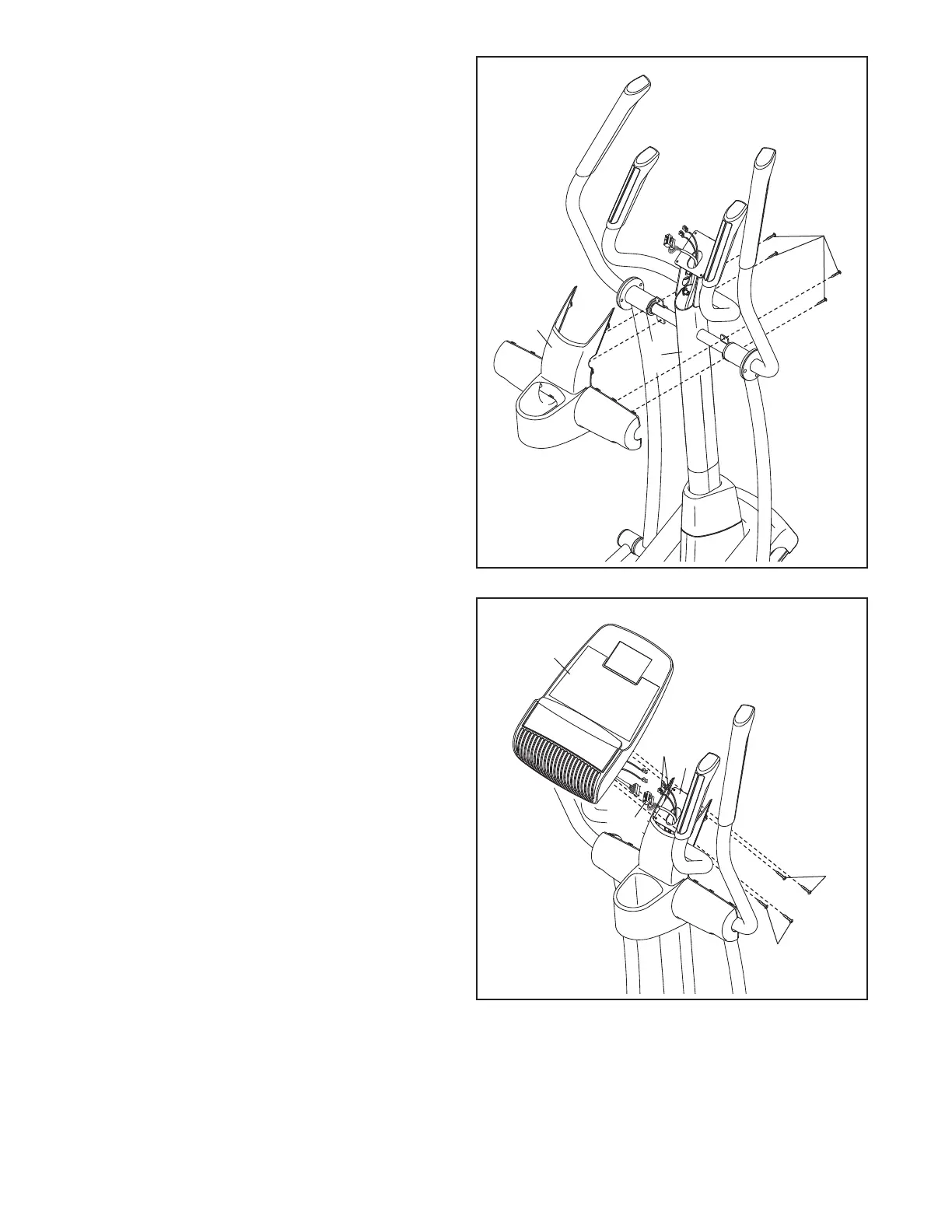
13. Untie and discard the wire tie attached to the
Wire Harness (60).
While a second person holds the Console (33)
near the Upright (5), connect the wires on the
Console to the Wire Harness (60) and to the
Pulse Wires (105).
Insert the excess wire downward into the
Upright (5) or upward into the Console (33).
Tip: Avoid pinching the wires. Attach the
Console (33) to the Upright (5) with four M4 x
19mm Screws (156).
33
105
5
60
25
156
5
12. Orient the Rear Upright Cover (25) as shown.
Attach the Rear Upright Cover (25) to the
U
pright (5) with four M4 x 19mm Screws (156).
Avoid pinching
the wires
156
156




 To Next Page