15
Follow your progress with the displays.
See step 5 on page 12.
Measure your heart rate if desired.
S
ee step 6 on page 13.
Turn on the fan if desired.
See step 7 on page 13.
When you are finished exercising, remove the
key from the console.
See step 8 on page 13.
HOW TO CONNECT THE TREADMILL TO USE
IFIT.COM PROGRAMS
To use iFIT.com MP3 or CD programs
, the treadmill
m
ust be connected to your MP3 player, CD player,
p
ortable stereo, home stereo, or computer. See pages
15 and 17 for connecting instructions. To use iFIT.com
programs directly from our Web site, the treadmill
must be connected to your computer. See page 17 for
connecting instructions.
To use iFIT.com video pro-
grams
, the treadmill must be connected to your VCR.
See page 17 for connecting instructions.
HOW TO CONNECT YOUR MP3 PLAYER OR CD
PLAYER
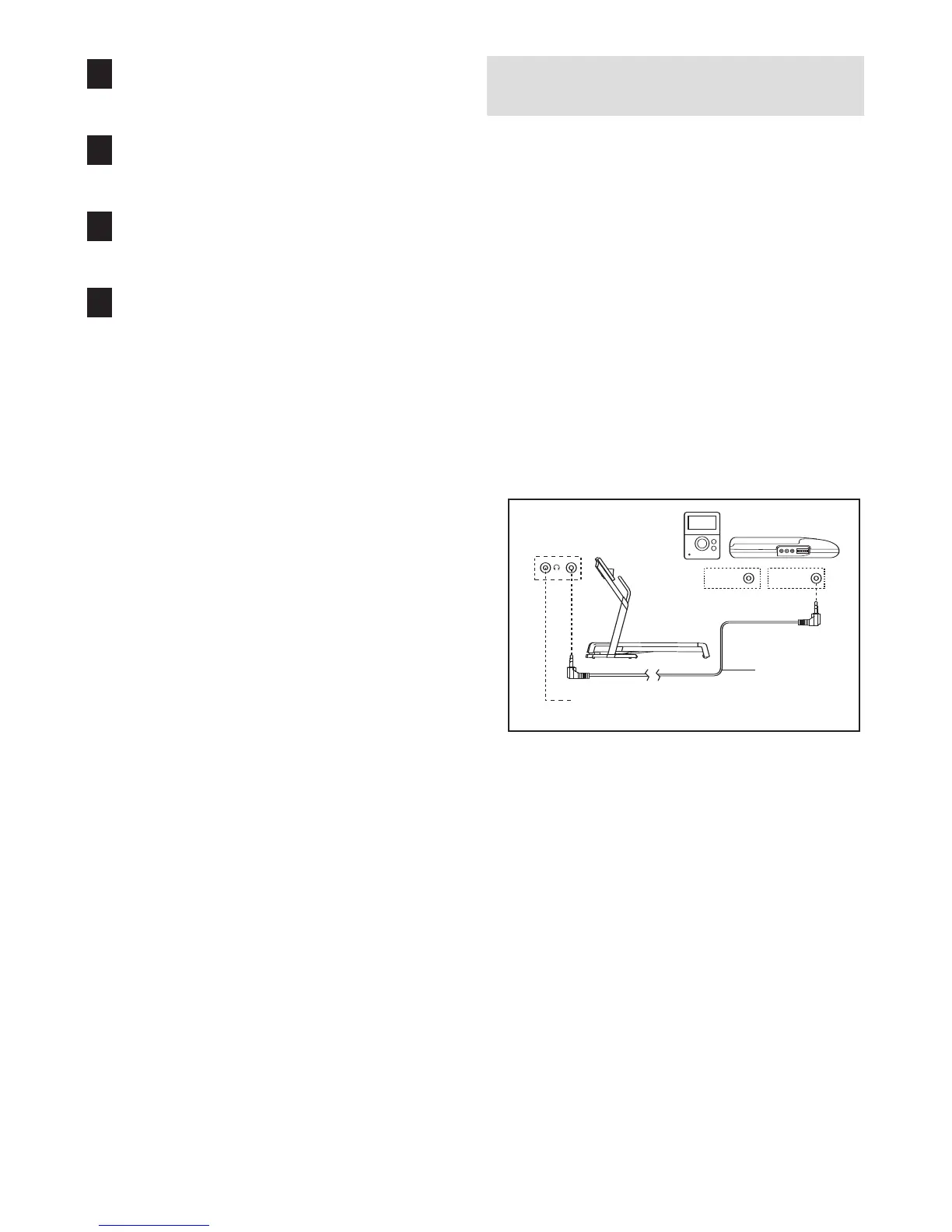
A. Plug one end of the included 3.5mm to 3.5mm
stereo audio cable into the input jack on the con-
sole. Plug the other end of the cable into a jack on
your MP3 player or CD player. Plug your head-
phones into the headphone jack on the console.
7
6
5
4
LINE OUT
PHONES
LINE OUT
PHONES
Audio
Cable
Headphones
A






 To Next Page