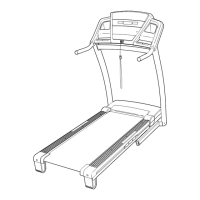
HOW TO USE THE FITNESS TEST PROGRAM
The fitness test program measures your VO2 max
level
. For the best results, the program should be used
at a time when your energy level is high; the program
should not be used if you have already exercised dur-
ing the day. Follow the steps below to use the program.
Put on the chest pulse sensor.
You must wear the chest pulse sensor to use
the fitness test program.
See the instructions on
page 9.
Insert the key fully into the console.
See HOW TO TURN ON THE POWER on page
12.
Select the fitness test program.
When the key is inserted,
the manual mode will be
selected. To select the
fitness test program,
press the Program
Select button repeatedly
until a “P 5” appears in the Distance/Incline dis-
play.
When the fitness test program is selected, the
Time/Pace display will show that the program is 9
minutes long.
During the fitness test
program, the matrix will
show a moving graphic
that represents your
heart rate. Each time a
heartbeat is detected,
an additional peak will
appear.
Enter your gender.
When the fitness test
program is selected, the
letters “GEn” (gender)
and an “m” (male) or an
“F” (female) will flash in
the Calories/Pulse dis-
play. Press the + and –
buttons beside the Enter button to select a gen-
der, and then press the Enter button.
Enter your age.
After you have entered
your gender, the word
“AGE” and the current
age setting will flash in
the Calories/Pulse dis-
play. If you have already
entered your age, simply
press the Enter button. If you have not entered
your age, press the + and – buttons beside the
Enter button to enter your age. Then, press the
Enter button.
Press the Start button or the Speed + button to
start the program.
A moment after the button is pressed, the tread-
mill will automatically adjust to the first speed and
incline settings of the program. Hold the handrails
and begin walking.
During the fitness test program, the console will
automatically control the speed and incline of the
treadmill. When the program is completed, the
walking belt will slow to a stop and your VO2 max
level will appear in the Time/Pace display.
Note: If your heart rate exceeds 70% of your esti-
mated maximum heart rate during the first part of
the program, if your heart rate exceeds 85% of
your estimated maximum heart rate for more than
a few seconds at any time during the program, or
if your pulse is not detected for several seconds
during the program (the letters “PLS” will flash in
the Calorie/Pulse display), the fitness test will stop
and a zero (0) will appear in the Time/Pace display.
Follow your progress with the main display.
See step 5 on page 12.
Turn on the fan if desired.
See step 7 on page 13.
When you are finished exercising, remove the
key from the console.
See step 7 on page 15.
9
8
7
6
5
4
3
2
1
18 19
HOW TO CREATE CUSTOM PROGRAMS
Insert the key fully into the console.
See HOW TO TURN ON THE POWER on page
12.
Select one of the custom programs.
When the key is inserted,
the manual mode will be
selected. To select a
custom program, press
the Program Select but-
ton repeatedly until a “P
6” or “P 7” appears in the Distance/Incline display.
Note: If the custom program has not yet been
defined, three columns of indicators will be lit
in the matrix. If more than three columns of in
-
dicators are lit, see HOW TO USE CUSTOM
PROGRAMS on page 20.
Press the Start button or the Speed + button
and program the desired speed and incline
settings.
A moment after the button is pressed, the walking
belt will begin to move. Hold the handrails and
begin walking.
See the matrix. Each
custom program is di-
vided into one-minute
segments. One speed
setting and one incline
setting can be pro
-
grammed for each seg-
ment. The speed setting
for the first segment will
be shown in the flashing Current Segment column
of the matrix. (The incline settings are not shown
in the matrix.) To program a speed setting and an
incline setting for the first segment, simply adjust
the speed and incline of the treadmill as desired
by pressing the Speed and Incline buttons. Every
few times one of the Speed buttons is pressed, an
additional indicator will light or darken in the
Current Segment column.
When the first segment of the program is com-
pleted, the current speed setting and the current
incline setting will be saved in memory. The three
columns of indicators will then move one column
to the left, and the speed setting for the second
segment will be shown in the flashing Current
Segment column. Program a speed setting and an
incline setting for the second segment as de-
scribed above. Note: After the third segment is
completed, the columns of indicators in the matrix
will no longer move to the left. Instead, each time
a segment is completed,
the flashing Current
Segment column will move one column to the
right. If the Current Segment column reaches the
right side of the matrix, when the current segment
is completed all columns of indicators in the matrix
will move three columns to the left.
Continue programming speed and incline settings
for as many segments as desired; custom pro-
grams can have up to forty segments. When you
are finished with your workout, press the Stop but-
ton twice. The speed and incline settings that you
have programmed and the number of segments
that you have programmed will then be saved in
memory.
When the program is finished, remove the key.
See step 7 on page 15.
4
3
2
1
Current Segment


 To Next Page
 Loading...